

Weekly Recap: Extended Face Matching™ & Image Overwrite Upgrades! ✨
.png)
Hello, my fabulous photographers!
Candy here, and welcome to this week’s Weekly Recap.
We’ve got some exciting updates that will make your NowCandid™ events even smoother—so grab a coffee and let’s dive in!
Extended Face Matching™ Window ⏳
Great news for Face Matching™ events! We’ve extended the Face Matching™ window to last 30 days from your event’s start date. Here’s what that means:
- • Longer Matching Period:
Previously, Face Matching™ ended when the event concluded. Now, images uploaded even several weeks late will still find their matches, as Selfie Check-In™ remains live for the full 30 days!
- • Consistent Marketing:
Thanks to Tiered Pricing on each participant’s Day 0 text, even late joiners receive the same marketing campaign and discount opportunities.
- • Event End Date Still Matters:
While Face Matching™ remains active for 30 days, the event’s End Date still determines when the event disappears from the Capture & Upload App and the limited-access Event Management Portal.
- • Flexible Event Management:
After creating an event, you can now edit its End Date, allowing you to keep an event active longer if needed. Plus, on the All Images Gallery, Selfie Check-In™ is prominently displayed for Face Matching™ events—making it easier for stragglers to get their images.
This extended window opens up new opportunities and helps ensure no one misses out on their photos!
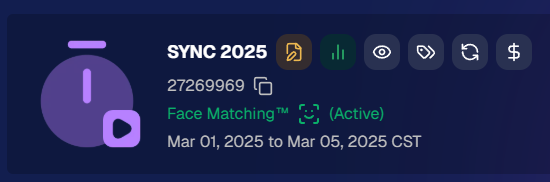
Image Overwrite Feature in the Web Dashboard 🔄
We’ve heard your requests: now you can overwrite images using the Image Uploader on the Web Dashboard!
- • Edit & Replace:
For Positive ID™ events, you can now replace unedited images with edited ones. The new, updated images will slot directly into each participant’s retail gallery and your Manage Images page, replacing the originals seamlessly.
- • Enhanced Workflow for Positive ID™:
This is a game changer for Positive ID™ events that require a tethered tablet. You can take photos, assign them during the event, then edit and replace them later—all without disrupting your marketing.
- • Important Reminder:
For Face Matching™ events, we still recommend using Selfie Check-In™ and uploading your edited images once you’re done fine-tuning. And always export in the proper sRGB color profile for printing and uploading.

Miscellaneous Updates ⚙️
- • Press & Hold Download Fix:
The “Press & Hold” download on the retail site for Quic-Events using Chrome on iOS is now fixed—ensuring a smooth experience for all your customers. (The Free Download product was available for those who had issues previously, so no worries! People still got their pics.)
That’s it for this week’s recap!
These updates are designed to extend your event’s image matching capabilities, streamline your image editing workflow, and improve overall user experience.
As always, your feedback is invaluable—drop us a line if you have any questions or suggestions.
Thanks for being an essential part of the NowCandid™ community, and keep capturing those unforgettable moments!
Cheers and sparkles,
Candy 🍬




.svg)


