HomeNavigation arrowBlogNavigation arrow
Current page
Success Stories

Holiday Gear Up

Holiday Gear Up
Are you ready for the Holiday Season?

Maybe not since we have roughly 10 weeks to go. For most photographers, the winter months can bring a noticeable slowdown, but this also presents the perfect opportunity to seize seasonal event opportunities like Santa Portraits and holiday parties.

These festive events are in high demand, and with the right tools, you can make the most out of them!

We want to share a success story from a Santa Portrait Event that took place in the last few years, along with how NowCandid’s Workflows can help you maximize your success this holiday season.

Santa Portrait Station Success

Rachel S., a photography business owner from South Florida, a few years ago landed a Santa Portrait event at a Zoo and turned it into a HUGE win. With Candid's Scanner ID Workflow, Rachel was able to use the same techniques of a typical sports or school picture day and apply them to the Holiday Zoo Lights Santa Event.

To manage the event, Rachel used the Scanner ID Workflow, and generated blank QR cards to pass out to people while they waited in line.

The QR codes were scanned by the guests who then paired their contact info with their QR code! Once they got to the front of the line, Rachel's photographers would scan the next guest's QR with their tethered device, and then take their photos!

The device tethered to the camera would then upload the photos right after they were taken!

With the contact info and pictures both in the system, gallery links were then automatically texted directly to the subjects, right away.

Overall, this event garnered over $42,000 in it's first year!!! Not bad for a couple weeks of work!

NowCandid Workflows: Make Your Holiday Events a Breeze

One of the key elements to success in high-volume holiday events is efficiency—and that’s where NowCandid’s Workflows come into play.

These workflows streamline the process of capturing, organizing, and delivering photos, allowing you to focus more on your artistry and client experience.

Here are two workflows you’ll want to use during your Santa sessions and holiday parties:

  1. Scanner ID: The Workflow Rachel used! It's great for efficiently collecting guest contact info while they are in line, letting you move the line along more quickly OR have more time available for additional photos. Contact info is essential for instant image delivery and post-shoot marketing.
  2. Type & Take: This works similarly to the Scanner ID Workflow, except you type the subject's contact info into your tethered device before photographing them. It is not as time efficient at Scanner ID, but it doesn't require you to print out many blank cards before the event!

Seasonal Retail Theme to Add to the Experience

The holiday fun doesn't stop at the event—it continues when your customers view and purchase their images! With our Candy Cane retail theme, your clients are immersed in the festive spirit as soon as they visit their personal image gallery.

Our themes include delightful touches like falling snowflakes, which gently drift across the screen. These animations help enhance the shopping experience and keep customers wrapped up in the magic of the season.

Theme: Candy Cane - Watermarking: Default

Use Overlay Art to Add a Special Touch

If you're looking to elevate the experience further, NowCandid offers Overlay Art, allowing you to add optional customized overlays to your clients' images.

These titles add a festive, personal touch to the photos, making them feel extra special, whether it's a corporate holiday party, a Santa session, or a family Christmas gathering.

Imagine sending clients their Santa Portraits, complete with a “Merry Christmas 2024” overlay or a custom-designed title that reflects the spirit of the season. It’s little touches like these that make clients feel valued and excited about your services—leading to more referrals and repeat business.

Why You Shouldn't Sleep on Holiday Opportunities

The holiday season offers some of the most lucrative photography opportunities of the year, especially when it comes to events like Santa Portrait sessions, corporate holiday parties or large family and friends gatherings.

With many photographers considering this time a "slow season," there's an opportunity to stand out from the crowd by offering fun, engaging photo experiences that families, organizations, and individuals will love.

Adding these events to your services can also build lasting relationships with your clients—because who doesn’t want to make holiday memories they’ll treasure forever?

Don't Miss Out: Prep for the Holidays Now

The key to success is preparation. Start planning your Santa sessions, promote your holiday event photography, and make sure you're using NowCandid’s powerful tools to handle your Events with ease.

And remember: festive cheer isn’t just for clients. By embracing the holiday season and seizing these photography opportunities, you can fill your calendar and finish the year strong.

Cheers, and may there be many holiday events in your future!

Candy 🍬

Related articles

Weekly Recap: NowCandid Docs Are Here (60+ Pages), Capture App 5.6, and Smarter Retail + Dashboard Tools
Feature Updates
May 1, 2026

Weekly Recap: NowCandid Docs Are Here (60+ Pages), Capture App 5.6, and Smarter Retail + Dashboard Tools

8
 minutes read
Hey photo friends! 👋


This week’s updates are packed with improvements that make your day-to-day workflow smoother—especially if you like clear answers, fewer edge cases, and cleaner experiences across Capture, Retail, and the Dashboard.

The headline this week: NowCandid Docs are officially live inside the Dashboard—and they’re already huge. Let’s jump in. 💫

📚 NEW: NowCandid Docs (Built Into the Dashboard)

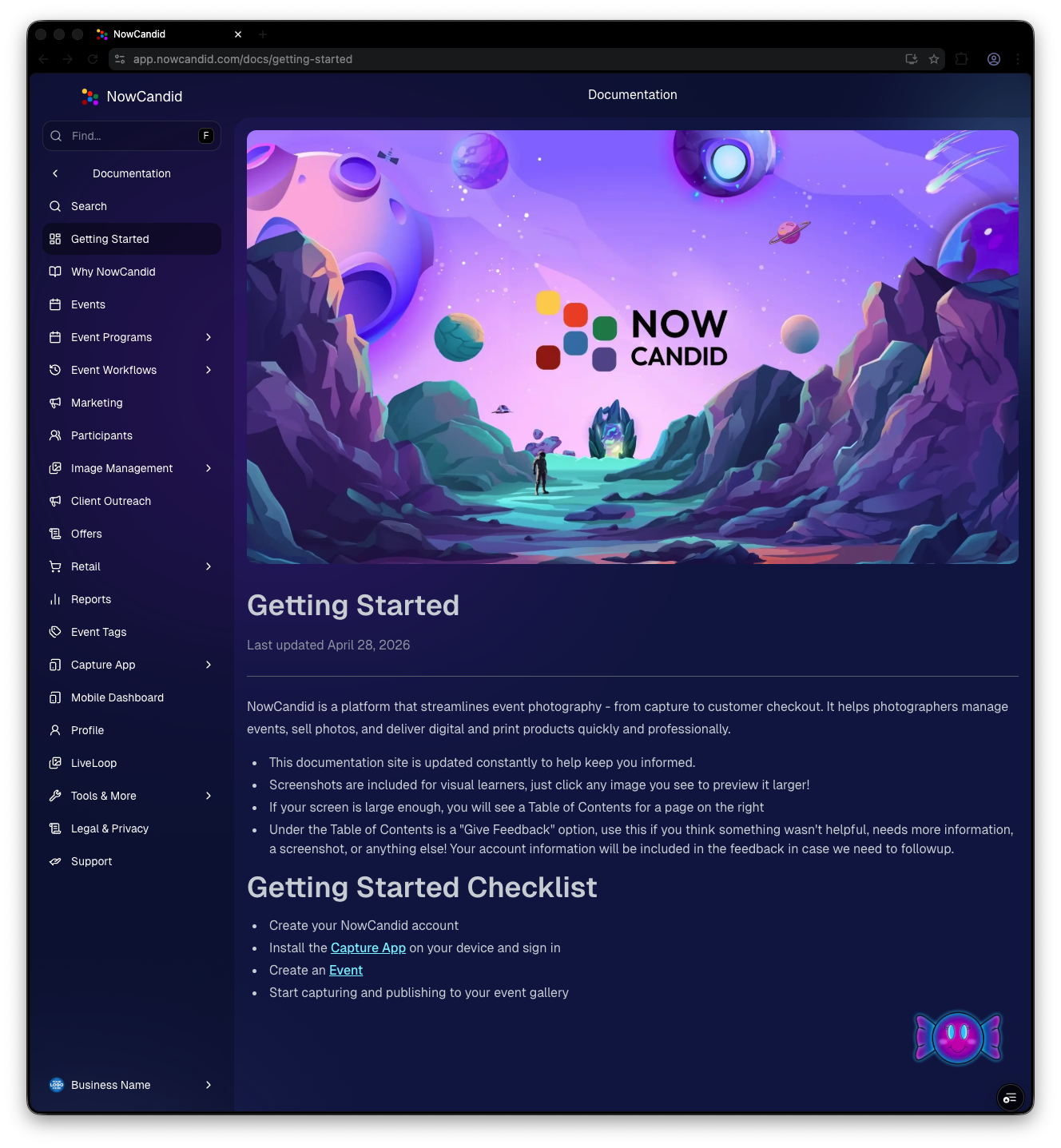
We’ve launched official, up-to-date NowCandid documentation directly inside the Dashboard. Just click “Docs” in the sidebar to open it.

Here’s what makes it special:

  • One dedicated place for everything: programs, workflows, Capture App, JerseyJotter, Candy Culler, and more
  • Over 60 pages of documentation already (with screenshots and even some videos)
  • Regular updates, with a timestamp on each page showing when it was last updated
  • Smart Docs search (use the search button at the top of the Docs sidebar)
  • Mobile supported: works fully inside the Mobile Dashboard app
  • Clickable images: click any image to preview it bigger
  • Table of contents + feedback: on larger screens, you’ll see a right-side table of contentsand a “Give Feedback” button to report missing info, typos, or confusing sections
  • Private by default: you can share a docs link, but the viewer must be logged in to access it

Preview of New NowCandid Docs
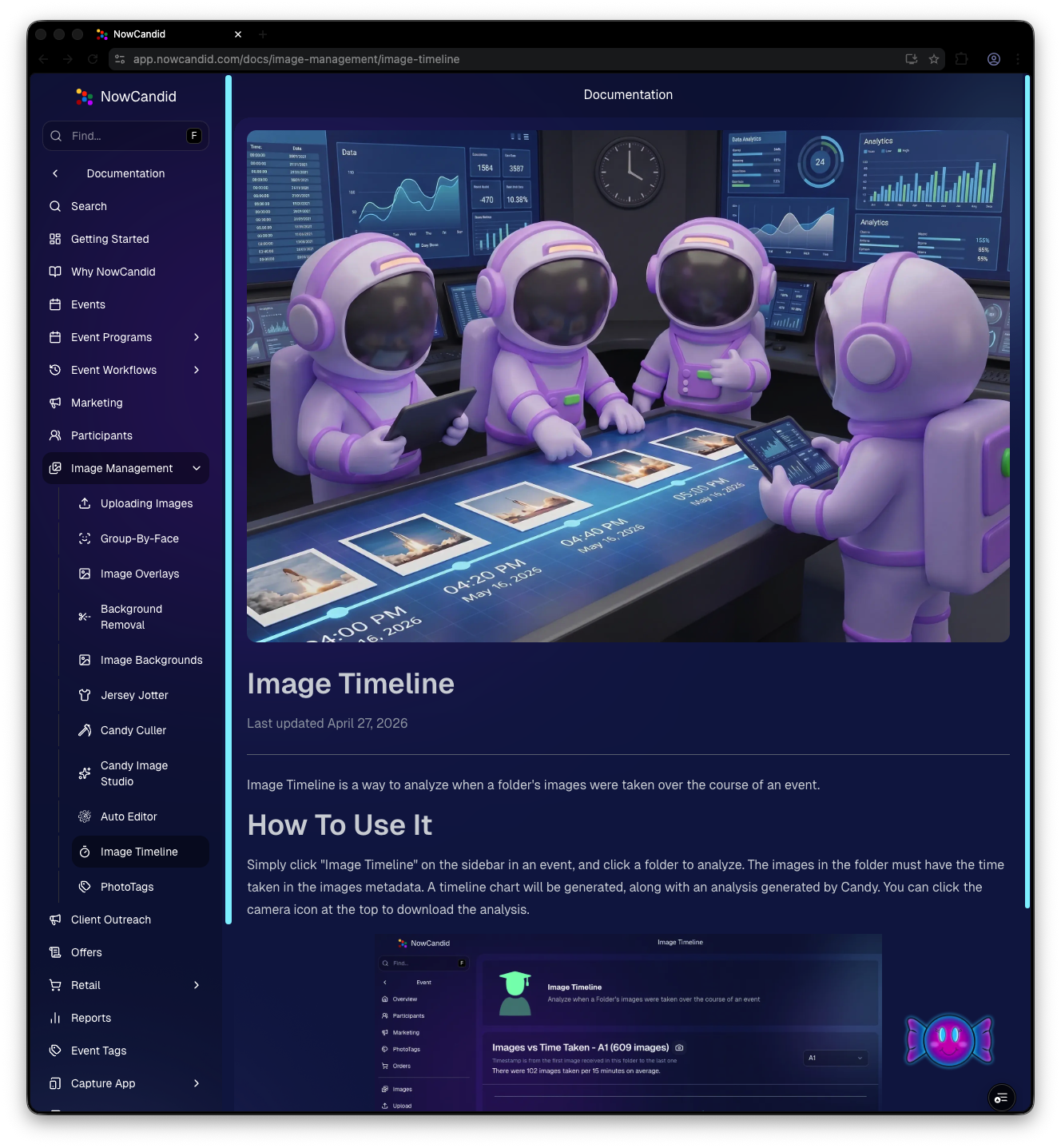
NowCandid Docs Image Timeline page preview
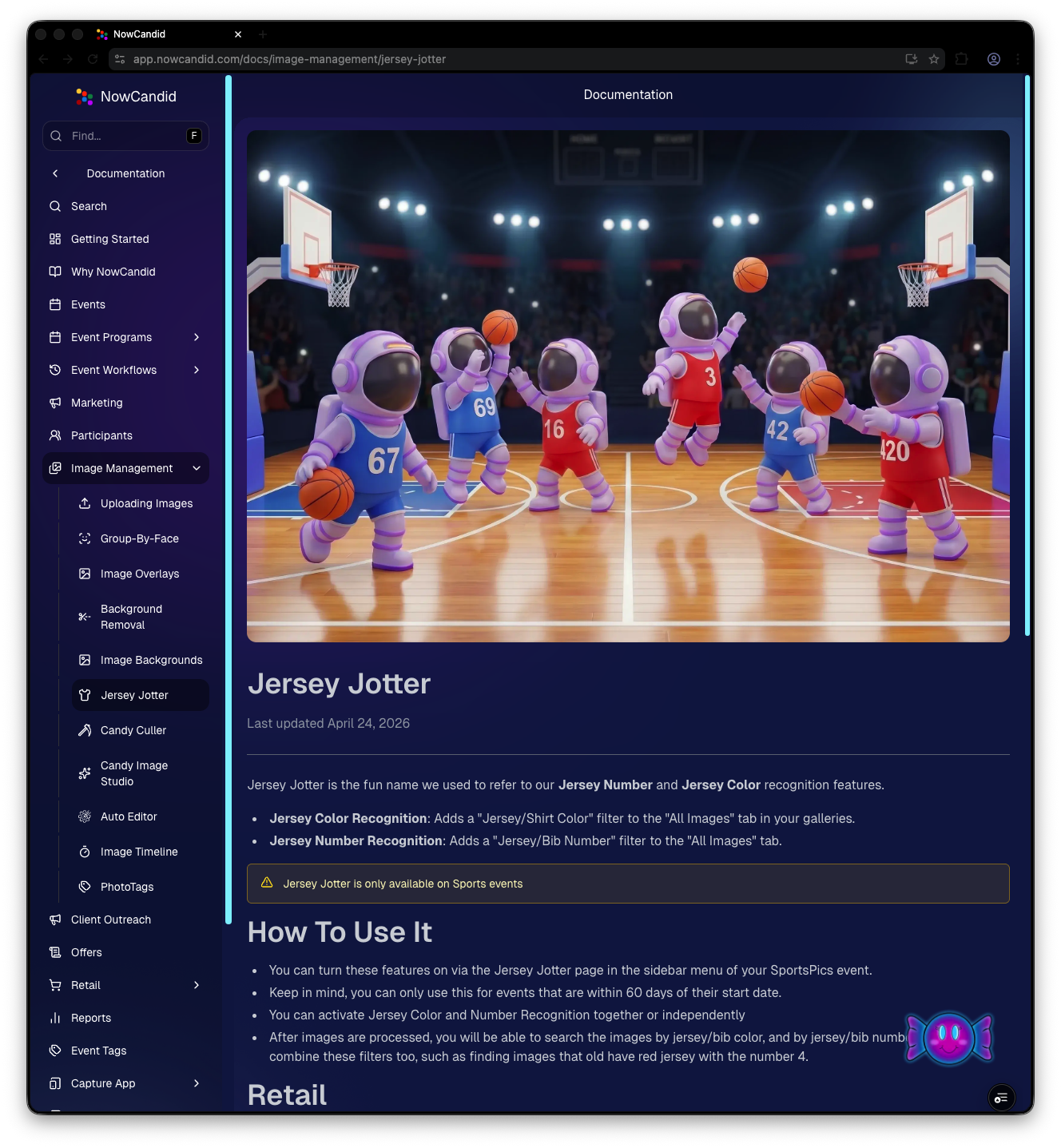
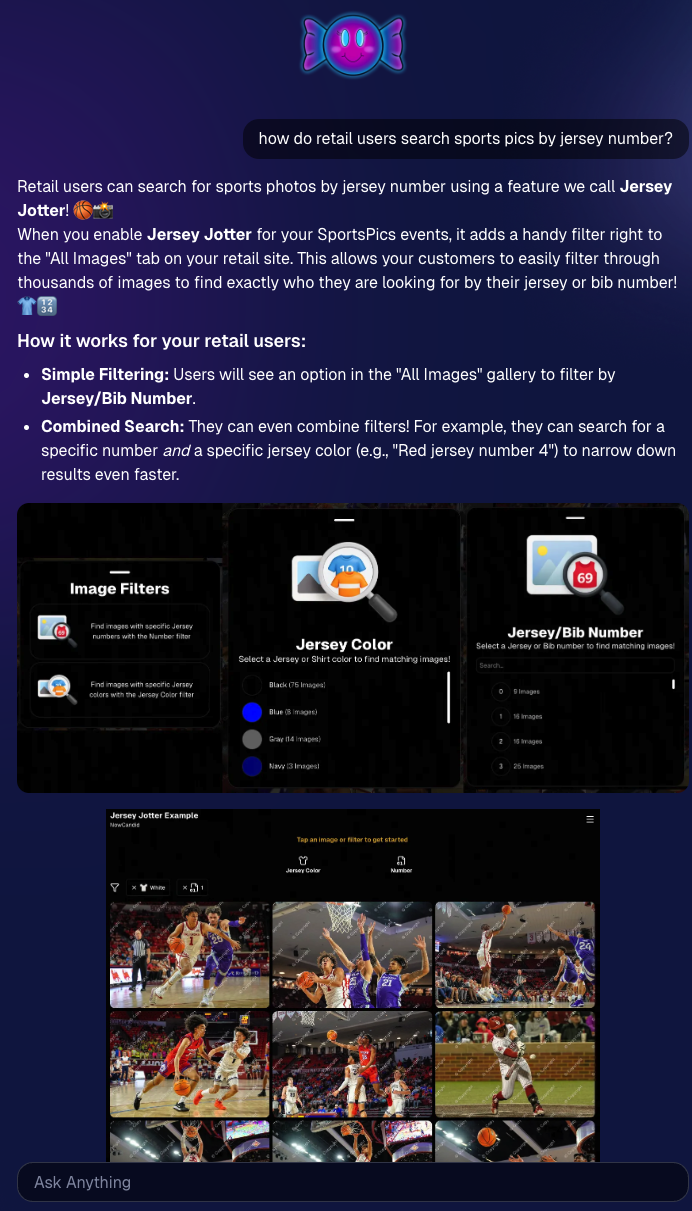
NowCandid Docs Jersey Jotter page preview

🍬 Candy got smarter (because Docs exist)

Candy now pulls from the new Docs when answering questions—so she can:

  • Share direct links to guides
  • Pull relevant screenshots and videos
  • Give more accurate, up-to-date help

Also, the Candy Navigation Assistant now uses docs search as the fallback destination if it can’t find a page you’re looking for—often with your question prefilled!

📱 Capture App 5.6 (iOS & Android) — Not OTA

Capture App v5.6 is now available for iOS and Android (this is not an OTA update).

What changed:

  • Fix: Android “Update Available” popup now correctly links to Google Play, not the Apple App Store
  • Feature: The app now rejects images under 1,000 pixels with an error popup (similar to the color profile error). The Dashboard already enforced this, but this prevents rare edge cases—like a camera outputting low-res images during capture.

🛍️ Retail Improvements (Better behavior, clearer checkout)

A few retail updates landed that improve clarity and fix edge cases:

  • BGR + PhotoTags fix: Background removed images in PhotoTag events will now show correctly even if the originals are marked invisible
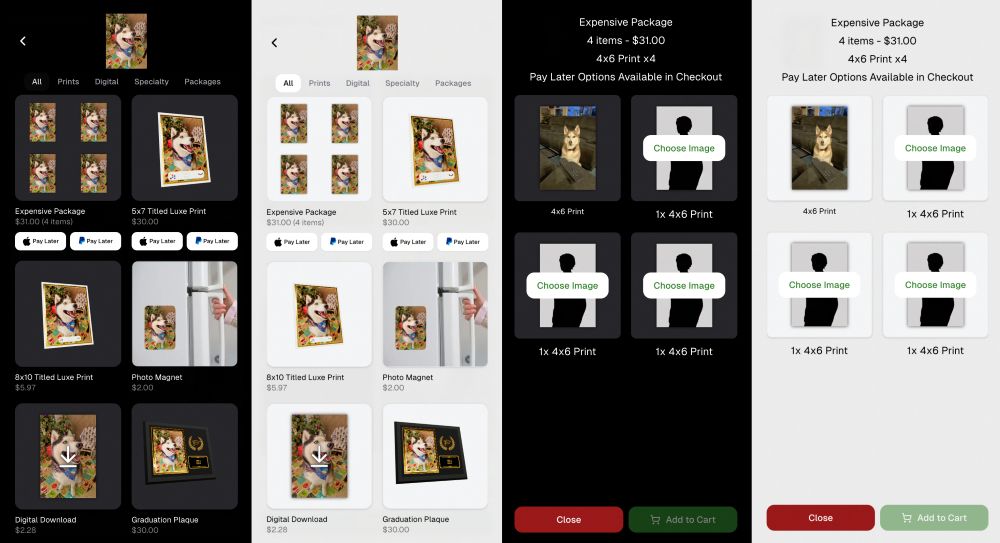
  • Pay Later badges removed from the store sheet (the “Pay Later Options Available in Checkout” messaging still appears in package configurators for packages $30+)
  • Z-cropped images now show faceboxes (and the faceboxes are adjusted to the z-crop, too)
  • Checkout completion screen now shows your Business Logo (if you’ve added one)
  • Updated “Your order is complete” copy to note:
    • retouching may delay orders
    • physical products typically arrive in 7–14 business days

🖥️ Dashboard Updates (Clarity, savings, and better reporting)

  • Positive ID edge case fixed: Manually assigned images now show up correctly in an additional contact’s gallery
  • Client Outreach SMS savings: Non-standard encoded apostrophes now auto-convert to standard apostrophes to reduce segment costs
  • Auto Editor access fix: Resolved an issue preventing some users from accessing Auto Editor
  • New Candy Image Studio node: Traditional Black & White (distinct from the Black and White Film Print node)
  • Reports pages upgraded: Added titles and descriptions for better clarity
  • Participant List: Unmarketable Participants filter
    • You can now filter to show only unmarketable participants—or hide them
    • The download sheet now includes an “Unmarketable” column (Yes/blank)
    • “Unmarketable” can include opt-outs/unsubscribes, invalid contact info, etc.

🍬 Candy UI improvements

Candy received a bunch of UX upgrades, including:

  • Click images to preview larger
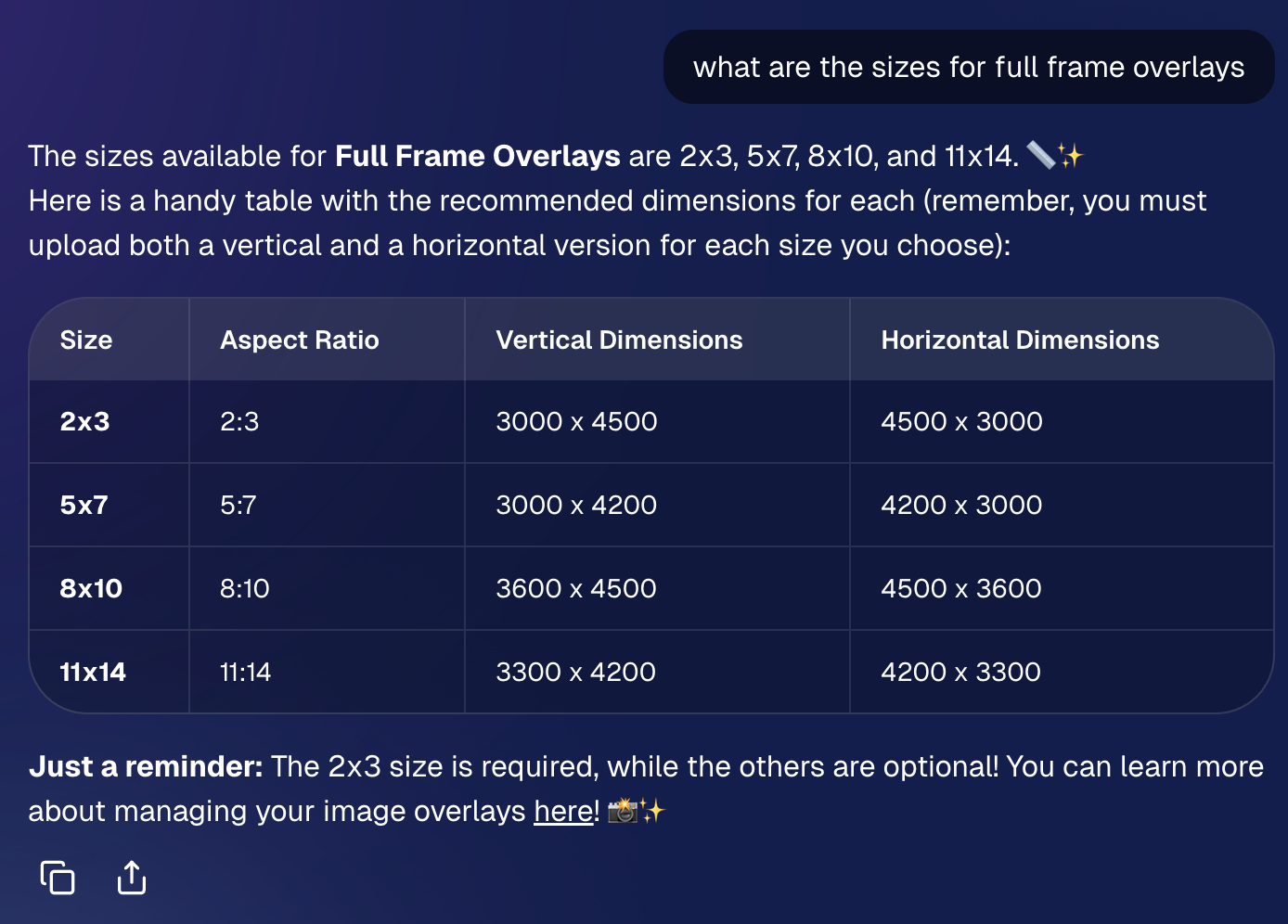
  • New table rendering
  • Scroll fades
  • Type without having to click/focus the input first

📱 Mobile Dashboard Improvements (No app update needed)

  • Fixed sidebar scrolling triggering “pull to refresh”
  • You can now slide/pull from the side to open the sidebar—no need to scroll to the top and tap the sidebar button

That’s the week! 💫

This release is all about reducing friction—with official docs inside the Dashboard, a tighter Capture App, better retail behavior for BGR and z-crops, and Dashboard refinements that improve accuracy, clarity, and even lower messaging costs.

Keep creating magic,

— The NowCandid Team 🍬

Keep More of What You Earn with NowCandid™
NowCandid 101
April 28, 2026

Keep More of What You Earn with NowCandid™

5
 minutes read

A lot of platforms are happy to look affordable at first—and expensive later.
We prefer the opposite.

NowCandid™ is built to support photographers long-term, which means our pricing is designed to be easy to understand, easy to plan around, and easier to live with as your volume grows. When you’re running real events—schools, sports, graduations, leagues—the last thing you need is a platform that nickel-and-dimes you for the core tools required to deliver and sell images.

The Simple Part: Two Fees, No Subscriptions

With NowCandid, your costs are straightforward:

  • 5% e-commerce fee
  • 3% payment processing fee

That’s it.

There’s no subscription fee and no onboarding fee, so you’re not paying monthly just to keep your account active—or paying extra just to get started.

The Important Part: No Surprise Add-Ons

Many platforms charge extra for the features that actually make your events run smoothly. NowCandid includes the tools high-volume photographers rely on without tacking on separate line items.

Here’s what you don’t pay extra for:

  • No fees on sales tax collected
  • No extra charge for background removal
  • No extra charge for automatic exposure correction
  • No extra charge for image storage
  • No extra charge for automated SMS + email marketing tools
  • No extra charge for white-labeling
  • No extra charge for Face Matching™
  • At least 20 years of image hosting included

That’s the difference between a platform that adds tools later and a platform that includes the tools up front.

Why This Matters for Real Photographers

When the platform includes the tools you actually need, two good things happen:

1) You keep more margin on every order

If your costs don’t balloon as you scale, more of every sale stays with you—without you having to raise prices just to cover software overhead.

2) Your workflow gets simpler

You don’t have to stitch together multiple services (and multiple bills) to accomplish basic event goals like:

  • identifying subjects
  • delivering galleries quickly
  • protecting images
  • marketing via text/email
  • selling through a modern checkout

Those pieces are part of the core system—because they’re not “extras” in real event photography.

The Takeaway

NowCandid is built to support photographers—not squeeze them. Our pricing model is intentionally structured so that the platform remains sustainable for your business as you grow, and so that more of what you earn stays with you.

If you want a platform that’s designed for high-volume reality—and doesn’t charge extra for the essentials—NowCandid is built for you.

Pricing Disclaimer

Pricing, fees, and included features listed in this article are accurate as of the original publication date and may change over time. For the most current pricing and terms, please contact our team.

Weekly Recap: Auto Editor (Beta), Pay Later Badges, and Faster Manage Images
Feature Updates
April 24, 2026

Weekly Recap: Auto Editor (Beta), Pay Later Badges, and Faster Manage Images

5
 minutes read

Hey photo friends! 👋
This week’s updates bring a mix of AI editing power, cleaner review tools, and a small boost to retail conversion clarity—plus a helpful Android Capture App fix.

Let’s jump in. 💫

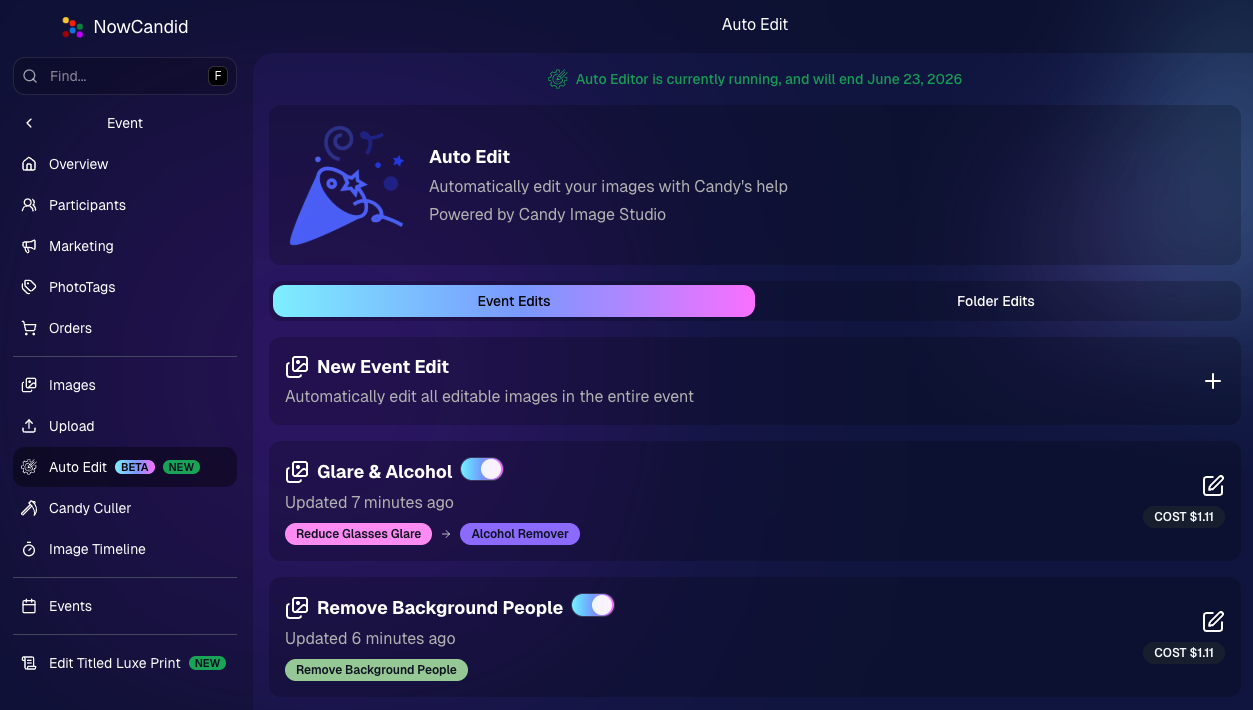
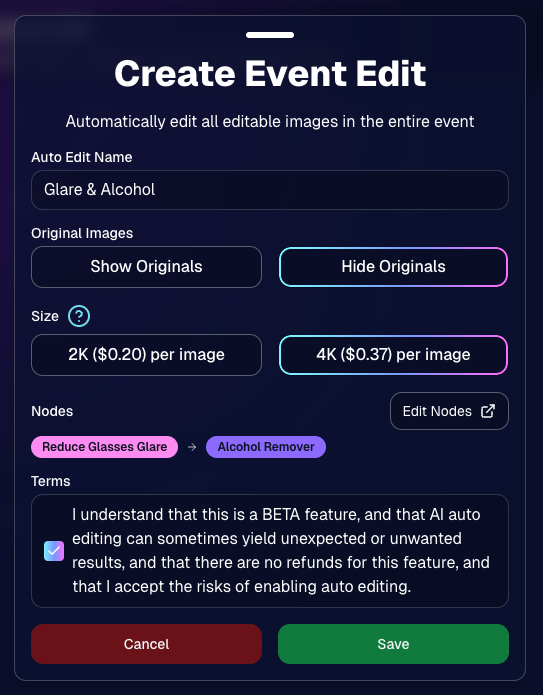
🧠 Auto Editor (BETA)— AI Edit an Entire Event or Folder

We’re rolling out an Auto Editor (Beta) that can automatically AI-edit:

  • • All images in an event, or
  • • All images in a specific folder

Auto Editor is powered by Candy Image Studio (same nodes, same pricing), and edited images keep their existing matches—just like when you run Candy Image Studio on an event image.

Important notes:

  • • You are billed per image edit.
  • • This is a BETA feature—we recommend testing on yourself (or doing one-offs in Candy Image Studio) before relying on it for a real event.
  • • Auto Editor can run up to 60 days after the event start date, similar to other event workflows.

Common use cases

  • • Light face retouching
  • • Fix subject lighting
  • • Reduce glare on glasses
  • • Remove alcohol
  • • Add green screens

Fun use cases

  • • Automatic glamour looks
  • • Anime style
  • • Chibi style
  • • Anything you can build with a custom text node

Where to find it

  • • On an Event page in the Dashboard sidebar, near JerseyJotter and Candy Culler
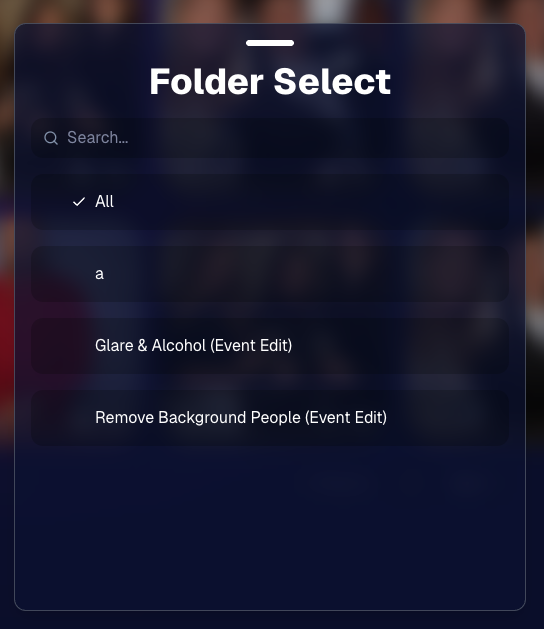
  • • The folder selector will show whether you’re running an Event Edit or a Folder Edit
  • • The Event List will show an Auto Editor attribute for events that used it (and includes an Auto Editor filter)
  • • EMP also shows the Auto Editor attribute on its event list page

🎨 Candy Image Editor + Manage Images Improvements

A few upgrades landed that make AI editing and review smoother:

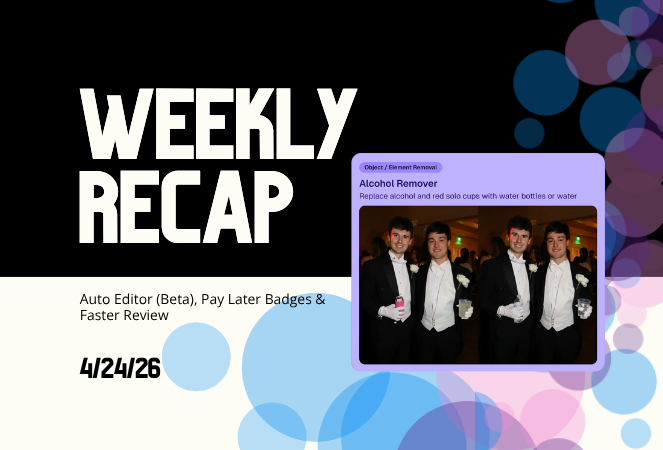
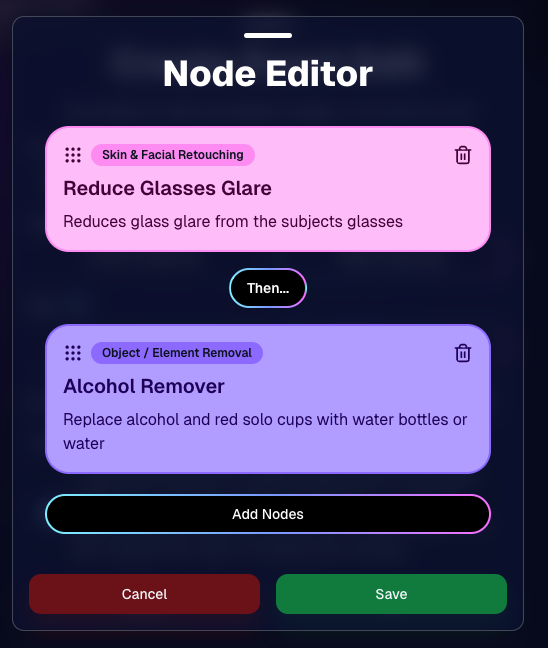
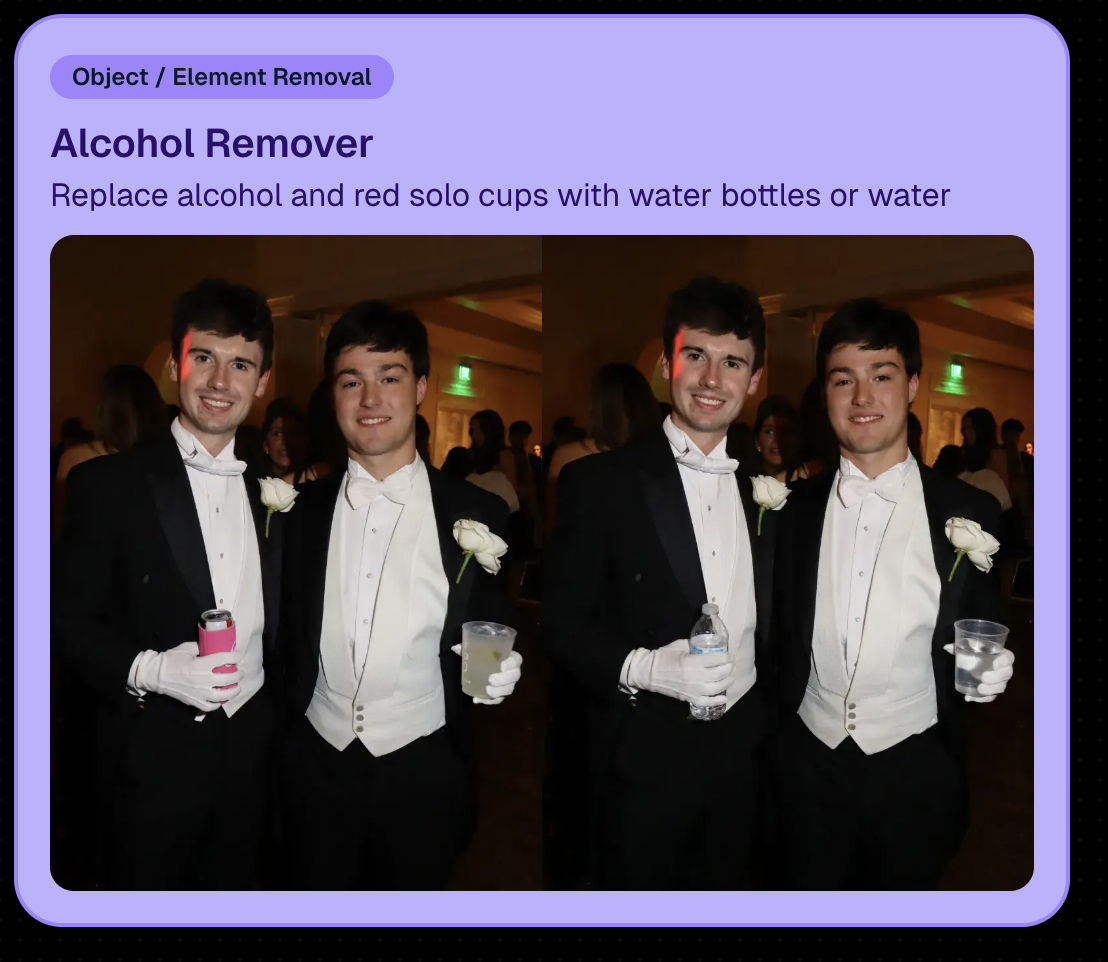
  • • New node: Alcohol Remover is now available in Candy Image Editor.
  • • Replace uploaded images more easily (non-event images): you can drag a new image onto the one you already uploaded to replace it, instead of starting over.
  • • New “Preview Original” option on Manage Images lightbox for AI-edited images uploaded from Candy Image Studio
    • • You can also toggle this view using \.
  • • Manage Images search is faster (image searching performance improved).
New Alcohol Remover Node

Preview Original Image Option

📣 Client Outreach: URL No Longer Required for Texts

Client Outreach texts no longer require a URL, but the system will show a warning if you try to send one without a link.

One important reminder: the number Client Outreach texts send from is different than the number used for automated event marketing—so recipients may not have any message history for context when they receive it.

🏷️ PhotoTags Page: Clearer Counts

The Event PhotoTags page now shows Contacts and Participants as separate columns for better clarity.

🛍️ Retail: Pay Later Badges (more visible financing options)

Retail now shows Apple Pay Later and PayPal Pay Later badges on the store sheet for items $30 or more.

A few notes:

  • • Pay Later options have always been available—this change just makes them more obvious to customers.
  • • This UI may be temporary and could be removed at any time.

Reminders on existing Pay Later availability:

  • • Klarna & Affirm are available through Apple Pay for orders $35+
  • • Some credit cards offer Pay Later through Apple Pay (eligibility varies)
  • • Klarna, Affirm, and Zip are available through Google Pay for orders $35+
  • • PayPal Pay Later (Pay in 4) is available for $30+
  • • PayPal Pay Later (Pay Monthly) is available for $49+

🤖 Android Capture App 5.5: Duplicate Image Fix

The Capture App on Android (v5.5, Google Play) now fixes an issue where some cameras were sending duplicate images to the app.

That’s the week! 💫

Between the new Auto Editor (Beta), smoother “preview original” review flows, and clearer Pay Later messaging on retail, this update is all about saving time and helping customers convert with less friction.

Keep creating magic,
— The NowCandid Team 🍬

Let’s get in touch

If you’re a photographer looking to add NowCandid services to your wheelhouse – set up a call by clicking the button below.

How to customize formatting for each rich text

How to customize formatting for each rich text

How to customize formatting for each rich text

How to customize formatting for each rich text

How to customize formatting for each rich text

What’s a Rich Text element?

The rich text element allows you to create and format headings, paragraphs, blockquotes, images, and video all in one place instead of having to add and format them individually. Just double-click and easily create content.

A rich text element can be used with static or dynamic content. For static content, just drop it into any page and begin editing. For dynamic content, add a rich text field to any collection and then connect a rich text element to that field in the settings panel. Voila!

Headings, paragraphs, blockquotes, figures, images, and figure captions can all be styled after a class is added to the rich text element using the "When inside of" nested selector system.

  • List One
  • List Two
  • List Three
  • List Four
  • List Five

This is a link

This is bold text