HomeNavigation arrowBlogNavigation arrow
Current page
Photography Tips

Use the Workflow That Fits the Job

Use the Workflow That Fits the Job
Not every event works the same way—so your platform shouldn’t force every job into the same box.


One of the biggest reasons photographers switch to NowCandid™ is workflow flexibility. We give you multiple ways to connect photos to people, so you can choose the approach that makes the most sense for the event, the audience, and the level of privacy sensitivity involved.


That flexibility isn’t just “nice to have.” It’s the difference between a smooth event and a stressful one—between galleries that convert and galleries that never get seen.


The core problem with one-size-fits-all platforms

Many platforms are built around a single assumption: “Every event should be identified and delivered the same way.”

But photographers know better.

  • • A youth sports tournament behaves nothing like a graduation.
  • • A corporate headshot day has different privacy needs than a fundraiser gala.
  • • A high-volume school day requires a totally different on-site flow than a casual community event.

NowCandid™ is built around the belief: the workflow should adapt to the job—not the other way around.


The NowCandid™ workflow toolbox

Here are the primary ways photographers connect images to the right people in NowCandid™:

  • • Scanner ID
  • • Name Lookup
  • • Type & Take
  • • Tap-A-Face
  • • Selfie Check-In™
  • • Roster Check-In
  • • PhotoRosters

Each one has a “best fit,” and knowing how to choose is where photographers gain speed, confidence, and profit.


Quick guide: which workflow should you use?

Scanner ID

Best for: high-volume, highly controlled check-in environments (schools, leagues, credentialed events)
Why photographers use it: fast, structured, low-error identification at scale.
Great when: you have a roster/card system and you want the cleanest, most consistent subject-to-photo connection.

Name Lookup

Best for: rosters and organized groups where names are known(schools, teams, structured lists)
Why it works: quick selection from a list is often faster than typing or post-event matching.
Great when: you can get the list ahead of time and want to keep on-site flow moving.

Type & Take

Best for: smaller events or flexible environments where you can type quickly and keep moving
Why it works: zero dependency on rosters/cards—simple and direct.
Great when: speed matters and you have a staff member who can handle quick data entry.

Tap-A-Face

Best for: fast on-site identification when the “right” person wasn’t captured by check-in/roster
Why it works: it’s the practical fix for real events. If someone slipped through, you can still connect them.
Great when: you need a quick, human-in-the-loop tool to create a participant and kick off matching/marketing.

Selfie Check-In™

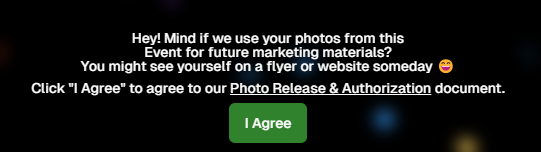
Best for: events where guests can self-identify (graduations, dances, large public events, photo ops)
Why it works: it collects contact info and gives you a reference image—without requiring staff to identify everyone manually.
Great when: you want broad participation and easy post-event delivery without a heavy on-site registration process.

And More!

PhotoRosters and Roster Check-In get a bit more involved... and we recommend getting more familiar with the NowCandid platform before utilizing these! But in short:

PhotoRosters allow you to upload headshots and previously collection contact info and consent to easily reuse them as reference images for future Face Matching Events.

Roster Check-In allows you to upload a league- or school-provided roster and then also take a quick pic of each kid, pairing a reference image to their info in the roster to serve as their reference image.


Why flexibility leads to higher sales

When photographers can choose the right identification workflow, three things improve immediately:

1) You deliver galleries faster

Fast delivery matters because excitement decays quickly. The sooner people can find themselves, the more likely they are to buy—especially for emotional, time-sensitive events.

2) You reduce friction for customers

If the workflow is right, customers don’t have to dig, guess, or give up. They get a clear path to their photos.

3) You reduce labor and cleanup

The “wrong workflow” usually means hours of fixing issues later: missing IDs, unlinked galleries, manual sorting, angry parents, and support tickets. The “right workflow” avoids that.


Privacy sensitivity: the hidden factor most platforms ignore

Some events require extra care—especially schools, youth organizations, or sponsor-driven programs. NowCandid’s workflow options allow you to choose identification approaches that align with the privacy and communication expectations of the event.

In plain terms: you can run a more open workflow when it’s appropriate, and a more controlled workflow when it’s not.


The takeaway: choose what makes sense, every time

Whether a shoot demands the versatility of Face Matching-style workflows, the directness of Positive ID-style workflows, or another approach entirely, you need the flexibility to choose what makes sense.

Most importantly, you need to deliver galleries fast enough to turn that initial excitement into actual orders—and NowCandid is built to help you do exactly that.


Want help choosing the right workflow?

If you tell us what you shoot—schools, sports, graduations, events—we’ll recommend the best workflow setup and explain why it fits.

👉 Create a free account or book a quick demo to see the workflows in action.

Related articles

📸 Candy’s 12 Days of Christmas: Day 8 – Full Frame Overlays & Custom Backgrounds 🌟🎨
Feature Updates
December 21, 2024

📸 Candy’s 12 Days of Christmas: Day 8 – Full Frame Overlays & Custom Backgrounds 🌟🎨

3
 minutes read
Hello again, my creative photographers! 🎅

Candy here, and welcome to Day 8 of our 12 Days of Christmas countdown. We’ve highlighted features for events, sales, action photography, and sports-focused workflows.

Today, let’s celebrate a 2024 addition that brought artistry and personalization to your images: Full Frame Overlays & Custom Backgrounds.

Key Highlights:

  • Full Frame Overlays & Text Titles:

    Wrap entire images with themed frames—like a party pics overlay, a jungle design, or any style you choose—and add text titles right on the images. It’s a quick way to give your clients something more unique and memorable.
  • Custom Backgrounds & Pre-Rendering:

    Photographers can upload up to four custom backgrounds. These backgrounds will pre-render in the image gallery, so clients can instantly see how their images look against these new scenes. From festive holiday themes to brand-aligned designs, you can set the mood perfectly.
  • Import From Previous Events:

    Have a favorite overlay or background setup from a past event? Simply import it for a new event, maintaining consistency and saving setup time.

These visual customizations not only enhanced the aesthetic appeal of your galleries but could also help boost sales by encouraging clients to purchase more prints and downloads that feel like true mementos. 🎉

Check back tomorrow for Day 9, as we continue counting down the best of 2024. And don’t forget, something special awaits on December 25th!

Candy 🍬

📸 Candy’s 12 Days of Christmas: Day 7 – GroupTags for Sports 🏆✨
Feature Updates
December 20, 2024

📸 Candy’s 12 Days of Christmas: Day 7 – GroupTags for Sports 🏆✨

3
 minutes read
Hello, my team-spirited photographers! 🎅

Candy here, and we’re on Day 7 of our 12 Days of Christmas countdown.

We’ve already highlighted features that made action photography shine, and today’s topic is another sports-focused enhancement: GroupTags for Sports.

Key Highlights:

  • Organized Group Photos:

    Photographers can set up tags (e.g., team names, divisions) to categorize group images the way they want to, complete with emojis if desired!
  • Simple Selection for Customers:

    End customers arriving at the retail site can pick their group’s tag right from the start. No more endless scrolling through dozens of images to find their team!
  • Ideal for Leagues & Tournaments:

    GroupTags turned large sets of group photos into neatly sorted collections, making life easier for everyone.

By letting clients quickly find their specific group’s images, GroupTags improved the overall browsing experience and boosted satisfaction among team members, parents, and fans. 🎉

Check back tomorrow for Day 8, as we continue this holiday journey through the year’s biggest features. And remember, something extra special is coming on December 25th!

Candy 🍬

📸 Candy’s 12 Days of Christmas: Day 6 – Action Photography Features 🏃‍♀️✨
Feature Updates
December 19, 2024

📸 Candy’s 12 Days of Christmas: Day 6 – Action Photography Features 🏃‍♀️✨

3
 minutes read
Hello again, energetic photographers! 🎅

Candy here, and welcome to Day 6 of our 12 Days of Christmas countdown.

Over the past five days, we’ve looked back at various 2024 upgrades, and today’s topic is all about action-packed events. Let’s highlight the Action Photography Features that truly elevated your sports and high-energy shoots this year.

Key Highlights:

  • Dynamic Galleries:

    End customers can add images to their personal gallery on the fly. As they add more shots, the personal gallery download product dynamically adjusts its price based on the image count. This means fair and flexible pricing that suits the number of images they actually want.


  • View Photos in Sequence (SportsPics):

    We introduced a handy "view photos in sequence" button. Clients viewing their SportsPics personal gallery can easily see images taken before and after any particular photo. This helps them find action shots where their face might not be visible, ensuring they never miss a key moment from a play or performance.

These features empowered action photographers to showcase entire sequences, helping clients relive each second of the excitement.

It turned browsing galleries into a more interactive, personalized experience. 🎉

Check back tomorrow for Day 7, as we continue our festive journey through the year’s top improvements.

And remember, something special waits under the tree on December 25th!

Candy 🍬

Let’s get in touch

If you’re a photographer looking to add NowCandid services to your wheelhouse – set up a call by clicking the button below.

How to customize formatting for each rich text

How to customize formatting for each rich text

How to customize formatting for each rich text

How to customize formatting for each rich text

How to customize formatting for each rich text

What’s a Rich Text element?

The rich text element allows you to create and format headings, paragraphs, blockquotes, images, and video all in one place instead of having to add and format them individually. Just double-click and easily create content.

A rich text element can be used with static or dynamic content. For static content, just drop it into any page and begin editing. For dynamic content, add a rich text field to any collection and then connect a rich text element to that field in the settings panel. Voila!

Headings, paragraphs, blockquotes, figures, images, and figure captions can all be styled after a class is added to the rich text element using the "When inside of" nested selector system.

  • List One
  • List Two
  • List Three
  • List Four
  • List Five

This is a link

This is bold text