HomeNavigation arrowBlogNavigation arrow
Current page
Feature Updates

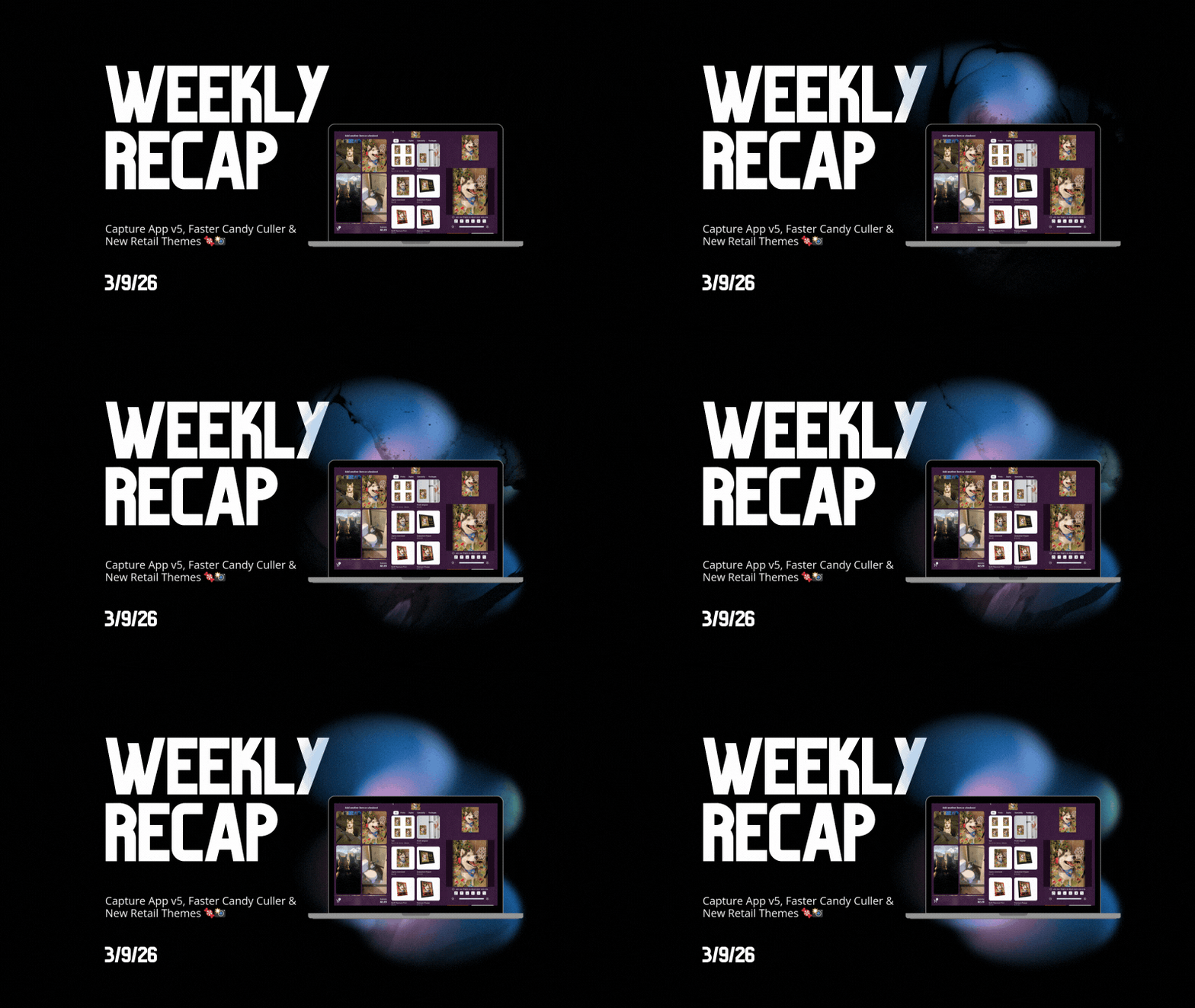
Weekly Recap: Capture App v5, Faster Candy Culler & New Retail Themes 🍬📸

Weekly Recap: Capture App v5, Faster Candy Culler & New Retail Themes 🍬📸
Hey photo friends! 👋

This week’s update is a big one. The new Capture App v5 for iOS has officially landed with major performance improvements, a refreshed UI, and some helpful workflow upgrades.

On top of that, Candy Culler just got significantly faster, retail got a couple new themes, and several tools across the Dashboard have been refined.

Let’s jump in.

📱 Capture App v5 (iOS) — Major Upgrade

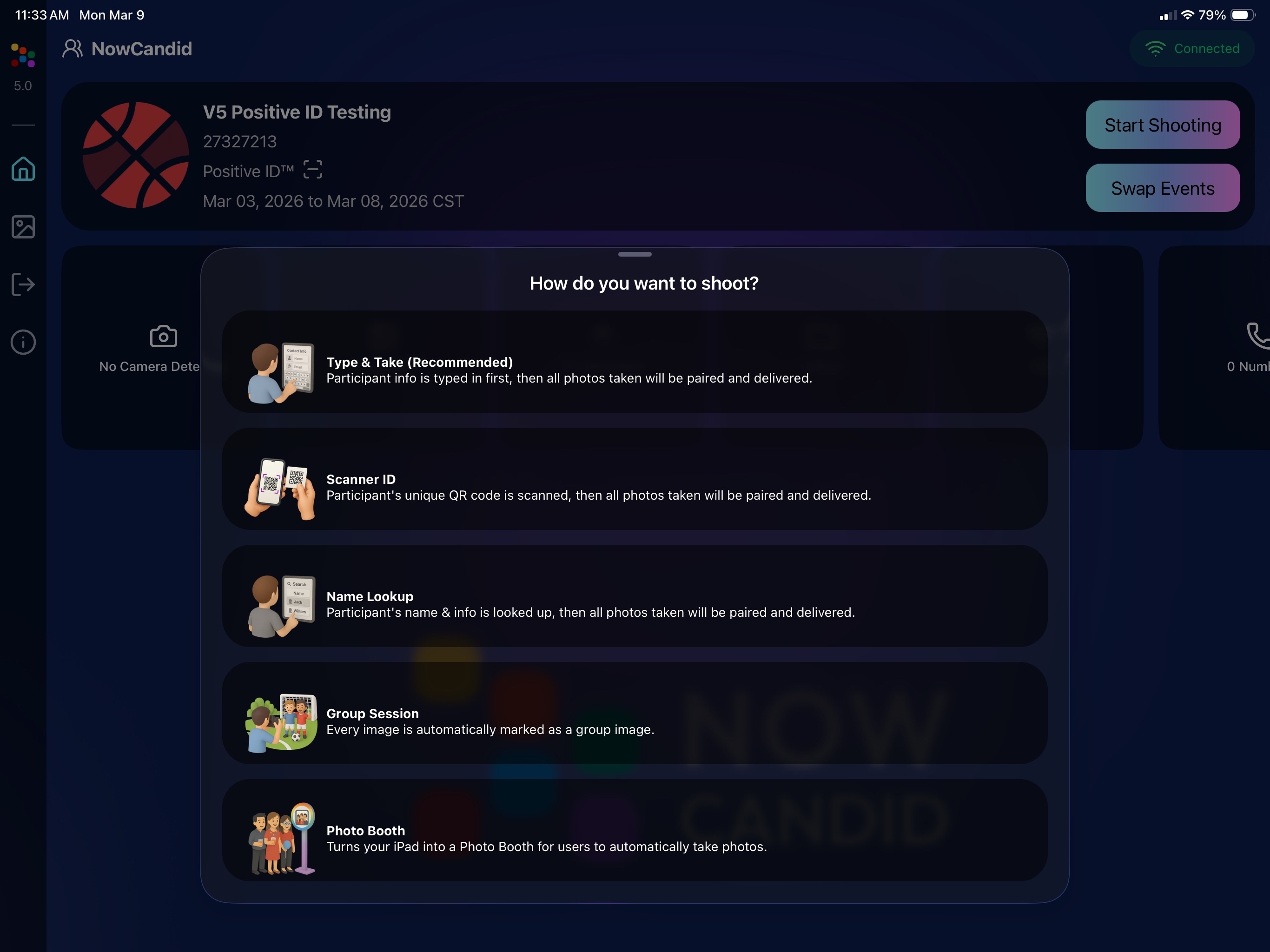
Capture App Version 5 brings a full UI refresh, major performance improvements, and several new quality-of-life tools for shooting events.

⚡ v5: Faster Uploads & Better Performance

A brand-new upload system significantly improves efficiency:

  • 📤 Uploads can be up to ~20–30% faster
  • 📦 Payload size reduced by ~25% thanks to image transfer improvements
  • 🔋 Lower CPU, battery, and memory usage during uploads
  • 📷 Much better memory usage with tethered cameras
  • 🧠 Improved overall memory performance across the app

These improvements should make long shooting sessions feel noticeably smoother.

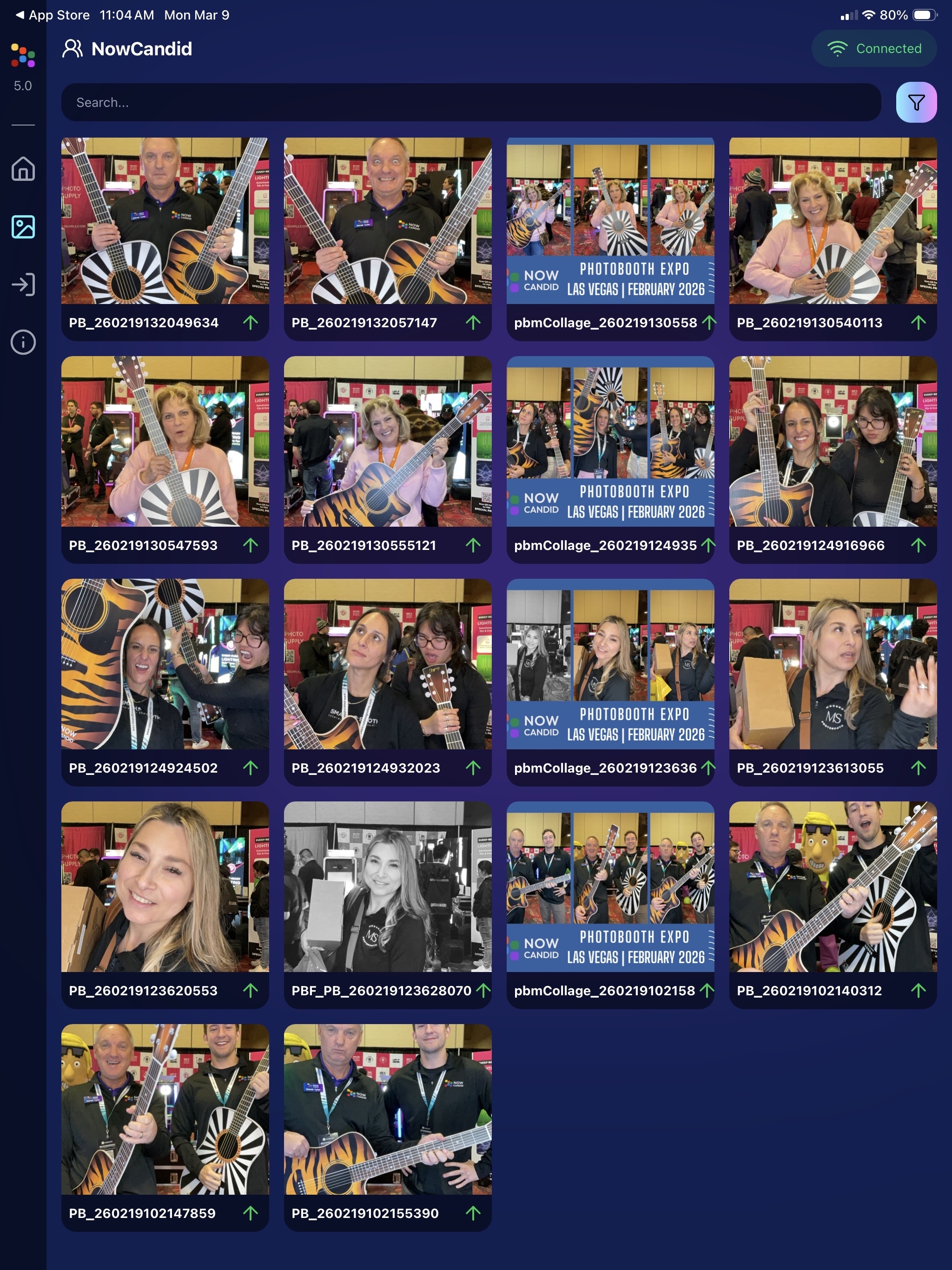
🖼️ v5: New Image Gallery & Filters

The in-app gallery has been redesigned with better filtering and navigation:

  • Image name search
  • Uploaded / Unuploaded status
  • Roll filtering
  • Event filtering

Filters are easy to remove with a single tap, similar to the Dashboard experience.

🔁 v5: Duplicate Photo Warning

The Capture App can now warn you about duplicate images during a shoot:

  • Works only within the current session
  • Does not upload or save duplicate data
  • Can be disabled from the Resources page if desired

This works independently from the Dashboard’s Candy Culler duplicate detection, giving you duplicate awareness both during capture and afterward.

🧰 v5: New Event Overview Info

The event overview page now includes helpful connection details:

  • 📡 Carrier name
  • 📶 Cellular generation (if available)
  • 📶 Current Wi-Fi network

This can help troubleshoot upload issues while shooting events.

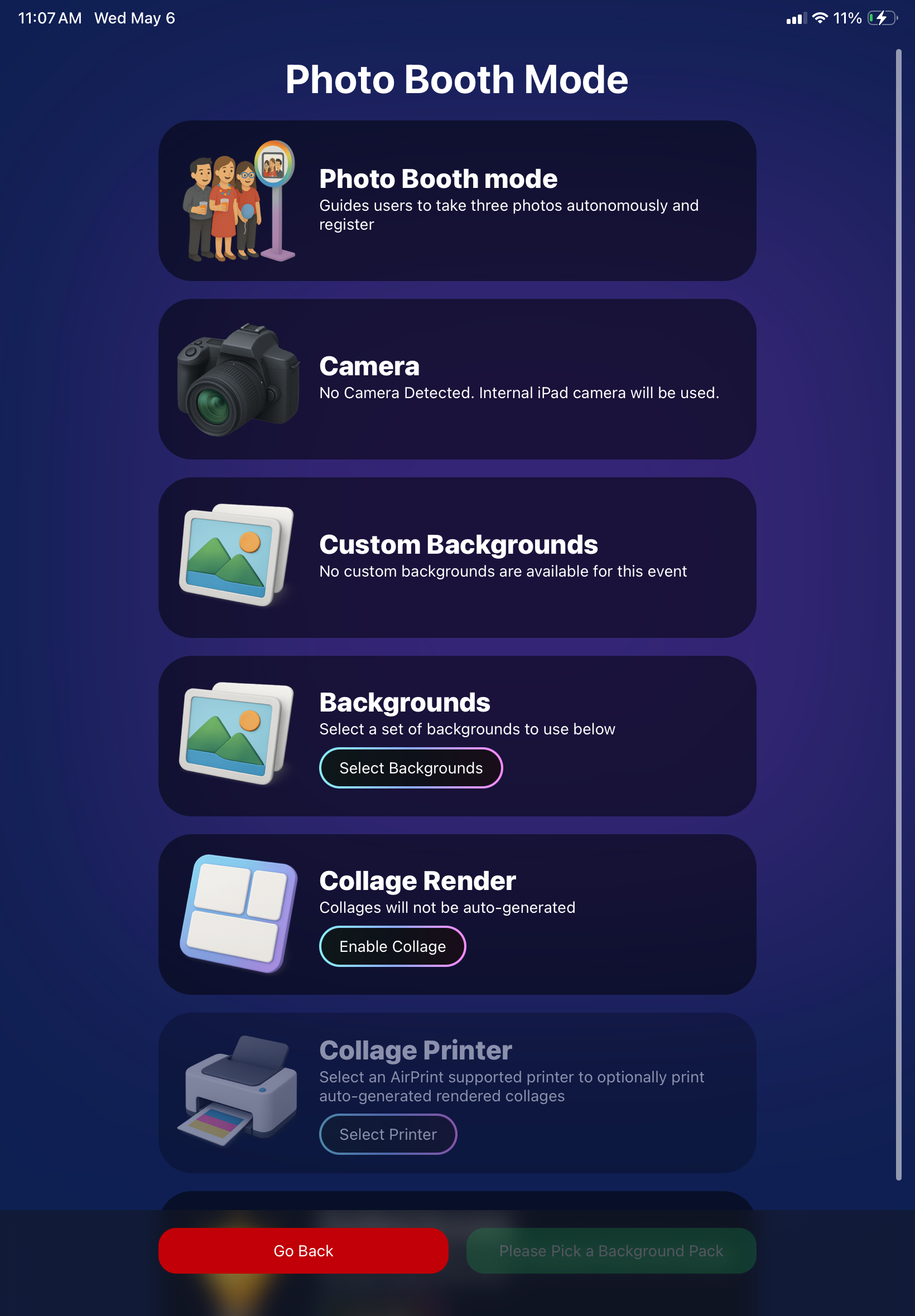
🎨 v5: Photo Booth Background Packs

Photo Booth now supports downloadable background packs:

  • 🎄 Christmas
  • 🎃 Halloween
  • More to come!

The default pack is now a downloadable set as well, which keeps the main app much smaller and makes OTA updates faster.

🔧 v5: Additional Capture App Improvements

🌍 International phone numbers supported in Positive ID (were already supported in Tap-A-Face)

🧍 Full vertical images now fit on iPhone screens

🔄 Update checks run automatically when refreshing events

📧 Tap-a-Face email validation now matches Check-In pages

🔄 Upload status updates immediately after each upload

📲 Tablets can now use portrait orientation throughout the app

✨ v5: Complete UI Refresh

Version 5 introduces a polished new interface:

  • Modern sheet-based UI
  • Improved dark mode styling
  • Larger login and event selection screens
  • Updated phone number input interface
  • New image details sheet
  • Cleaner image gallery layout

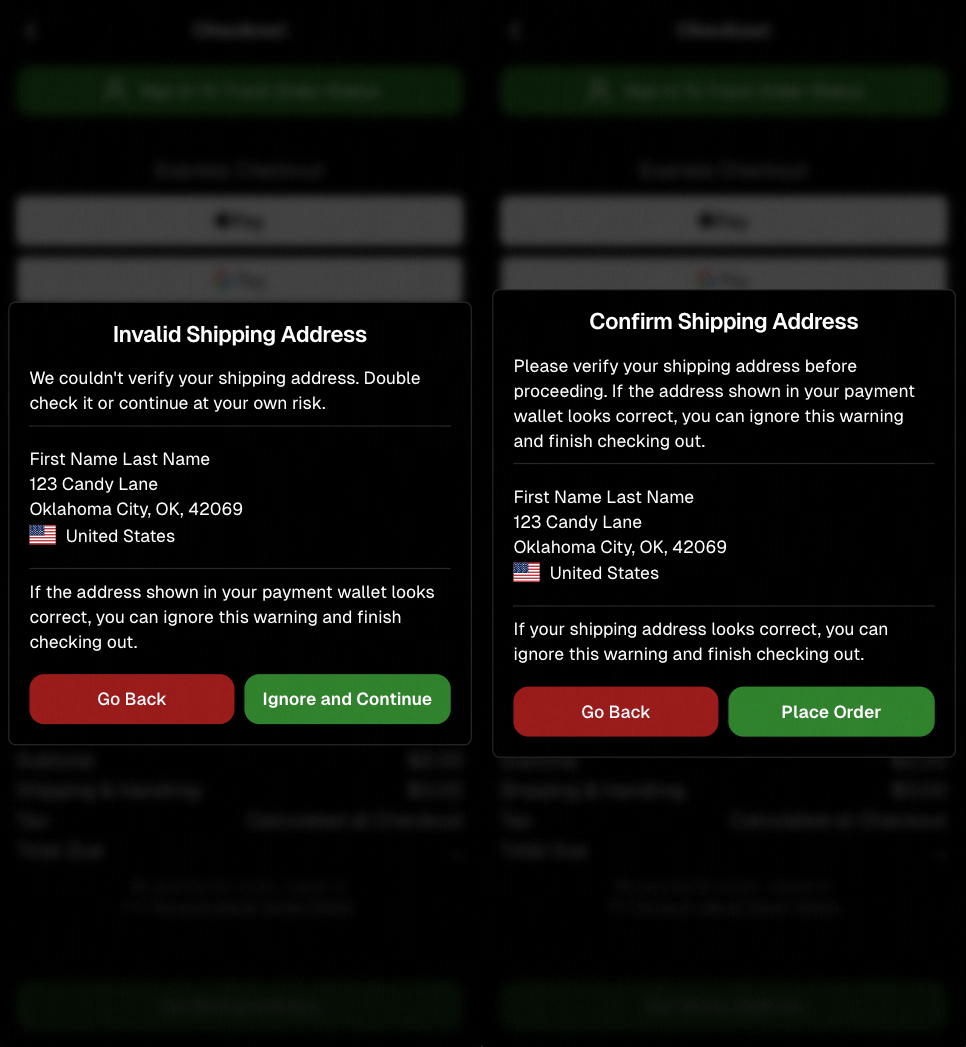
New popup styling!

Vertical orientation for iPad! Yay!

Overall, the app feels faster, cleaner, and more modern.

🧠 Candy Culler: Now 5× Faster

Candy Culler processing has been dramatically upgraded.

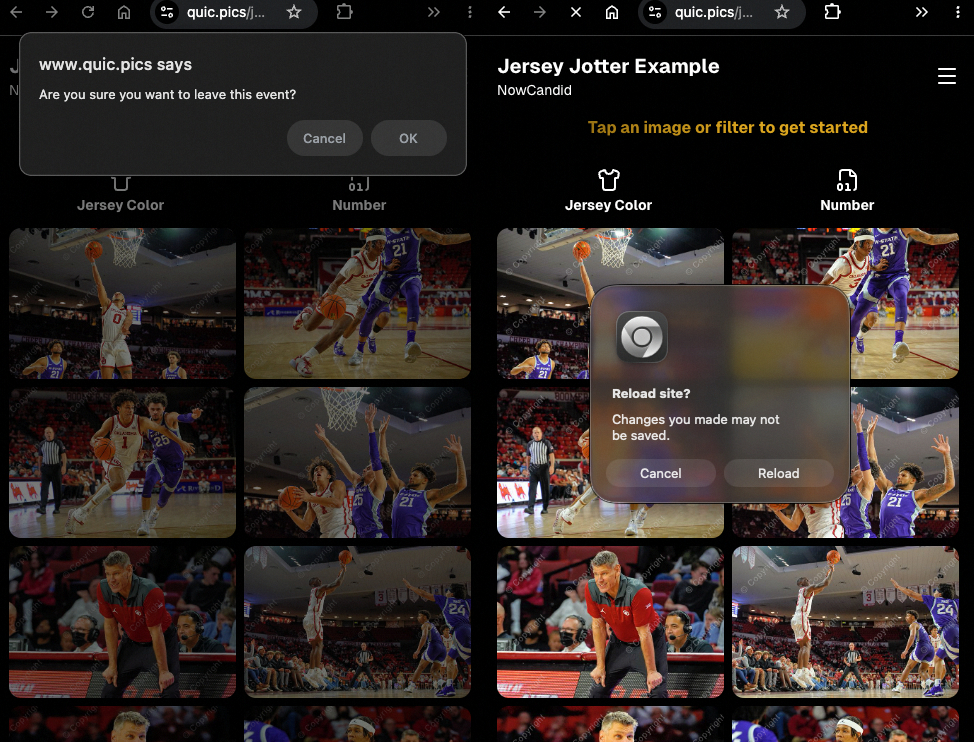
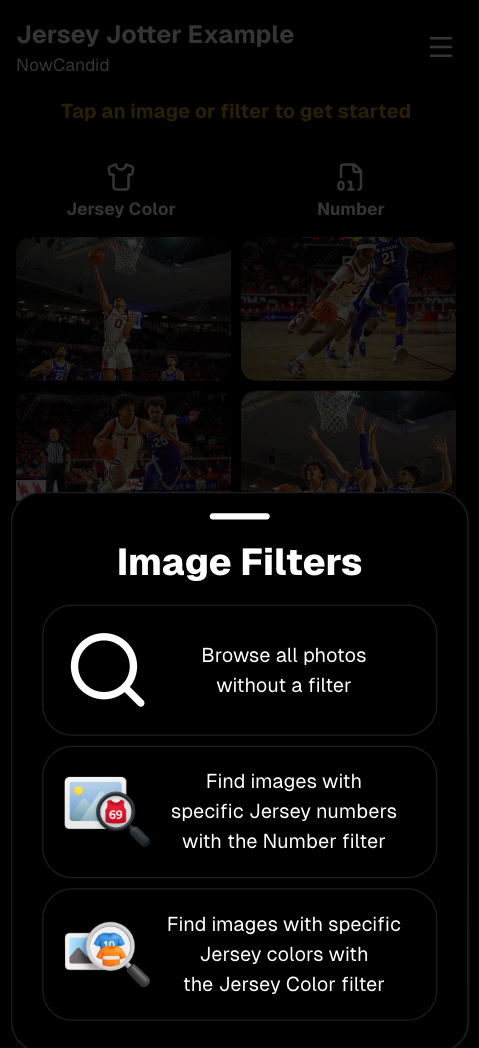
Up to 5× more images can now be processed at once, bringing it in line with Jersey Jotter throughput.

This means faster detection for:

  • Duplicates
  • Blurry photos
  • Exposure issues
  • Closed eyes
  • Other culling checks

🍬 Candy Improvements

Candy continues getting faster and smarter:

  • ⚡ Faster Candy responses
  • 🔎 Faster Candy Navigation results
  • 🧠 Improved event search for newly created events
  • 🎛️ Refreshed Mini Candy UI

Pro tip: Press CMD + A / CTRL + A to toggle Mini Candy.

🧾 Dashboard Improvements

Several useful refinements were made to the Dashboard:

  • 📊 Fixed Faces Report chart showing empty data
  • 🧾 QR Code generator downloads now export at 1024px
  • 📑 Scan card PDFs now sort duplicate participants exactly like the Capture App
  • 🎨 Offer editor popups for adding products and packages are now wider with product category tabs
  • 📊 Event order list diamond-press counts now include quantities correctly
  • 🧭 QR Creator and Image Tester now appear in Sidebar Find

🎨 New Retail Themes

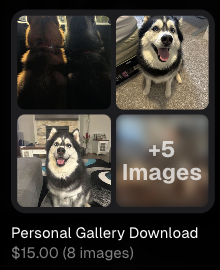
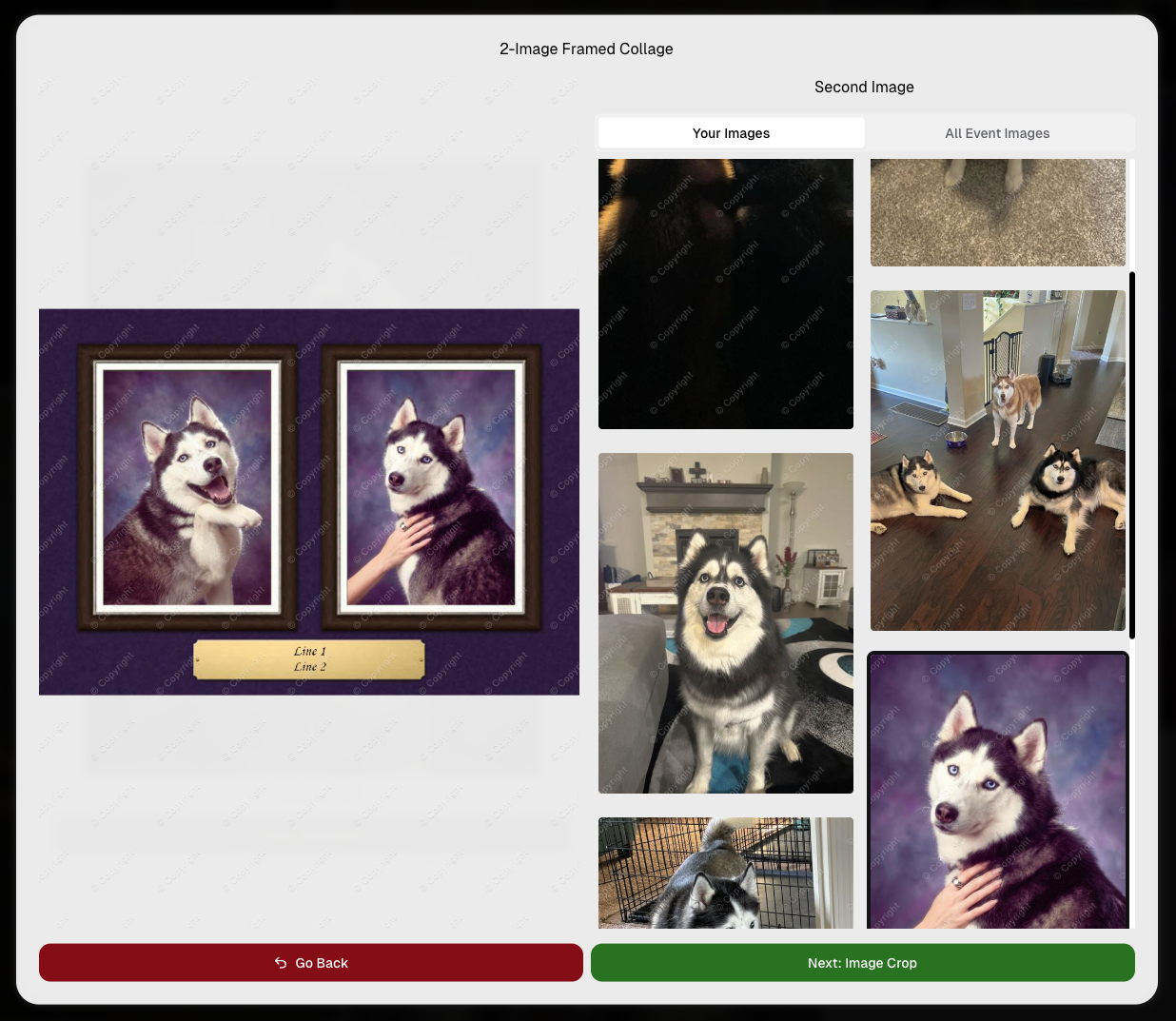
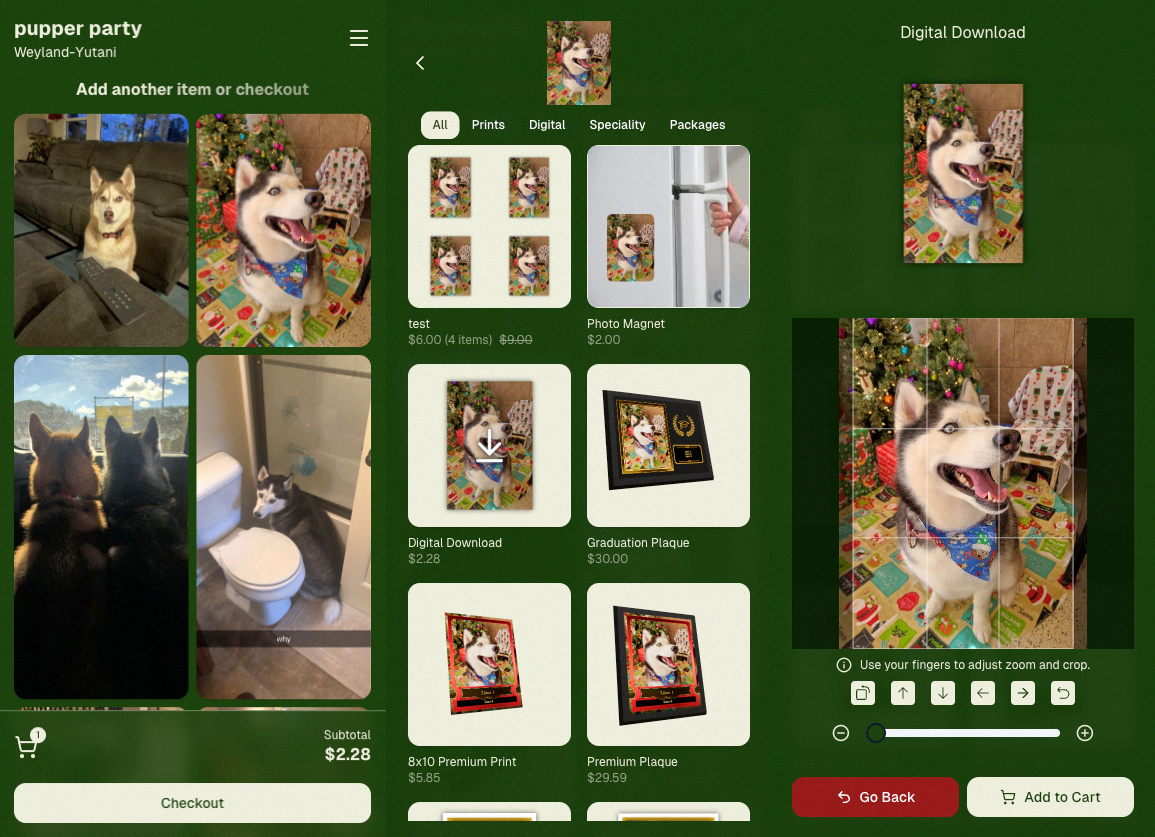
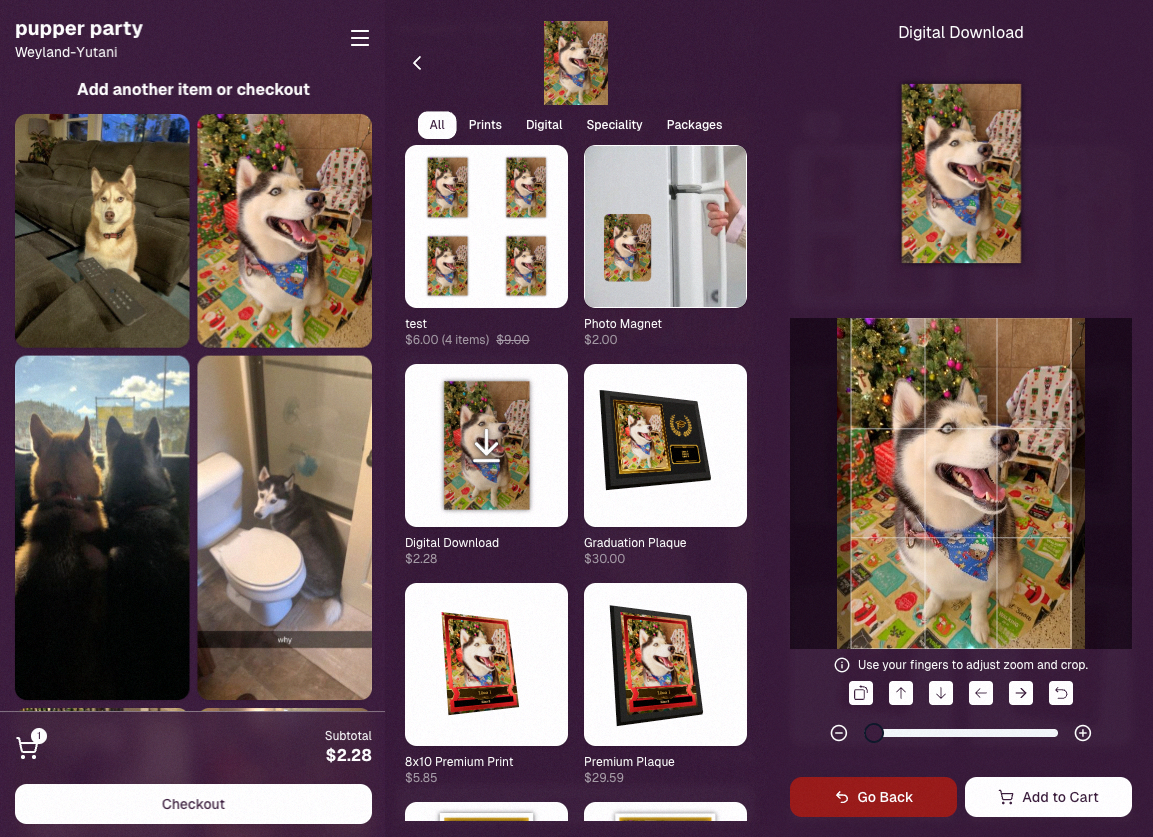
Candy's Note: We hope you enjoy the pupper pics!

🍵 Matcha Theme – a clean green storefront (great for spring or St. Patrick’s Day)
🍠 Ube Theme – a bold purple theme
Bonus: Retail UI styling also received improvements for tabs, checkboxes, and order tracking.

📳 Haptics for Mobile Retail & Check-In

Mobile users will now feel subtle feedback interactions when using the site:

  • Tap feedback
  • Success feedback (add to cart, order placed)
  • Error feedback

This makes mobile ordering and check-in feel much more responsive, alive, and engaging!

🤳 Selfie Check-In Improvements

The Selfie Check-In site received improvements to the local face recognition model, making it more reliable and stable on more devices.

💰 QuicPics Adjustment

Good news for high-volume QuicPics users:

Selfie Check-Ins and PhotoRoster reference images no longer count as billable images.

That means QuicPics events that use those workflows will be slightly cheaper overall.

📥 Easier Downloads on iPhone

On iOS Chrome: Press-and-hold image downloads now open the iOS Share menu, making it much easier to save images. (iOS Safari already supported this behavior.)

🌐 New QuicPics Landing Page

The Quic.Pics site now has a proper landing page instead of only a login screen in case end customers stumble across it somehow.

Hopefully this helps it seem more legit while still remaining relatively white-label for your photographers out there!
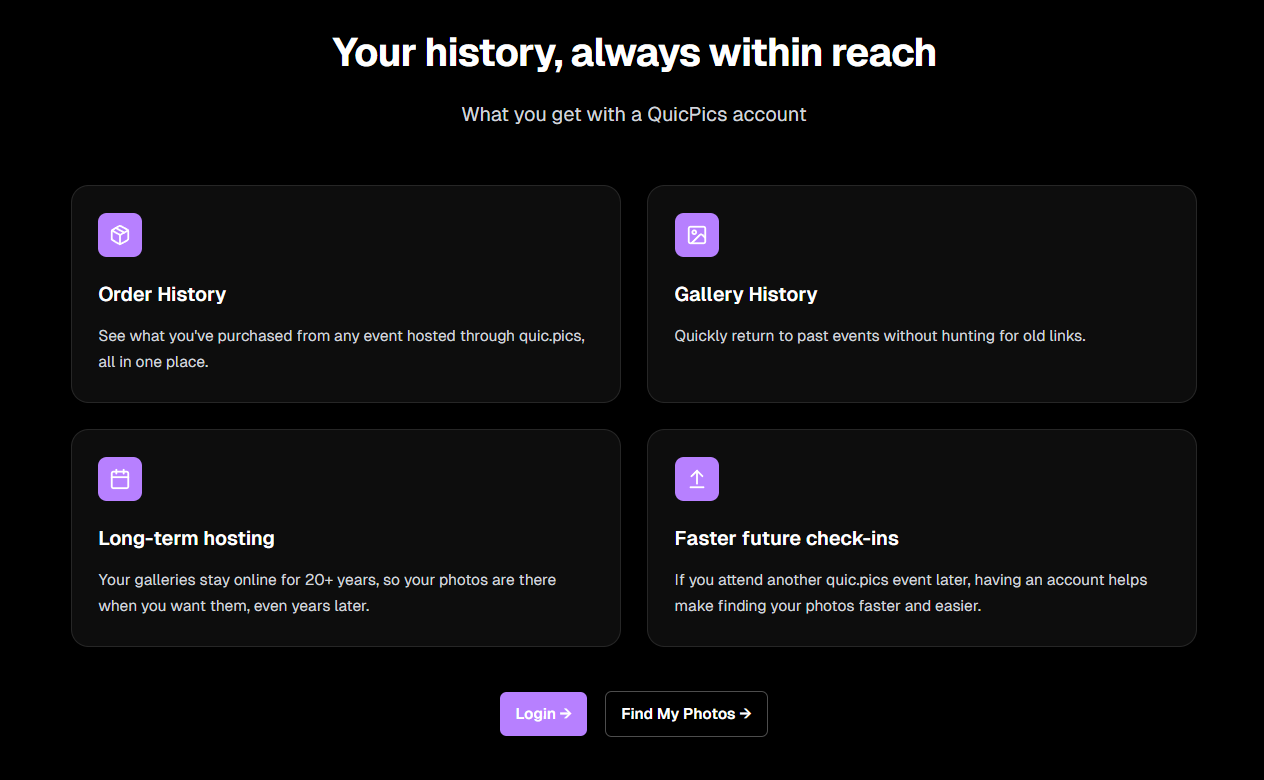
You can see it here: https://www.quic.pics

That’s the week!

Capture App v5 is a big upgrade, and combined with the faster Candy Culler and several Dashboard improvements, the entire workflow from capture → cull → sell just got smoother.

See you next week,

Candy 🍬

Related articles

Weekly Recap: New Ornaments, Better Marketing History & Big Windows Capture App Update 🎄📸
Feature Updates
November 14, 2025

Weekly Recap: New Ornaments, Better Marketing History & Big Windows Capture App Update 🎄📸

5
 minutes read
Hey photo friends! 👋


Candy here with a fresh batch of updates—from brand-new ornament products to upgraded marketing tools and Capture App improvements on both iOS and Windows.

Let’s jump in!

🎁 New Holiday Ornaments

  • 🎄 Statuette Ornament

    A new hanging statuette-style ornament—complete with a red ribbon.
    • Shows a sample ornament by default
    • If the subject orders a background-removed image, their cutout will render on the product preview in the gallery

  • 🪙 Aluminum Ornament

    A flat aluminum ornament that renders any photo in the product gallery.
    • Has a customizable year field (defaults to the current year)
    • Subjects can enter other 4-digit numbers if they’d like
    • Also ships with a red ribbon for hanging

Perfect timing for holiday sales. 🎅

✉️ Marketing History & Dashboard Improvements

📬 Marketing History Page (Big Upgrade!)

  • 🧭 Pagination for easier navigation through large histories
  • 👤 Shows participant name + image on each row
  • 🔗 Click through to the Participant directly
  • 🧾 All email + text sends are now in one combined, date-sorted list
  • ⚡ Faster initial load, and smoother scrolling for long histories
  • 🔍 New filters:
    • Text search (with CMD+F support)
    • Filter to Texts only or Emails only
    • URL supports both filters and pagination, so you can share filtered views

🖥️ Other Dashboard Updates

  • 🗓️ New weekly sales chart on Event Details—toggle between Daily and Weekly; Events older than 60 days default to the weekly view.
  • 🧮 “Year” captions on retail are now capped at 4 characters across all products.
  • 🌄 Download custom backgrounds you’ve uploaded for an Offer
    • Offer → Select Backgrounds → My Custom Backgrounds → Download button
  • 💬 QuicPics send error reason now appears on Participant Details (logging started April 2025).
  • 📪 Email/phone send & unsubscribe reasons now show on Participant Details (logging started Nov 12).
  • 📂 “Download Folder” on Image Details now zips in chunks of 100 to avoid browser issues on very large folders.

🧹 Small Dashboard Fixes

  • 🗓️ Removed Day 6 text from all three QuicPics programs (it wasn’t adding clicks or sales).
  • 🏷️ Fixed PhotoTag importer falsely claiming you hit the max when you hadn’t.
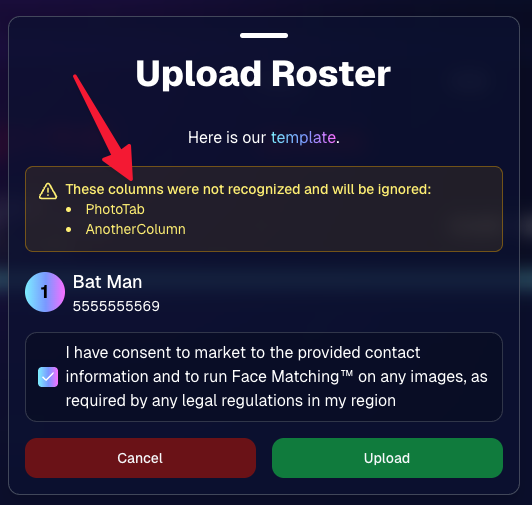
  • 📋 Participant roster uploads now trim whitespace in header columns (fewer “mystery errors” from stray spaces).
  • 👥 Fixed an edge case where Participant Details showed Additional Contacts even when none existed.

📱 Capture App iOS 4.21.4 (OTA)

  • 🤳 Front camera photos mirrored

    Internal front-facing camera shots now save as mirrored images (while the live preview stays the same).
    • Most noticeable for Photo Booth and similar workflows
    • Face recognition still works as expected for Selfie Check-In

(If you’re on 4.21 already, this will arrive as an over-the-air update.)

💻 Capture App Windows 4.20 Highlights

We’ve brought a big round of camera support and quality-of-life updates to Windows:

  • 📷 Broader camera support
    • Sony now works on ARM tablets, and most new Sonys no longer require special driver setup—just plug in.
    • Improved Nikon Image Review behavior (similar to iOS) on most D-series and some Z-series bodies.
    • Added support for Panasonic cameras.
    • Added support for a wide range of FUJIFILM X and GFX models.
    • New Canon support: EOS R5 Mark II, EOS R1, EOS R50V.
  • 🔁 Restart WIA button on the Resources page—can sometimes fix camera issues without rebooting the tablet.
  • ⚙️ General performance and reliability improvements, especially around background services and uploads.
  • 🎨 Updated app icon & name to match the iOS version.

That’s it for this week!

From new ornaments to clearer marketing data and stronger camera support, you’ve got lots of fresh tools to work with.

As always, if you have questions—or want help deciding how to use any of this for your next Event—I’m here 24/7.

Keep creating magic,

Candy 🍬

Weekly Recap: Capture App 4.21 OTA, New Dashboard Filters & Helpful Fixes 📲🧭
Feature Updates
November 7, 2025

Weekly Recap: Capture App 4.21 OTA, New Dashboard Filters & Helpful Fixes 📲🧭

2
 minutes read
Hey photo friends! 👋

Here’s what’s new this week! Changes focused on faster updates, more filters, and a handful of useful fixes.

📱 Capture & Upload App (iOS) — Version 4.21

  • 🚀 Over-the-Air (OTA) updates: Most app updates no longer require the App Store. Updates download in the background and install on app restart/launch—no interruptions during Events. You can also manually check via Resources → “Check for updates” (tap the (i) button).
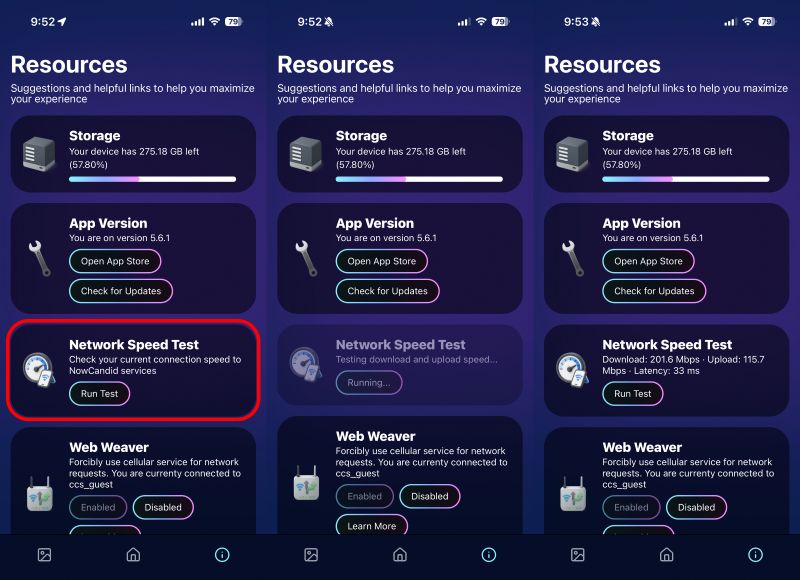
  • 📶 See your Wi-Fi name: The current network name now shows on the Web Weaver item in Resources.
  • Faster, lighter uploads: Additional memory and performance improvements when uploading image files.

Smaller iOS app changes

  • 🖨️ AirPrint prompt returns if a printer isn’t available (avoids an iOS security hiccup).
  • 🌐 Web Weaver manual toggle fixed.
  • 🔎 Image preview UI fixed when switching after zoom/pan.
  • 🧾 Name Lookup now populates correctly on first launch.
  • 🖼️ QuicPortraits icon color updated in Event select (those icons are single-color).
  • 🗂️ Block log-ins to flagged TKO folders (e.g., if you flagged “a”, you can’t log into “ac”).
  • ↔️ Horizontal zoom issue on iPhone resolved.

FYI on versions: The App Store shows 4.21; the current OTA version is 4.21.3. We’ve already shipped three OTAs this week to help teams while they’re still on-site! Pretty cool, right?

🖥️ Dashboard

  • 👁️ Manage Images → Visibility filter: All / Visible only / Hidden only.
  • 🎯 Assign Images → New filters: Name order, Purchased only, Visibility.
  • 🔗 Events Report: Clicking an Event now opens its Event Details page.

Smaller dashboard changes

  • 📨 Email campaign guard: Prevents a campaign from starting if the only image is a group PhotoTag.
  • 📥 Inbox UI: On mobile, updated header; on desktop, the selected item area stays sticky while you scroll.
  • 🧰 Trader Card fixes: Two styles now say League (not LD), and one style’s production print now matches the retail render.
  • 🖼️ Art uploader validation: Shows an error if an image is under 100 px in width or height.
  • 😊 Retail face boxes aligned on very small desktop viewports.

That’s the update for the week!

Thanks for reading—and happy shooting!

Candy 🍬

Weekly Recap: Sticky Filters, Faster Uploads & Happy Halloween! 🎃🕸️
Feature Updates
October 31, 2025

Weekly Recap: Sticky Filters, Faster Uploads & Happy Halloween! 🎃🕸️

3
 minutes read
Boo! 👻

Candy here with a trick-or-treat pail of useful updates: sticky, shareable filters, faster uploads, and clearer participant tools. You’ll keep context when you reload or share links—and move uploads along faster.

Let’s dig in!

🖥️ Dashboard Improvements

  • 🧲 Sticky, shareable filters
    Filters now live in the URL on Manage Images, Assign Images, Event List, and Participant List. Refresh or hit Back and your view stays put—and you can share filtered links with teammates or support.
  • 🚀 Faster image uploads
    The Image Upload page handles large batches more efficiently for quicker throughput.

🪄 Minor Dashboard Tweaks

  • 💳 QuicPics Upfront Pay editor is now available in QuicPortraits.
  • 🏷️ “Additional Contact” badge appears under a participant’s name for quick clarity.
  • 👥 Additional Contacts list on Participant Details, plus an Add option (when new campaigns are allowed).
  • ✉️ Marketing History filter: view All / Texts / Emails.

🧹 Dashboard Bug Fixes

  • 🧩 Positive ID code PDFs now show PhotoTags for merged participants even when they weren’t the first registered.
  • 📏 2×5 Positive ID PDF layout fixed for long event titles.
  • 📄 2×5 Positive ID PDF last-page spacing fixed when the page isn’t full of cards.

📲 Capture & Upload App

  • 🙅 Name Lookup no longer shows Additional Contacts (no app update needed—restart or re-log into the Event).

🛍️ Misc Changes

  • ⚖️ Retail “weight” caption limit increased to 7 characters (up from 3, for products like trader cards).

🛠️ Misc Fixes

  • 🔁 QuicPics won’t double-text the same image if someone was registered twice in the same send batch.
  • 🔃 Manage Images “uploaded first/last” filter direction corrected.
  • 📪 Fixed an unsubscribe edge case when a gallery is entirely cutouts and all original JPEGs are not visible.

That’s the update!

Happy Halloween—and good shooting! 🎃


Candy 🍬

Let’s get in touch

If you’re a photographer looking to add NowCandid services to your wheelhouse – set up a call by clicking the button below.

How to customize formatting for each rich text

How to customize formatting for each rich text

How to customize formatting for each rich text

How to customize formatting for each rich text

How to customize formatting for each rich text

What’s a Rich Text element?

The rich text element allows you to create and format headings, paragraphs, blockquotes, images, and video all in one place instead of having to add and format them individually. Just double-click and easily create content.

A rich text element can be used with static or dynamic content. For static content, just drop it into any page and begin editing. For dynamic content, add a rich text field to any collection and then connect a rich text element to that field in the settings panel. Voila!

Headings, paragraphs, blockquotes, figures, images, and figure captions can all be styled after a class is added to the rich text element using the "When inside of" nested selector system.

  • List One
  • List Two
  • List Three
  • List Four
  • List Five

This is a link

This is bold text