HomeNavigation arrowBlogNavigation arrow
Current page
Feature Updates

Weekly Recap: Face Matching Got 28× Faster, Virtual Group Builder Upgrades & RCS Marketing Texts ⚡📸

Weekly Recap: Face Matching Got 28× Faster, Virtual Group Builder Upgrades & RCS Marketing Texts ⚡📸
Hey photo friends! 👋


Candy here with a big follow-up from last week: we predicted our Face Matching improvements could make things up to 10× faster... and this past weekend, Face Matching ended up running 28× faster. 🎉

That is well above what we expected, and it came at a perfect time as image volume continues to hit new highs. We’re going to keep making improvements so NowCandid can better handle those big peak-season spikes.

We’re also improving parts of our retail support process, and later this month, we’ll be sending surveys to select end customers to learn more about their retail site and shopping experience. The goal is simple: keep improving the customer journey and help you get the most sales possible.

Now, let’s jump into what changed this week!

⚡ Face Matching Follow-Up: 28× Faster

🚀 Face Matching improvements performed even better than projected

  • Last week, we mentioned updates that could make Face Matching up to 10× faster. This past weekend, those improvements delivered around 28× faster performance.

📈 Built for peak volume

  • With more images coming in than ever, this speed improvement helps keep galleries moving during high-volume stretches like graduation season.

🛠️ More efficiency improvements are still coming

  • We’re continuing to tune systems behind the scenes so large event volume stays more manageable.

📣 Marketing Texts Now Support RCS

💬 Marketing texts now use RCS when available

  • All marketing texts, including QuicPics image texts, now send through RCS when supported, with SMS/MMS fallback for numbers that don’t support RCS.

Cleaner, more recognizable messages

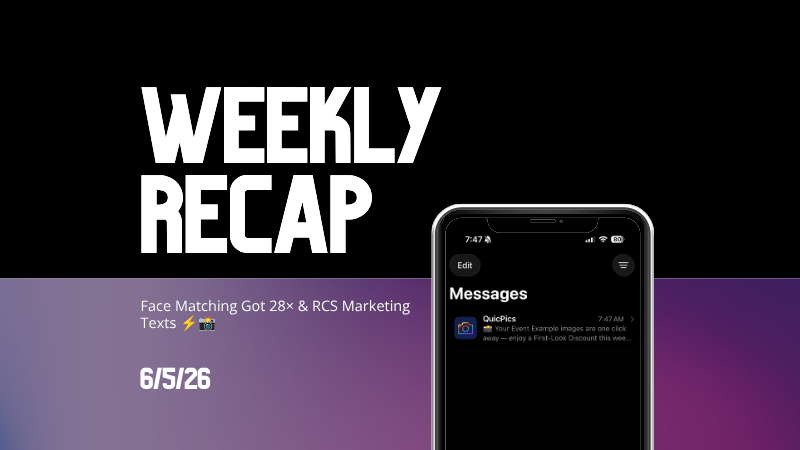
  • Instead of appearing as a random phone number, supported messages can show as coming from QuicPics with a branded-style camera icon. This makes the text feel more familiar and easier for customers to recognize.

🛡️ Better deliverability potential

  • With mobile platforms continuing to add stronger spam filtering — including spam folders on iPhones — RCS gives our messages a better chance of feeling legitimate and avoiding the “unknown number” problem that can hurt visibility.

📱 Still works for everyone

  • If a customer’s phone or carrier doesn’t support RCS, the message will still fall back to normal SMS/MMS automatically.

Note: Client Outreach still sends through regular phone numbers for now. This RCS update applies to event marketing texts, 2FA in the Dashboard, the Find Me feature on quic.pics, and QuicPics image messages.
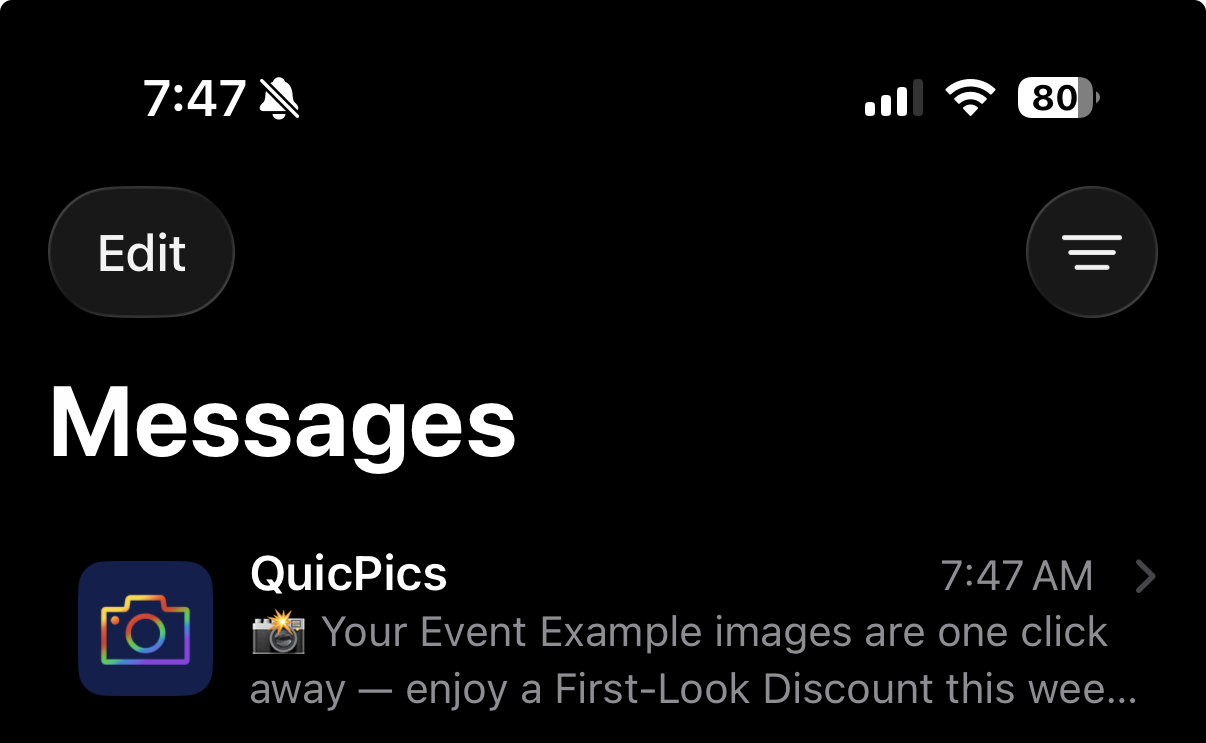
Oooooo shiny! Much more eye-catching than a simple phone number.

🧑‍🤝‍🧑 Virtual Group Builder Improvements

Virtual Group Builder got several upgrades this week:

Participant importing is much faster

  • Large imports should feel quicker and more responsive.

👨‍👩‍👧 Merged siblings now import properly

  • If siblings were merged through identical parent contact info, Virtual Group Builder will now pull them in correctly.

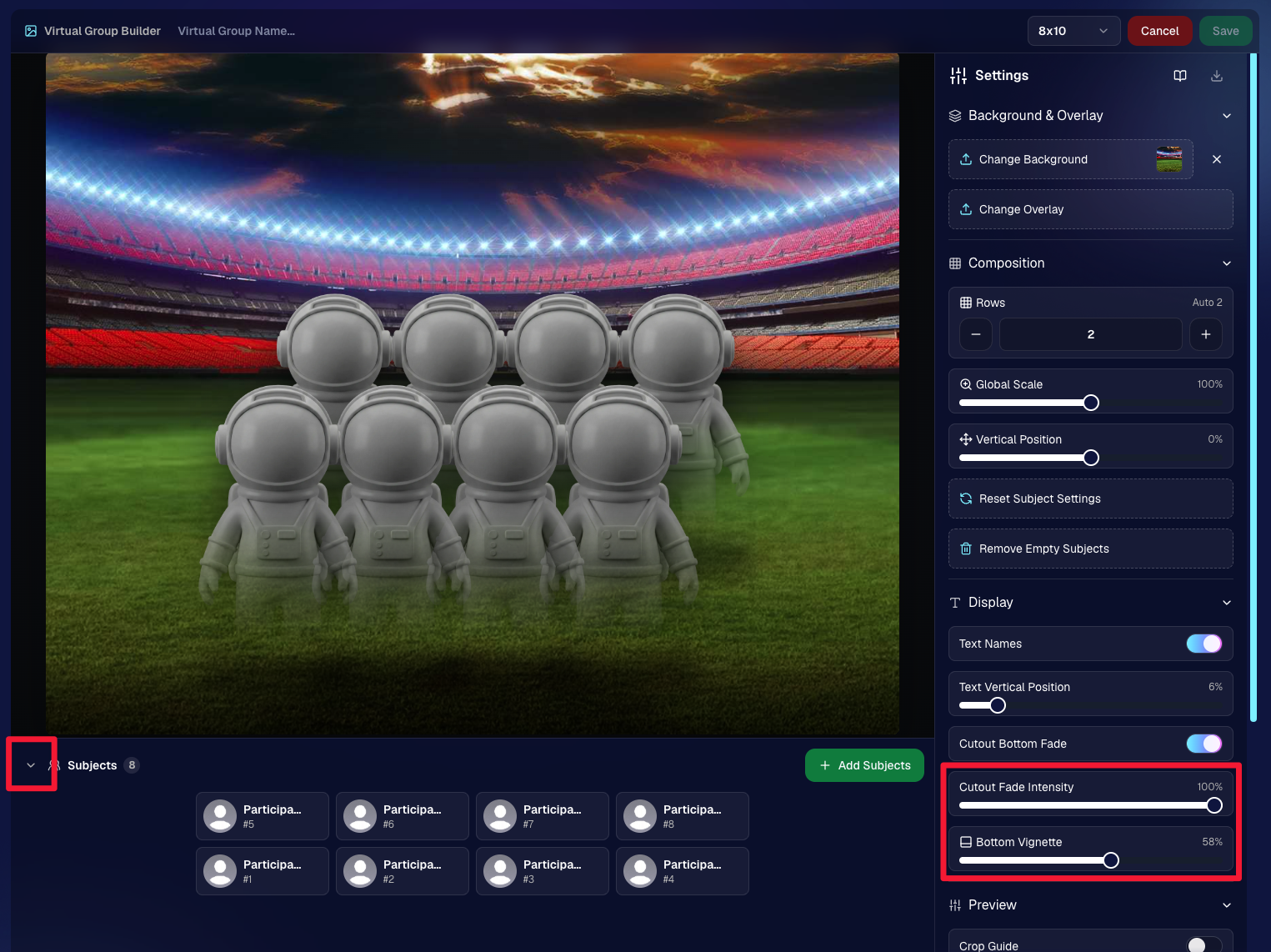
📂 New Subjects pane collapse button

  • Collapse the Subjects pane to make the preview area bigger. You can also toggle it with Shift + S.

🖼️ New cutout bottom fade slider

  • Adjust how strongly subject cutouts fade at the bottom.

🌫️ “Falloff Intensity” renamed to “Bottom Vignette”

  • Clearer wording for what the setting actually controls.
🖥️ Dashboard Improvements

🧰 More Tools moved out of the popup on Manage Images

  • Manage Images tools are now more visible instead of tucked away.
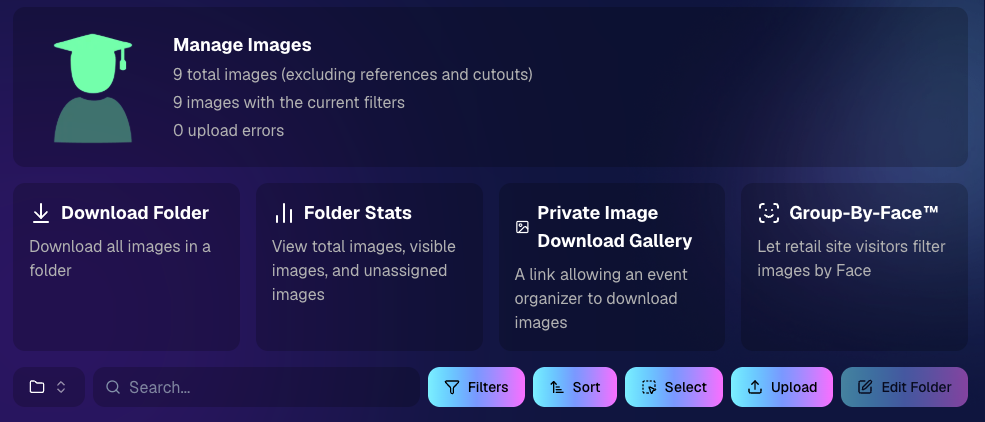
🗂️ Edit Folder is always visible

  • The Edit Folder button is now easier to find on Manage Images.

📬 New marketing column on Participant List

  • Quickly see how much marketing a participant has received.

👁️ Participant Details groups invisible images at the end

  • Makes the page easier to scan.

🎨 One Art Style node per edit

  • Candy Image Studio and Auto Editor now only allow one Art Style node per edit. This helps avoid confusion when selecting conflicting styles like Anime, Chibi, Action Figure, and Bobblehead together.

📈 Marketing History chart improved for new Events

  • New Events should no longer show one giant bar on the first day.

🏷️ Event Tags improvements

  • Hidden Event Tags are now hidden by default, and event search when adding Events to a tag is more flexible.

💰 Auto Editor total cost display fixed

  • The displayed total cost is now correct. Customers were charged correctly before; only the UI number was off.

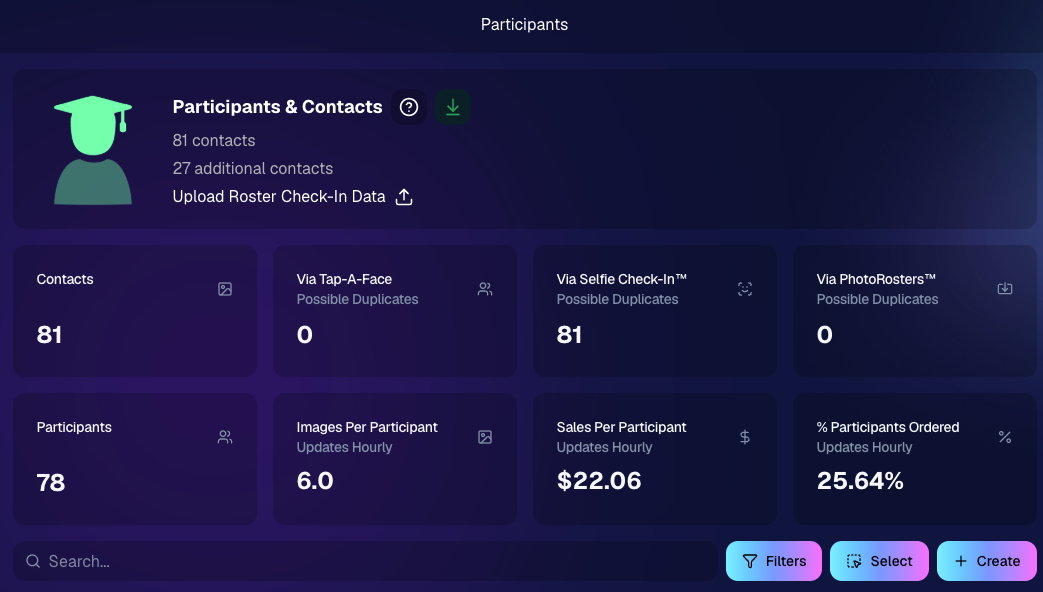
🔢 Participant List now shows key report snapshots

  • You can now quickly see:
    • Images Per Participant
    • Sales Per Participant
    • % Participants Ordered

📱 Capture App 5.6.4

iOS & Android OTA update — Monday, June 1

🧍 Registered face boxes now show in the strip

  • When entering a shooting mode, existing images in the strip can show registered face boxes.

🔄 Restore Session fixes

  • Fixed Restore Session not loading saved registered participants for Positive ID Events or Face Matching Roster Check-In.

Face Matching Roster Check-In fix

  • Fixed an edge case where a registration could fail to save to an image.

📱 Android tablet UI fixes

  • Selfie Check-In Station camera UI fixed in vertical orientation
  • Image gallery name text no longer overflows in vertical orientation

That’s the week!

The big wins are definitely RCS marketing and Face Matching coming in 28× faster, but the Virtual Group Builder and Dashboard changes should make things easier during busy season too.

We’ll keep improving speed, support, and the retail experience as we go!

Keep creating magic,

Candy 🍬

Related articles

📸 Candy’s 12 Days of Christmas: Day 9 – Image Timeline Report & Unique Faces Count 🎄📊
Feature Updates
December 22, 2024

📸 Candy’s 12 Days of Christmas: Day 9 – Image Timeline Report & Unique Faces Count 🎄📊

3
 minutes read
Hello again, my detail-oriented photographers! 🎅

Candy here, and welcome to Day 9 of our 12 Days of Christmas countdown.

Today’s spotlight is on a feature that arrived in November, giving you fresh ways to understand your event coverage: the Image Timeline Report & Unique Faces Count.

Key Highlights:

  • Image Timeline Report:

    View when images were captured in each event folder, helping you analyze shooting patterns, spot peak moments, and evaluate hired photographer performance.
  • Unique Faces Count (Post Group-by-Face):

    After running Group-by-Face, see an estimate of how many unique individuals were photographed. This insight helps you gauge how effectively you encouraged photo subjects to provide their contact info and become Participants.

By understanding shooting trends and estimating how many distinct people you captured, you can refine your approach for future events and ensure no one’s left out. 🎉

Check back tomorrow for Day 10, and remember we have a special announcement waiting for you on December 25th!

Candy 🍬

📸 Candy’s 12 Days of Christmas: Day 8 – Full Frame Overlays & Custom Backgrounds 🌟🎨
Feature Updates
December 21, 2024

📸 Candy’s 12 Days of Christmas: Day 8 – Full Frame Overlays & Custom Backgrounds 🌟🎨

3
 minutes read
Hello again, my creative photographers! 🎅

Candy here, and welcome to Day 8 of our 12 Days of Christmas countdown. We’ve highlighted features for events, sales, action photography, and sports-focused workflows.

Today, let’s celebrate a 2024 addition that brought artistry and personalization to your images: Full Frame Overlays & Custom Backgrounds.

Key Highlights:

  • Full Frame Overlays & Text Titles:

    Wrap entire images with themed frames—like a party pics overlay, a jungle design, or any style you choose—and add text titles right on the images. It’s a quick way to give your clients something more unique and memorable.
  • Custom Backgrounds & Pre-Rendering:

    Photographers can upload up to four custom backgrounds. These backgrounds will pre-render in the image gallery, so clients can instantly see how their images look against these new scenes. From festive holiday themes to brand-aligned designs, you can set the mood perfectly.
  • Import From Previous Events:

    Have a favorite overlay or background setup from a past event? Simply import it for a new event, maintaining consistency and saving setup time.

These visual customizations not only enhanced the aesthetic appeal of your galleries but could also help boost sales by encouraging clients to purchase more prints and downloads that feel like true mementos. 🎉

Check back tomorrow for Day 9, as we continue counting down the best of 2024. And don’t forget, something special awaits on December 25th!

Candy 🍬

📸 Candy’s 12 Days of Christmas: Day 7 – GroupTags for Sports 🏆✨
Feature Updates
December 20, 2024

📸 Candy’s 12 Days of Christmas: Day 7 – GroupTags for Sports 🏆✨

3
 minutes read
Hello, my team-spirited photographers! 🎅

Candy here, and we’re on Day 7 of our 12 Days of Christmas countdown.

We’ve already highlighted features that made action photography shine, and today’s topic is another sports-focused enhancement: GroupTags for Sports.

Key Highlights:

  • Organized Group Photos:

    Photographers can set up tags (e.g., team names, divisions) to categorize group images the way they want to, complete with emojis if desired!
  • Simple Selection for Customers:

    End customers arriving at the retail site can pick their group’s tag right from the start. No more endless scrolling through dozens of images to find their team!
  • Ideal for Leagues & Tournaments:

    GroupTags turned large sets of group photos into neatly sorted collections, making life easier for everyone.

By letting clients quickly find their specific group’s images, GroupTags improved the overall browsing experience and boosted satisfaction among team members, parents, and fans. 🎉

Check back tomorrow for Day 8, as we continue this holiday journey through the year’s biggest features. And remember, something extra special is coming on December 25th!

Candy 🍬

Let’s get in touch

If you’re a photographer looking to add NowCandid services to your wheelhouse – set up a call by clicking the button below.

How to customize formatting for each rich text

How to customize formatting for each rich text

How to customize formatting for each rich text

How to customize formatting for each rich text

How to customize formatting for each rich text

What’s a Rich Text element?

The rich text element allows you to create and format headings, paragraphs, blockquotes, images, and video all in one place instead of having to add and format them individually. Just double-click and easily create content.

A rich text element can be used with static or dynamic content. For static content, just drop it into any page and begin editing. For dynamic content, add a rich text field to any collection and then connect a rich text element to that field in the settings panel. Voila!

Headings, paragraphs, blockquotes, figures, images, and figure captions can all be styled after a class is added to the rich text element using the "When inside of" nested selector system.

  • List One
  • List Two
  • List Three
  • List Four
  • List Five

This is a link

This is bold text