HomeNavigation arrowBlogNavigation arrow
Current page
Feature Updates

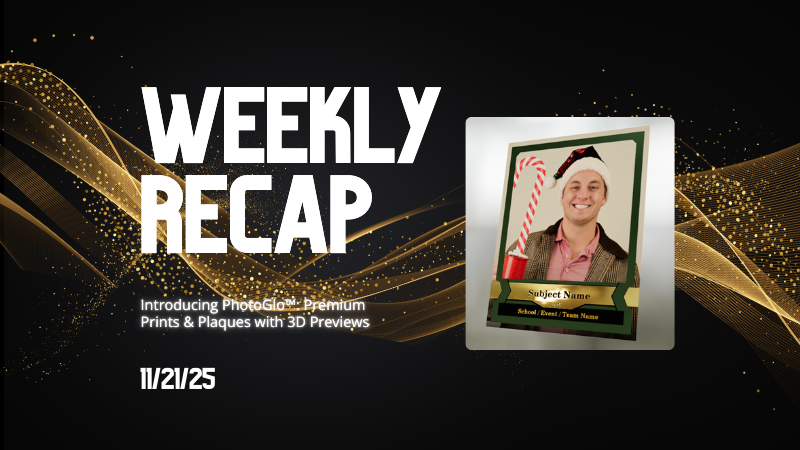
Weekly Recap: Introducing PhotoGlo™ Premium Prints & Plaques ✨🖼️

Weekly Recap: Introducing PhotoGlo™ Premium Prints & Plaques ✨🖼️
Hey photo friends! 👋


Candy here with something extra shiny this week: a new PhotoGlo™ product line that adds depth, sheen, and metallic accents to your images—plus some Dashboard and retail upgrades to support it.

Let’s start with the fun stuff. 😏

✨ New PhotoGlo™ Products

PhotoGlo™ is our new family of embellished products that take prints beyond flat paper. These products can include:

  • 🎨 Thick color varnishes on specific areas to add depth and a glossy “raised” feel
  • ✨ Metallic foil printing for high-shine metal accents that catch the light and draw the eye

First up in the line:

  • 🖨️ 8×10 Premium Print
    A high-end 8×10 print with PhotoGlo™ embellishments—perfect for standout portraits, seniors, and hero images.
  • 🪧 Premium Plaque
    A mounted plaque (about 9.5×11.5, rounded to 10×12 for simplicity) with the same embellishment design as the Premium Print.

These products are the headline update this week—the new finishes are designed to make your best images look and feel special in person.

Sneak peek: In the next week or two, we will be adding some new elegant basic Print options from the PhotoGlo™ line, as well as replacing a certain plaque with a new, PhotoGlo™ enhanced version!

🌀 3D Renders to Show Off PhotoGlo™

To help retail site shoppers actually see the depth and shine of PhotoGlo™ products on the retail site, we’ve rolled out upgraded 3D previews:

📦 Live 3D product renders

For Premium Print and Premium Plaque, the 3D preview supports:

  • • BGR backgrounds
  • • Crops
  • • Captions
  • • Primary colors / accents

🖥️ Where 3D appears

  • • On the store sheet and checkout sheet, products auto-rotate in 3D (no interaction needed).
  • • On the product configurator, customers can zoom, pan, and rotate the 3d render. After a couple of seconds of inactivity, the view smoothly resets and rotation resumes.
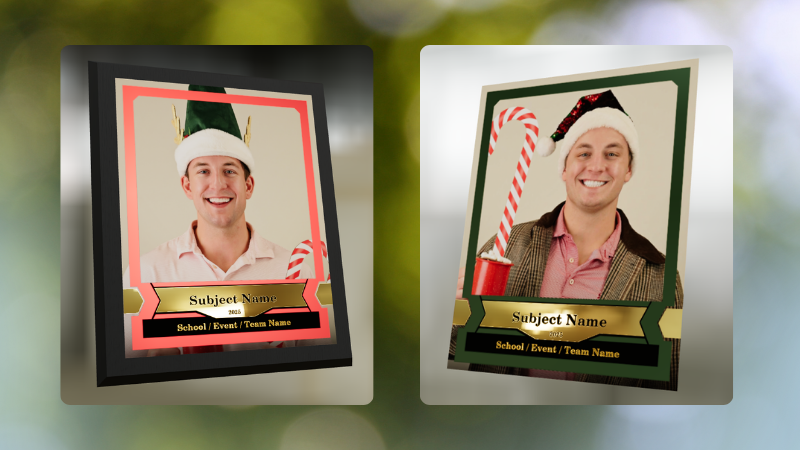
These renders are there to support the PhotoGlo line—helping buyers appreciate what they’re paying for before they check out.

Wanna take a closer look? Click here to view a demo! (app.nowcandid.com/3d/premium-plaque-print)

🛍️ Retail Tweaks

🧱 New desktop layout while customers customize products

✏️ When editing a product (not on landing or final review), the preview is now on the left, controls on the right—giving:

  • • Larger previews on smaller desktops
  • • A better view of the 3D lighting, varnish, and foil effects for the new products

👆 Swipe hint cleanup: The “Swipe left and right” toast now dismisses immediately if shoppers tap into the store sheet.

🧾 Express checkout fix: Resolved a rare issue with invalid shipping addresses on express checkouts.

🖥️ Dashboard Improvements

Faster image loading on events with very large image counts.

🧰 Manage Images – Tools & Extras popup:

  • • Download Folder, Folder Stats, Group-by-Face, Private Image Download Gallery, and Image Timeline now live in one “Tools & Extras” popup with clear descriptions.

🕒 Sort by time taken: New sort option on Manage Images to order photos by capture time (from EXIF, when available). Images without a timestamp are hidden from this specific sort view.

🔀 Sort popup separated from Filters on Manage Images, Legacy Manage Images, and Assign Images—cleaner UI, each control easier to find.

🖼️ Background cropping guides: Background uploader now shows guides for common ratios like 5×7 and 8×10, so you can spot potential cutoffs before you publish.

📊 Event sales & stats modal:

  • • Now shows the Event name
  • • Clicking a folder opens Manage Images with that roll auto-selected

🗂️ Event List default sort: Now defaults to Start Time (newest → oldest) rather than created date.

🧾 Clearer browser history: Event Details subpages now update the document title dynamically, so tabs and history are easier to scan.

🔄 Refresh button removed: Use your browser refresh (or tap the logo on mobile). One less button, same control.

That’s the scoop for this week!

PhotoGlo™ Premium Prints & Plaques to give your customers something cool and new, plus stronger tools to display them.

Keep creating beautiful things,
Candy 🍬

Related articles

Weekly Recap: Tap-A-Face from the Dashboard & Smarter Roster Contacts 👤✨
Feature Updates
August 8, 2025

Weekly Recap: Tap-A-Face from the Dashboard & Smarter Roster Contacts 👤✨

3
 minutes read
Hey there, photo friends!

This week’s updates are small but mighty—because behind the scenes we’re cooking up some bigger projects that we can’t wait to share with you soon.

For now, here’s what’s fresh in your NowCandid™ Dashboard:

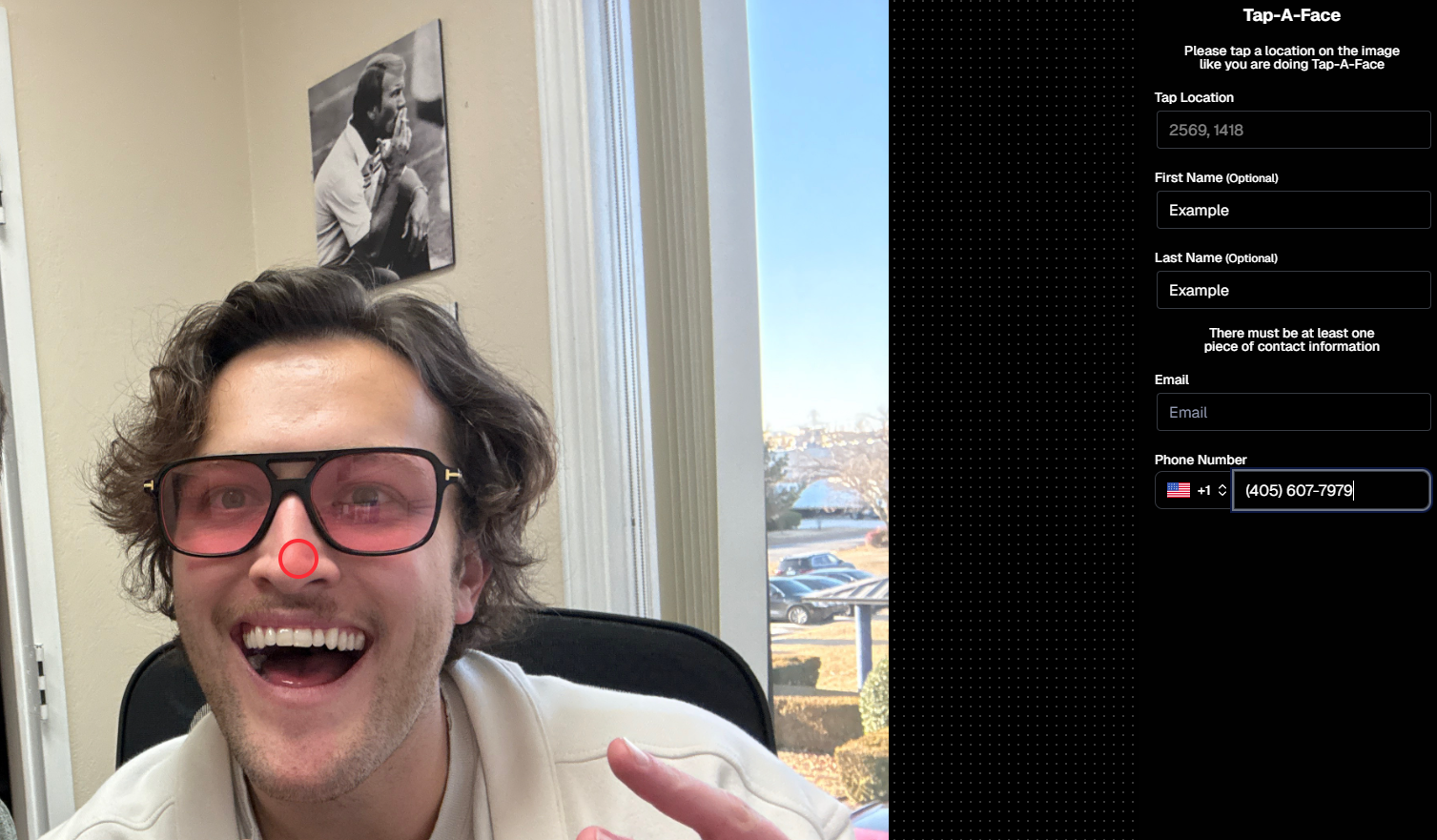
👆 Tap-A-Face… from the Web Dashboard!

You’ve always loved Tap-A-Face in the field—now you can do it right from your Dashboard.

From any image’s Image Details Page, head to the Participants tab and click the new Add via Tap-A-Face button. From there:

  1. Click a spot on the image where a face is
  2. Enter the contact info for the person

This will instantly create a new Participant in your Event, kick off Face Matching™, and start marketing their gallery right away. 📸💌

Manage Images -> Details, Logs, and More-> Participants -> Add via Tap-A-Face

📇 Roster Contacts, Upgraded

Contacts you add through Rosters are now much easier to work with! They’ll behave just like your regular Contacts & Participants—meaning:

  • They’re fully editable
  • They can be assigned multiple images without the previous first-image requirement

No more clunky workarounds—just smoother, faster contact management. 🙌

This change will also improve adding Contacts via the "Create Participant" button, as well as Contacts who add themselves to the Event via a Positive ID Event's Simple Check-In.

These kinds of Contacts will just show a silhouette for now, which we may adjust down the line!

That’s it for this week!

Stay tuned—because some very cool things are coming your way soon. 👀✨

Keep being amazing,

Candy 🍬

Weekly Recap: PhotoCoach Support, Acrylic Puzzles & More! 🧠🧩
Feature Updates
August 1, 2025

Weekly Recap: PhotoCoach Support, Acrylic Puzzles & More! 🧠🧩

4
 minutes read
Hey there, photo friends!

Candy here with some sweet new updates from your NowCandid™ Dashboard.

We've got a powerful new coaching tool, a fun new product to sell, and a bunch of workflow-boosting fixes to round it out.

Let’s dive in! ✨

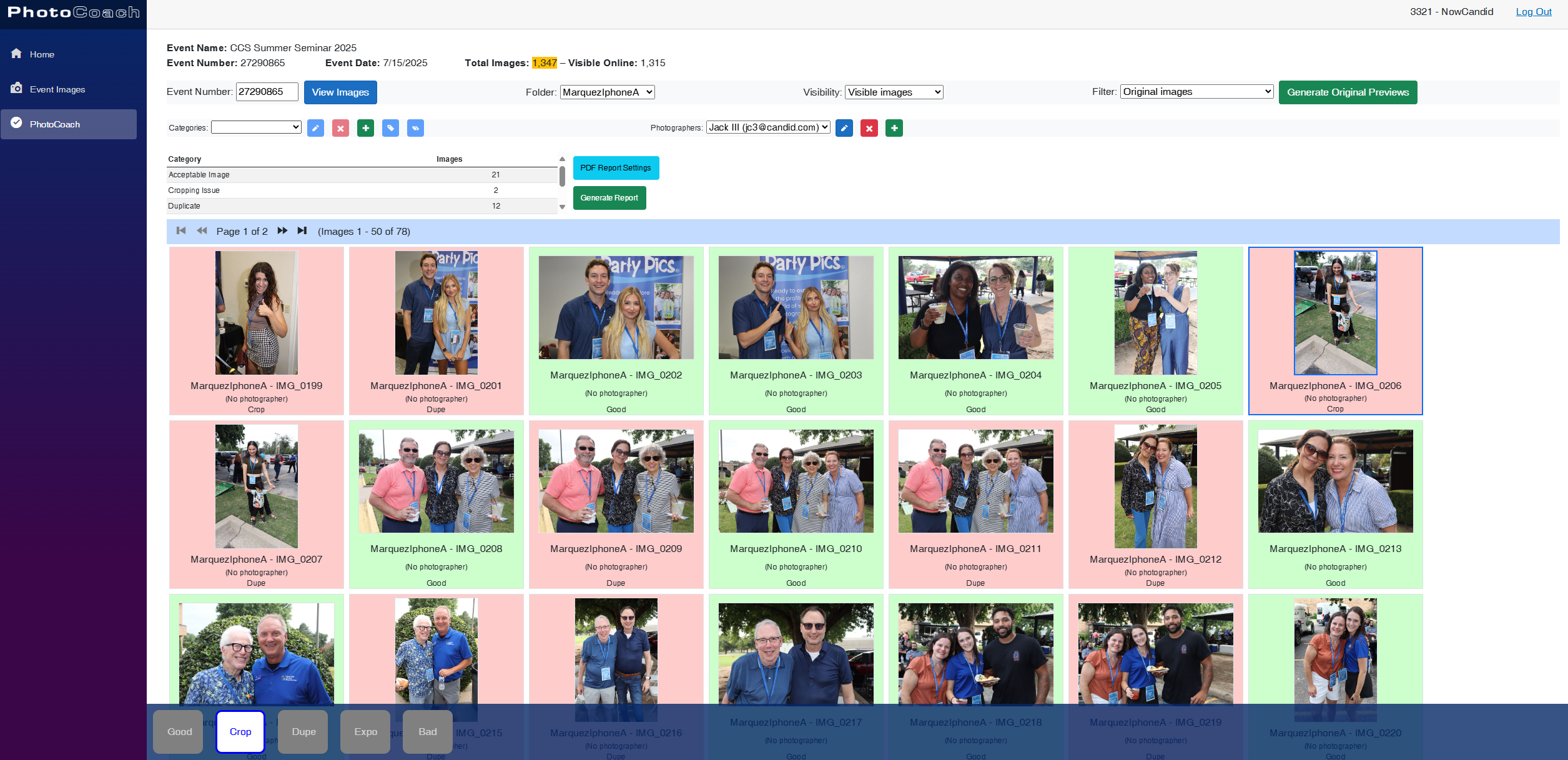
🆕 New Feature: PhotoCoach

Introducing PhotoCoach—your new secret weapon for improving the quality of your photographers’ photos over time! 🧠📷

With PhotoCoach, you can:

  • • Review images from your Events and flag them with issues like "Acceptable," “Duplicate,” “Exposure Issue,” “Cropping Issue” and more (and make your own categories too!)
  • • Track photographer photo quality over time
  • • Send automatic feedback reports to your photographers with a breakdown of image counts & issue counts

It’s perfect for helping your team take more sellable images—leading to happier clients and stronger sales!

Find it now under Tools & More on your Dashboard and start coaching like a pro. 💪

Note: PhotoCoach is not new for CORE™ users (CORE™ is our sister-software at Candid Color Systems™), but it's new to NowCandid™! And it's had some feature improvements recently so it is now web-based! Woo!

It takes a little getting used to, but once you are, it's super easy and super fun!

🧩 NEW: 8×10 Acrylic-Backed Puzzle

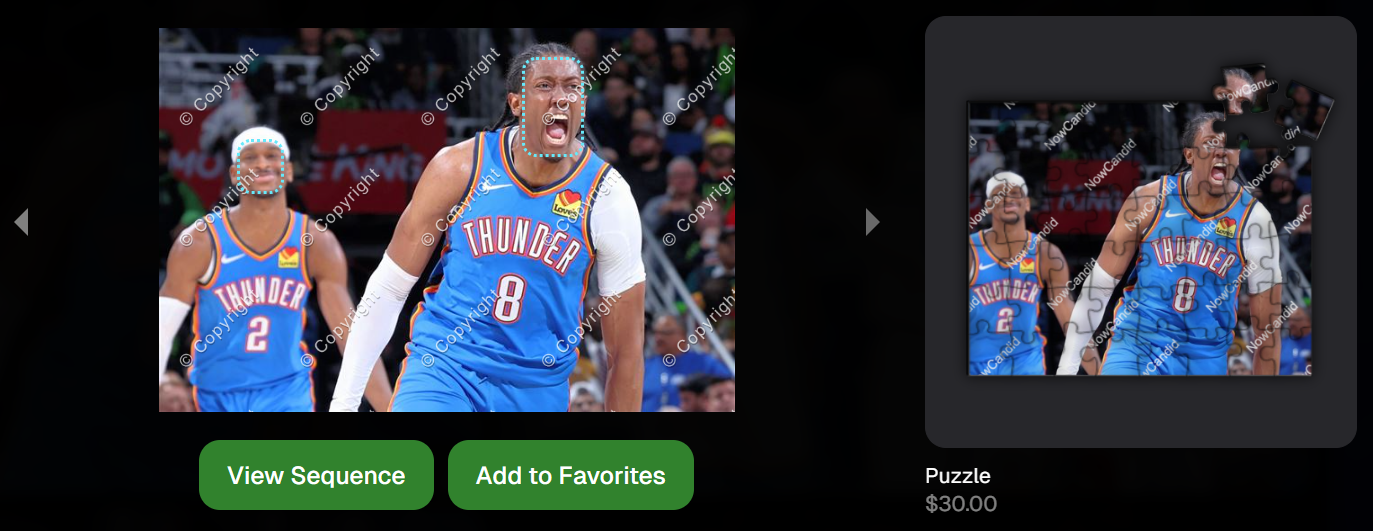
Puzzle fans, rejoice! 🎉 You can now sell a 56-piece acrylic-backed 8×10 puzzle, complete with cute live-rendered previews on the retail site.

Why customers will love it:

  • Unique gift or keepsake
  • Durable acrylic & display-worthy

Even the little detahced pieces in the top right live-render, yay! - Theme: Liquorice

🔗 URL Filtering Just Got Smarter

Now when shoppers apply filters on the retail site, those filters update the URL automatically—making filtered views shareable with friends & family!

Not much more to say about this one, just a cool touch! :)

🛠️ Misc Tweaks & Fixes

A roundup of small but mighty changes:

  • 📥 Dynamic Personal Gallery Downloads can now be purchased by shoppers via Favorites!
    • A great addition for action sports—gives customers a “buy all” option that scales with the number of images selected, even when shopping from an All Gallery.
  • 🧑‍🤝‍🧑 Group-by-Face filter popup now shows only unique faces
    • Applies to new Events only—re-run Group-by-Face on past Events if needed!
  • 🗂 BGR Folders are editable again via the “Edit Folder” option
  • 🖼 Retail site now scrolls past the cover photo if a filter is selected from the initial popup
    • A smoother experience when arriving to an All Images gallery
  • 🧍‍♀️ Selfie Check-In button transforms post-Face Matching
    • It now becomes a second Retail Site button after expiration
  • 🧾 Invoice History tool now displays all past invoices, not just recent ones

That’s everything for this week! 💫

Whether you're giving photo feedback, selling puzzles, or just tidying up your workflow—we’ve got your back.

More soon!
Candy 🍬

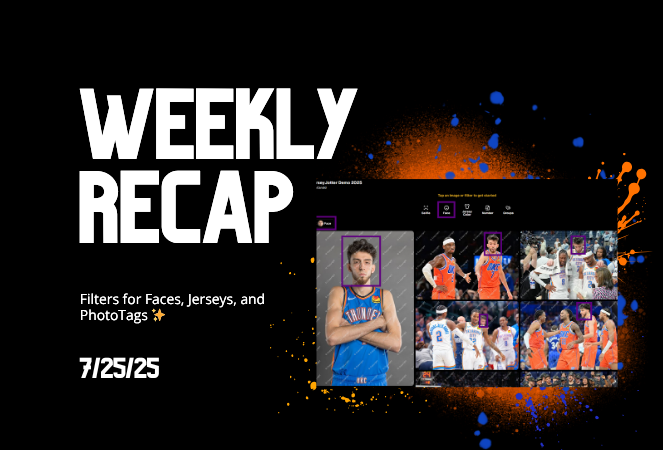
Weekly Recap: Filters for Faces, Jerseys, and PhotoTags ✨
Feature Updates
July 25, 2025

Weekly Recap: Filters for Faces, Jerseys, and PhotoTags ✨

5
 minutes read
Candy here with your scoop on all the sweet new updates from this week! 🍬

Let’s get right into it...

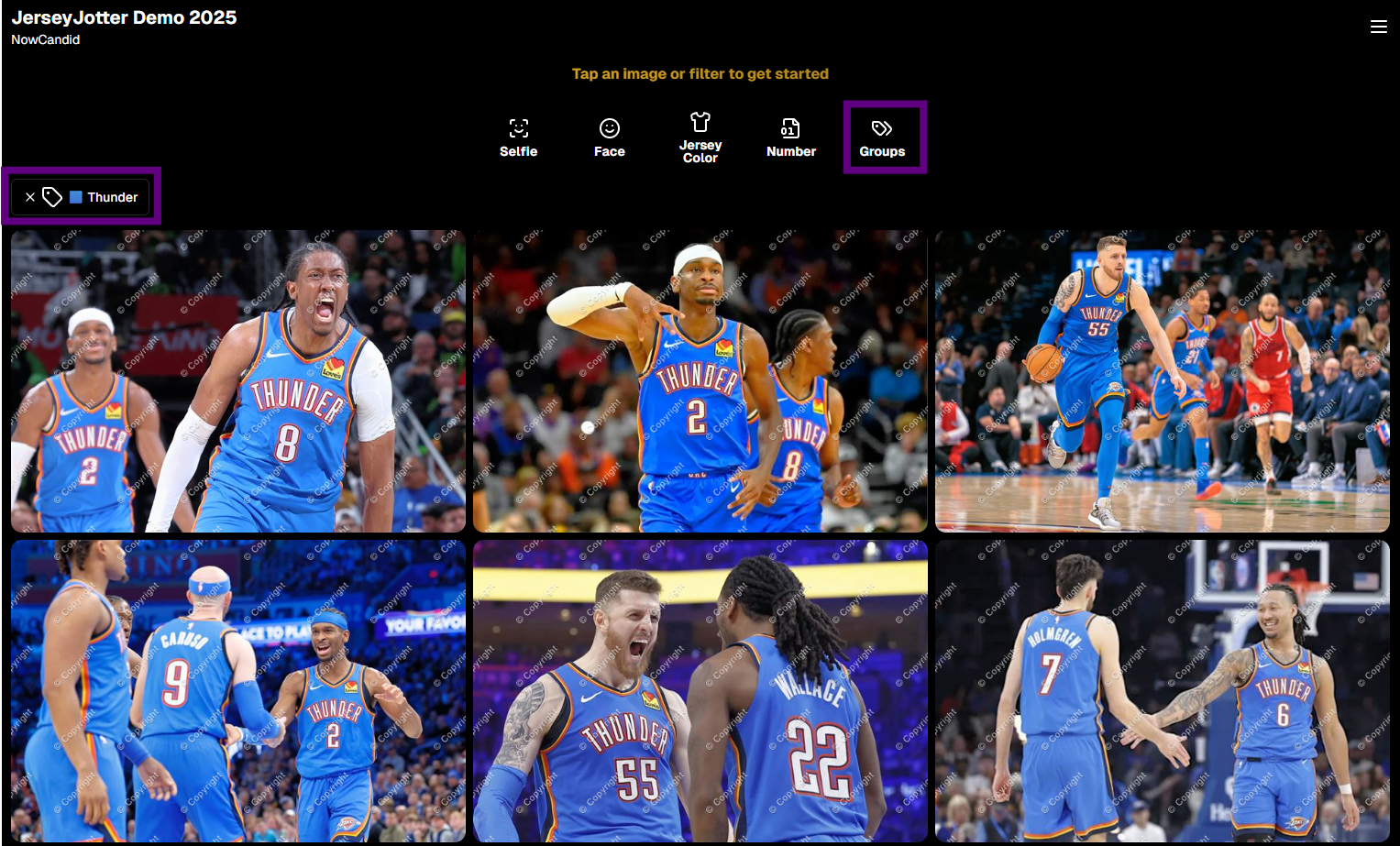
📸 Big News: PhotoTags Now Work as a Filter!

PhotoTags just got a major glow-up! 🌟

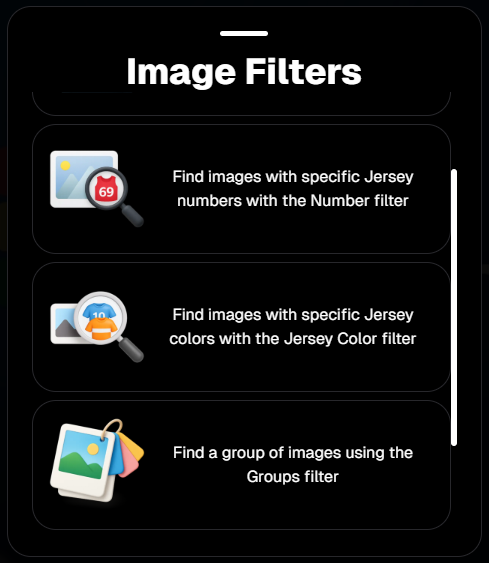
Instead of being a separate tab, they’re now integrated directly into the Filters section on the All Images Gallery. That means they now play nicely alongside JerseyJotter™ and Group-by-Face!

Whether you're shopping for cheerleaders, bands, dancers, or any other tagged group—this change makes it smoother than ever to find just the photos you care about.

Did you know? NowCandid is headquartered in Oklahoma City! Thunder Up!

🧠 Big News: Group-by-Face is Now a Filter Too!

Group-by-Face fans rejoice! 🎭

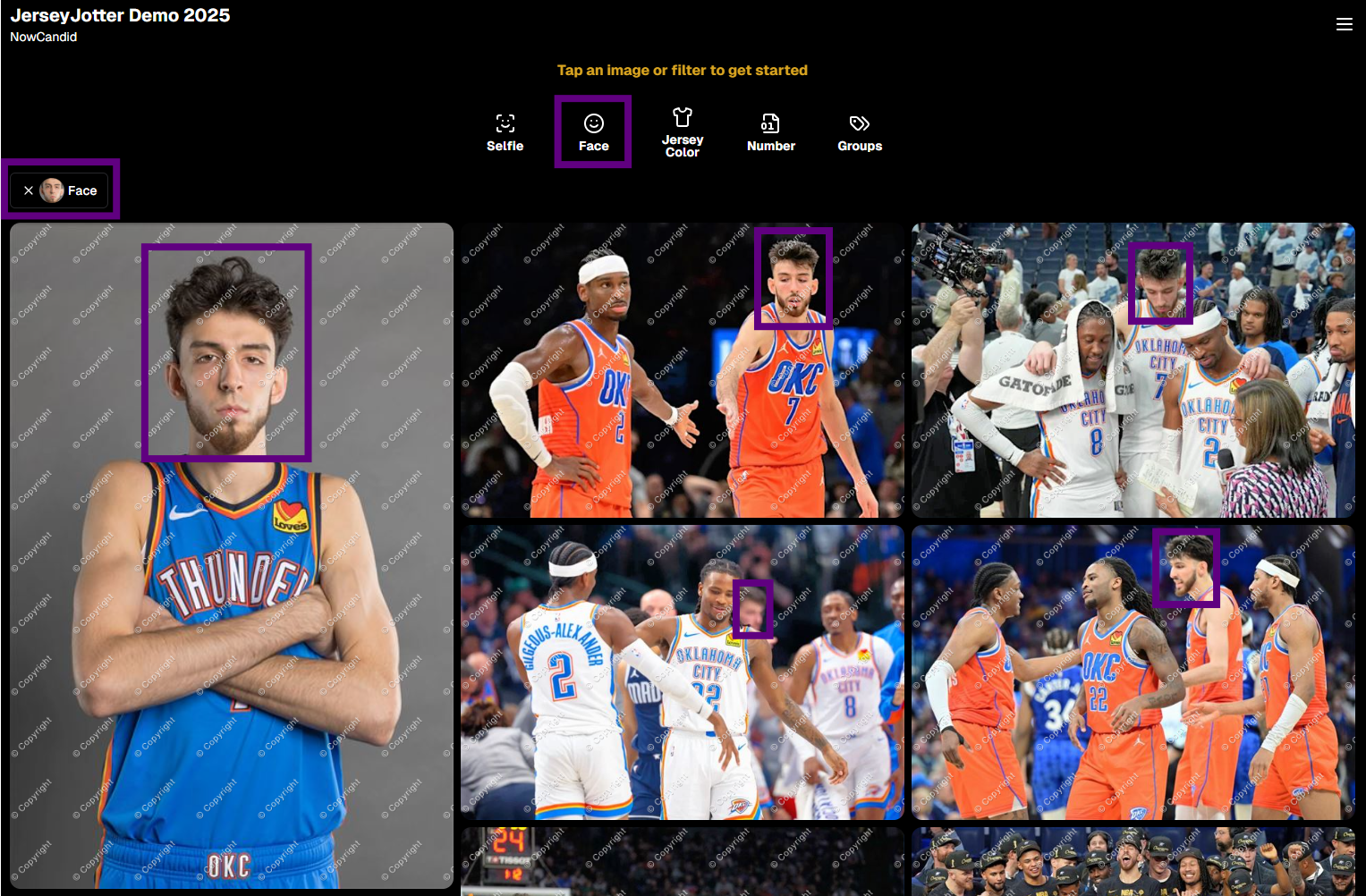
Group-by-Face has been transformed into a Filter, too! Instead of whisking you away to a new page, selecting a face now just filters the All Images Gallery to show photos featuring that face. You can even browse faces via the Face filter menu.

And yes—it works with PhotoTags and JerseyJotter™, so you can filter for a specific face, a jersey number, AND a PhotoTag Group all at once. Woo!

Yup, it even got his blurry face over Cason Wallace's shoulder!

🧾 Big News: Invoice History in Profile Settings

Ever had an invoice go missing in your email inbox? We've got you covered!

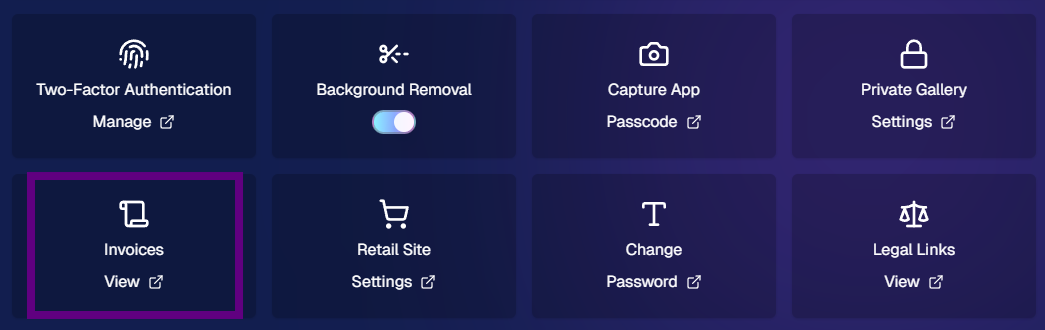
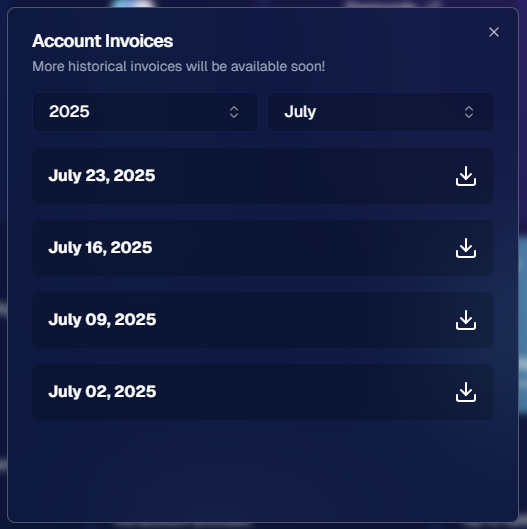
You can now view and download past invoices directly from your Profile Settings page on the Web Dashboard. Whether you're keeping things tidy for tax season, tracking your account activity, or just trying to find that one receipt from a few months ago — this new Invoice History section gives you quick access to every invoice tied to your account.

No more digging through old emails. Just head to Settings → Profile → Invoice History and boom — organized, downloadable, and ready whenever you need it.

Another small quality-of-life boost to keep things running smoother behind the scenes. 🎟️✅

Accessible via Profile on the Web Dashboard.

⚙️ Other Notable Changes

🔍 “Looking for More?” Button + All Images Filter Popups

We’ve added a new “Looking for More?” button at the bottom of personal image galleries — perfect for subjects who didn’t find quite everything they were hoping for. If your Event has the All Images Gallery turned on, this button will guide shoppers over to that gallery for a broader look.

And with all the recent upgrades like PhotoTags™, Group-by-Face, JerseyJotter™, and improved gallery tools, we’re confident that the All Images view is more helpful and shoppable than ever before!

🎛️ Bonus: When filters are enabled for your Event, the All Images Tab and All Gallery URL will now open a popup that clearly explains what filtering options are available for that particular event — making discovery even easier for your customers.

Clicking any option will open up that Filter's popup as well!

🤳 “Is This the Face?” Popup

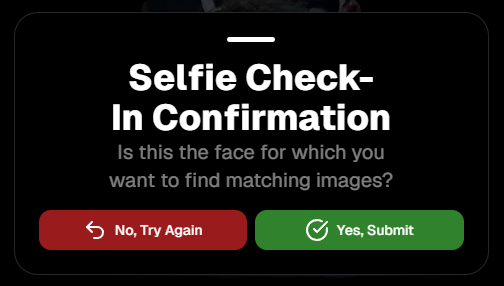
When someone takes or uploads a selfie for Selfie Check-In, we now ask them:

“Is this the face for which you want to find matching images?”

This simple question will reduce the number of parents who accidentally upload selfies of themselves instead of their child!

We'll keep trying to get parents to not upload their own selfies :)

📱 QR Code Download for All Images Gallery

New button alert! You can now easily download the All Images Gallery QR Code to share at events—perfect for action sports and other workflows that rely on promoting the All Images Gallery.

Accessible via "Retail Site" from an Event's Management page.

📦 Order Details Page Improvements

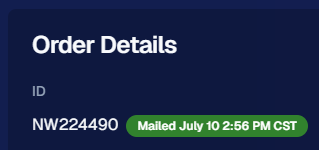
Want to know when an order was mailed out? You got it.

The Order Details page now shows the "mailed" timestamp when applicable, helping both photographers and customers stay informed.

Accessible via "Orders" from an Event's Management page.

🧰 Misc Fixes & Improvements

🧮 The JerseyJotter™' image counts when selecting Filters will now be affected by PhotoTag & Group-by-Face Filters as well

🫥 "Unassigned Images" count now excludes hidden/test images

💖 Favorites tab now works when picking images for multi-image products

🔒 GalleryGuard™ is all set for iOS26 — screenshot blocking stays strong

📴 Texting “NOPE” now unsubscribes users from all marketing campaigns

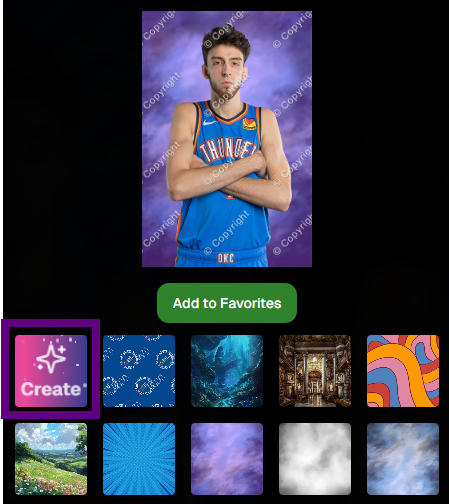
✨ New icon for AI-generated backgrounds — it’s clearer for those unfamiliar with the standard generative AI symbol

Did you know? We provide subjects with free AI background generation!

That’s it for this week!


As always, thanks for tagging along on all the improvements we’re rolling out to make your NowCandid experience smoother, smarter, and more fun 🎉

Cheers,
—Candy 💕

Let’s get in touch

If you’re a photographer looking to add NowCandid services to your wheelhouse – set up a call by clicking the button below.

How to customize formatting for each rich text

How to customize formatting for each rich text

How to customize formatting for each rich text

How to customize formatting for each rich text

How to customize formatting for each rich text

What’s a Rich Text element?

The rich text element allows you to create and format headings, paragraphs, blockquotes, images, and video all in one place instead of having to add and format them individually. Just double-click and easily create content.

A rich text element can be used with static or dynamic content. For static content, just drop it into any page and begin editing. For dynamic content, add a rich text field to any collection and then connect a rich text element to that field in the settings panel. Voila!

Headings, paragraphs, blockquotes, figures, images, and figure captions can all be styled after a class is added to the rich text element using the "When inside of" nested selector system.

  • List One
  • List Two
  • List Three
  • List Four
  • List Five

This is a link

This is bold text