HomeNavigation arrowBlogNavigation arrow
Current page
Feature Updates

Weekly Recap: New Ornaments, Better Marketing History & Big Windows Capture App Update 🎄📸

Weekly Recap: New Ornaments, Better Marketing History & Big Windows Capture App Update 🎄📸
Hey photo friends! 👋


Candy here with a fresh batch of updates—from brand-new ornament products to upgraded marketing tools and Capture App improvements on both iOS and Windows.

Let’s jump in!

🎁 New Holiday Ornaments

  • 🎄 Statuette Ornament

    A new hanging statuette-style ornament—complete with a red ribbon.
    • Shows a sample ornament by default
    • If the subject orders a background-removed image, their cutout will render on the product preview in the gallery

  • 🪙 Aluminum Ornament

    A flat aluminum ornament that renders any photo in the product gallery.
    • Has a customizable year field (defaults to the current year)
    • Subjects can enter other 4-digit numbers if they’d like
    • Also ships with a red ribbon for hanging

Perfect timing for holiday sales. 🎅

✉️ Marketing History & Dashboard Improvements

📬 Marketing History Page (Big Upgrade!)

  • 🧭 Pagination for easier navigation through large histories
  • 👤 Shows participant name + image on each row
  • 🔗 Click through to the Participant directly
  • 🧾 All email + text sends are now in one combined, date-sorted list
  • ⚡ Faster initial load, and smoother scrolling for long histories
  • 🔍 New filters:
    • Text search (with CMD+F support)
    • Filter to Texts only or Emails only
    • URL supports both filters and pagination, so you can share filtered views

🖥️ Other Dashboard Updates

  • 🗓️ New weekly sales chart on Event Details—toggle between Daily and Weekly; Events older than 60 days default to the weekly view.
  • 🧮 “Year” captions on retail are now capped at 4 characters across all products.
  • 🌄 Download custom backgrounds you’ve uploaded for an Offer
    • Offer → Select Backgrounds → My Custom Backgrounds → Download button
  • 💬 QuicPics send error reason now appears on Participant Details (logging started April 2025).
  • 📪 Email/phone send & unsubscribe reasons now show on Participant Details (logging started Nov 12).
  • 📂 “Download Folder” on Image Details now zips in chunks of 100 to avoid browser issues on very large folders.

🧹 Small Dashboard Fixes

  • 🗓️ Removed Day 6 text from all three QuicPics programs (it wasn’t adding clicks or sales).
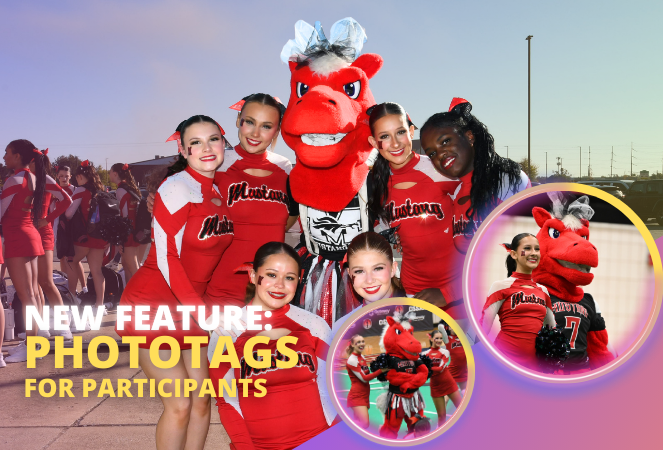
  • 🏷️ Fixed PhotoTag importer falsely claiming you hit the max when you hadn’t.
  • 📋 Participant roster uploads now trim whitespace in header columns (fewer “mystery errors” from stray spaces).
  • 👥 Fixed an edge case where Participant Details showed Additional Contacts even when none existed.

📱 Capture App iOS 4.21.4 (OTA)

  • 🤳 Front camera photos mirrored

    Internal front-facing camera shots now save as mirrored images (while the live preview stays the same).
    • Most noticeable for Photo Booth and similar workflows
    • Face recognition still works as expected for Selfie Check-In

(If you’re on 4.21 already, this will arrive as an over-the-air update.)

💻 Capture App Windows 4.20 Highlights

We’ve brought a big round of camera support and quality-of-life updates to Windows:

  • 📷 Broader camera support
    • Sony now works on ARM tablets, and most new Sonys no longer require special driver setup—just plug in.
    • Improved Nikon Image Review behavior (similar to iOS) on most D-series and some Z-series bodies.
    • Added support for Panasonic cameras.
    • Added support for a wide range of FUJIFILM X and GFX models.
    • New Canon support: EOS R5 Mark II, EOS R1, EOS R50V.
  • 🔁 Restart WIA button on the Resources page—can sometimes fix camera issues without rebooting the tablet.
  • ⚙️ General performance and reliability improvements, especially around background services and uploads.
  • 🎨 Updated app icon & name to match the iOS version.

That’s it for this week!

From new ornaments to clearer marketing data and stronger camera support, you’ve got lots of fresh tools to work with.

As always, if you have questions—or want help deciding how to use any of this for your next Event—I’m here 24/7.

Keep creating magic,

Candy 🍬
Related articles

Weekly Recap: Collage Printing, Digital Collages & More! ✨
Feature Updates
March 28, 2025

Weekly Recap: Collage Printing, Digital Collages & More! ✨

5
 minutes read
Hello, my fabulous photographers!

Candy here, and welcome to this week’s Weekly Recap.

We’ve got some fantastic updates in the latest version of the NowCandid™ iOS Capture App and more—so grab your coffee and let’s dive in!

Also, click here to check out GalleryGuard™, our newest image protection technology.

1. iOS Capture App Version 4.17 Updates 🍏

Collage Printing


We’re excited to announce a new way to showcase your photos—collage printing is now live!

  • • AirPrint Integration:
    Connect Photo Booth Mode to AirPrint printers to print 4x6 collages directly.
  • • Real-Time Customization:
    Subjects can view the collage as they customize each individual image.
  • • Flexible Copy Options:
    Print anywhere from 0 to 4 copies at the end of each session.
  • • Custom Collage Art:
    Photographers can upload their own Photo Booth Collage Art from the Event Management page (look for the button near LiveLoop™).

Smaller Capture App Tweaks

  • • Auto-Delete on Reshoot:
    Unused Photo Booth Mode images are automatically deleted when you hit “Reshoot.”
  • • Enhanced Print Option:
    A new print option now appears in the capture app's image gallery as well!
  • • UI Refinements:
    • ◦ The screen no longer dims when starting or closing the session.
    • ◦ Camera and orientation settings are now combined on the Photo Booth Mode landing page for easier use.

2. Digital Collages 💻

Digital Collages bring more creative flexibility, even without a physical printer!

  • • Integrated Delivery:
    In QuicPics™, digital collages are delivered just like all other images.
  • • Product Options:
    Available only as downloads and 4x6 prints on the retail site.
  • • Simplified Design:
    Crop and overlay art options are disabled to avoid customer mistakes.
  • • LiveLoop™ Compatibility:
    Digital Collages integrate seamlessly with LiveLoop™, showing no overlay art, since they already have art!

Vertical Image Orienttion Collage Example

3. Miscellaneous Improvements 🔧

A few extra tweaks to make your experience even better:

  • • Enhanced NSFW Filters:
    Our AI background generator on the retail site now features smarter, stronger NSFW filters.
  • • Stricter (Youth) Face Matching:
    Face Matching™ for younger subjects when using the "Strict (Youth)" option is now more precise.
  • • Spreadsheet Upgrade:
    The participant download spreadsheet now includes a column for each participant's personal gallery image count.

That’s this week’s roundup of updates, folks!

We hope these enhancements—from collage printing to digital collages and improved reporting—make your NowCandid™ workflow smoother and more fun.

As always, we’d love to hear your feedback!

Cheers and sparkles,


Candy 🍬

Big News: Introducing GalleryGuard™ – The Ultimate Image Protection! 🔒✨
Feature Updates
March 28, 2025

Big News: Introducing GalleryGuard™ – The Ultimate Image Protection! 🔒✨

5
 minutes read
Hello, my fabulous photographers!

Candy here, and I'm thrilled to share some BIG news that’ll give you peace of mind when it comes to protecting your digital art.

For as long as ViewFirst™ photo systems have existed, safeguarding your images has been a constant challenge.

While offering a digital preview is a fantastic business model, there's always that worry about unauthorized screenshots and image theft.

The Image Protection Challenge 🛡️

  • • The Dilemma:
    Digital images are easy to view and share, but that also makes them vulnerable to being stolen—whether through clever workarounds or even just customers posting watermark-covered screenshots on socials.
  • • Industry Solutions:
    Some platforms hide faces behind logos or use messy, multi-colored watermarks to confuse AI, but these methods can compromise the aesthetic and customer experience.
  • • NowCandid™ Approach:
    Until now, we've relied on Scrolling Copyrighting—a good balance between visual appeal, customer satisfaction, and protection. However, with AI watermark removal making headlines, we wanted to step up our game.

Introducing GalleryGuard™ 👨‍🍳

Our digital chefs have been busy in the NowCandid™ kitchen, and their latest creation is nothing short of a Michelin Star-worthy innovation:

  • • iOS Protection:
    On iOS device browsers, GalleryGuard™ ensures that any attempted screenshots of our Image Galleries or Previews will result in a completely black screen. Let's see AI pull an image out of that!
  • • Desktop Defense:
    On desktop browsers, GalleryGuard™ applies an intense blur effect to the retail site when a screenshot is attempted, keeping your images safe without compromising overall aesthetics.
  • • Seamless Integration:
    The technology is live on most NowCandid™ retail pages and will continue to evolve, offering you superior digital image protection.

Sample gallery on Chrome on an iPhone 16 Plus

Sample gallery on Chrome on a Windows PC

What Does This Mean for You? 🎉

  • • Less Image Theft:
    Your valuable digital art stays secure from unauthorized screenshots and AI watermark removal.
  • • More Peace of Mind:
    Enjoy the confidence that your creative work is protected by industry-leading technology.
  • • Quick Note:
    While GalleryGuard™ currently supports only iOS & desktop experiences, we may expand its capabilities in the future!

That’s the scoop on GalleryGuard™—a breakthrough step in defending your digital art.

Thanks for being an essential part of the NowCandid™ community.!

As always, if you have any questions or feedback, drop us a line.

Cheers and sparkles,


Candy 🍬

Weekly Recap: Faster Check-Ins, Text Upgrades & More! ✨
Feature Updates
March 21, 2025

Weekly Recap: Faster Check-Ins, Text Upgrades & More! ✨

5
 minutes read
Hello, my fabulous photographers!

Candy here, ready to sprinkle some sparkle on your day with our latest Weekly Recap.

We’ve been busy refining your NowCandid™ experience, and this week’s update is a solid mix of practical tweaks and new features—all designed to make your events run even smoother. Let’s dive in!

1. Check-In Info Saves to Account 📝

We know every second counts during an event. Now, when subjects perform a Selfie Check-In™ while logged into quic.pics, their check-in info is automatically saved to their account for future events.

Streamlined Check-In:

  • • Reuse saved check-in details for faster access at subsequent events.
  • • Speeds up the process and reduces repetitive data entry.
  • • Works for both Selfie Check-In™ as well as Positive ID™ Check-In.

Expedited Selfie Check-In for your regular subjects, woo!

2. QuicPics™ Text Character Increase 📲

Our marketing messages just got a boost! You now have more characters available when customizing the “Your images are arriving soon” text for QuicPics™ events.

More Room to Create:

  • • Tailor your messaging with extra characters for a more personalized touch.
  • • Future tweaks may come, but for now, enjoy the expanded flexibility!

Previously capped at 100 characters, you'll have a bit more wiggle room going forward!

3. QuicPortraits™ Pricing Now at 10¢ per Image 💰

Good news for portrait photographers who get paid upfront! We’ve adjusted the QuicPortraits™ pricing down to 10¢ per image from 12¢. This change is designed to help you offer headshots and individual portraits at a lower rate.

Cost-Saving for Portraits:

  • • QuicPortraits is aimed specifically at headshots and portraits where only one person receives the images.
  • • Expect further tweaks to QuicPortraits in the future, but the cost-saving is here to stay!

QuicPortraits is now 10 cents, down from 12!

4. GroupTags™ Enhancements 🏷️

We’ve made it easier than ever to manage group photos and individual shots with GroupTags™.

Import GroupTags:

  • • Upload a spreadsheet to auto-create as many GroupTags™ as you need—perfect for events with many teams or groups.

GroupTagging Individuals:

  • • Now you can assign GroupTags™ even to Individual Photos, not just Group Photos.
  • • This change gives you more flexibility when organizing the Groups of images your customers can filter by on the retail site. Possibly helpful for some action photographers!

GroupTags™ are now no longer limited to only Group Photos!

5. Miscellaneous Updates 🔧

A few extra tweaks to enhance overall performance and clarity:

Shortened Marketing Links:

  • • All links in marketing texts are now shortened without compromising URL security.

Informative Color Profile Errors:

  • • When an image is uploaded with the wrong color profile, the error now specifies which color profile the image has, instead of just saying “wrong color profile.”

That’s this week’s recap, folks!

These updates are all about making your workflow more efficient—from saving check-in info and giving you more flexible text options to reducing costs on QuicPortraits™ and enhancing GroupTags™.

We’re continuously improving our system to help you manage your events seamlessly and boost your sales.

As always, we love hearing your feedback—let us know what you think!

Cheers and sparkles,


Candy 🍬

Let’s get in touch

If you’re a photographer looking to add NowCandid services to your wheelhouse – set up a call by clicking the button below.

How to customize formatting for each rich text

How to customize formatting for each rich text

How to customize formatting for each rich text

How to customize formatting for each rich text

How to customize formatting for each rich text

What’s a Rich Text element?

The rich text element allows you to create and format headings, paragraphs, blockquotes, images, and video all in one place instead of having to add and format them individually. Just double-click and easily create content.

A rich text element can be used with static or dynamic content. For static content, just drop it into any page and begin editing. For dynamic content, add a rich text field to any collection and then connect a rich text element to that field in the settings panel. Voila!

Headings, paragraphs, blockquotes, figures, images, and figure captions can all be styled after a class is added to the rich text element using the "When inside of" nested selector system.

  • List One
  • List Two
  • List Three
  • List Four
  • List Five

This is a link

This is bold text