HomeNavigation arrowBlogNavigation arrow
Current page
Feature Updates

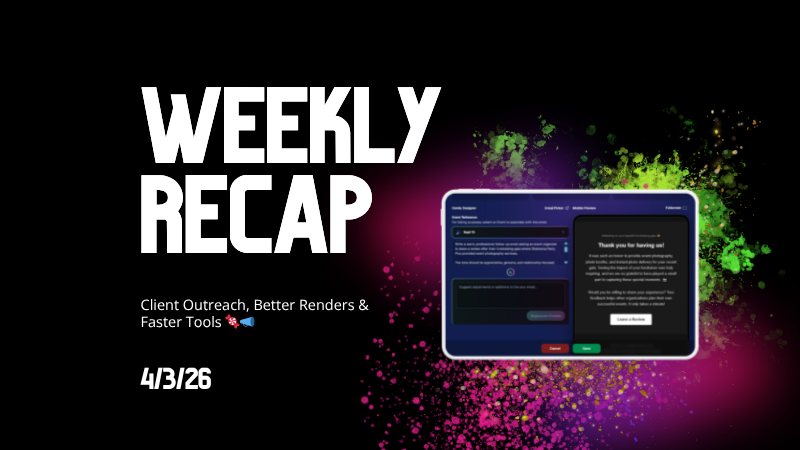
Weekly Recap: Client Outreach, Better Renders & Faster Tools 🍬📣

Weekly Recap: Client Outreach, Better Renders & Faster Tools 🍬📣
Hey photo friends! 👋

This week’s headline is a big one: Client Outreach is here. It’s a powerful new way to connect with your customers outside of event-based marketing—and it opens up a ton of new possibilities for growing your business.

We’ll keep this recap focused on what it does at a high level, and we’ll link out to a full deep-dive guide so you can see exactly how to use it.

📣 NEW: Client Outreach (SMS + Email)

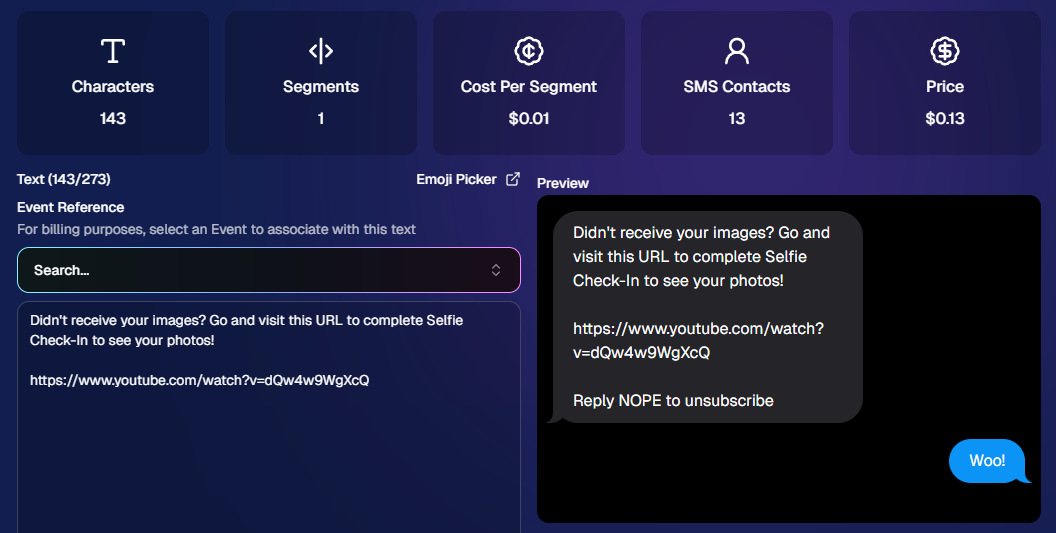
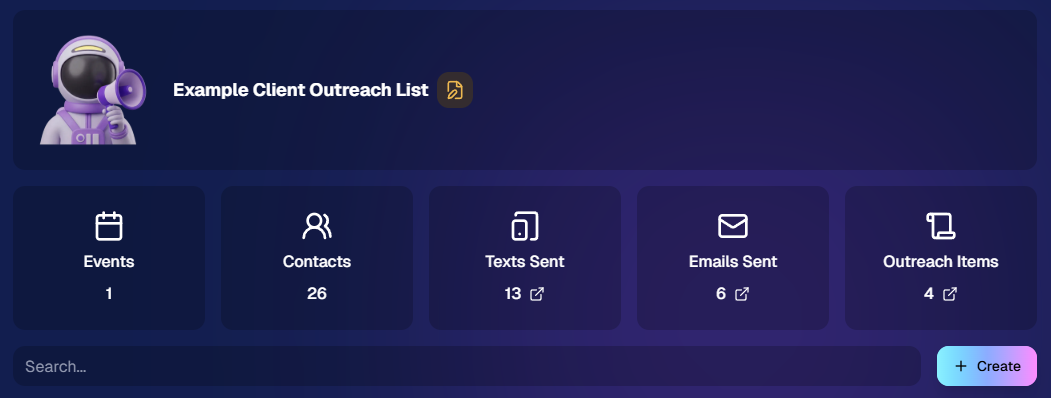
Client Outreach is a brand-new messaging system that lets you send texts and emails outside of your event campaigns.

👉 Learn more here: www.nowcandid.com/blogs/big-news-introducing-client-outreach-sms-email

What it can do:

📩 Send one-off emails and texts to past customers

📊 Track engagement (opens, clicks, bounces, etc.)

📂 Build contact lists from:

  • Events (with or without matched images)
  • Uploaded spreadsheets
  • Or both combined

🤖 Candy-powered email creation

  • Candy can write and design your outreach emails for you—including subject lines—so you don’t have to mess with formatting or HTML.

Why it matters:

This unlocks a ton of real-world use cases, like:

  • Sending Selfie Check-In links after an event
  • Promoting future bookings to past customers
  • Sharing All Images Galleries for action/sports events
  • Notifying customers about new uploads (like group photos)
  • Sending surveys or follow-ups

💸 Pricing is simple:

  • $0.01 per 10 emails
  • $0.01 per SMS (per segment, and longer texts may be 2–4 segments)

This is one of the most powerful tools we’ve added in a while!
🛍️ Retail: Better Products & Previews

✨ The following products will now always have the SoftTouch finish

  • Premium Prints
  • Premium Plaques
  • Luxe Prints
  • Titled Luxe Prints (coming soon)

🖼️ Improved 2D & 3D renders (especially Luxe)

  • More accurate lighting and better overall presentation.

🎯 3D renders prioritized in store sheet

  • The first three supported products now show as 3D when available.
  • Premium products take priority, but Luxe can now appear too depending on your offer.

Faster, higher-quality background generation

  • Better results, quicker turnaround.

📝 Caption fields no longer require every line

  • Customers can fill what you want, skip what they don’t.

🖥️ Dashboard Improvements

🔎 Smarter search across events & reports

  • Partial matches now work helping you search your events when you can't remember their exact names.
  • E.g. “mustang prom” will let you find “Mustang High School Prom 2025”.

Faster reports & charts

  • Reports pages and dashboard landing load quicker and use fewer resources.

🎨 New “Green Screen” node in Candy Image Studio

  • Instantly convert backgrounds into a green screen for use with your other editing workflows.

🧾 More flexible Offer creation

  • You can now duplicate any existing Price Level when creating an Offer, not just your own or prebuilt ones.

💳 Accounts must now have ACH set up before creating events

  • This has been a point of confusion for some users for some time.
  • By simply requiring ACH info, we can avoid a lot of accounting confusion for photographers down the line!

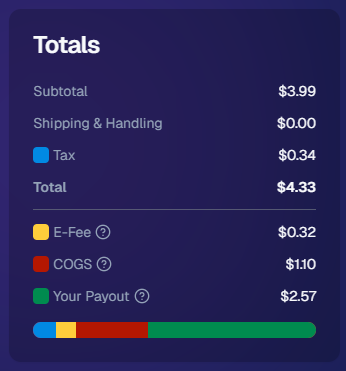
💰 New “Payout Breakdown” on Order Details

  • Visual, color-coded breakdown of order totals for better clarity.
📱 Capture App 5.4.2 (iOS & Android)

🛠️ Fixed an issue where the background removal popup would reappear after confirming and exiting shooting mode.

That’s the week!

Client Outreach is the star of the show here—it gives you a whole new way to stay connected with your customers beyond the event itself.

Pair that with better product presentation and faster tools, and you’ve got a strong upgrade across the board.

More coming soon! 👀

Candy 🍬

Related articles

Drive Sales Using Party Pics Now
Success Stories
April 18, 2022

Drive Sales Using Party Pics Now

2
 minutes read

“We had a very successful Father/Daughter dance. The assistant principal was shocked at how organized and fast the pictures were this year. She also said that she didn't think dads would buy photos online. I told her that with my system, they will (this was our first year covering this event). Last year, dads had to pay with a paper order form, and many of them left the dance without taking photos because the line was so long. This year, we used Now Candid’s Party Pics Now, with Tap-A-Face. And when dads entered a phone number, we asked them to put mom's cell phone number in.” - Eric Miller

(screenshot of the event report taken before $2,100 was reached)
  • In one week, this event has done over $2,100 in sales and has ~$13.65 in sales per father’s face tapped.
  • Father/Daughter pairs were shot with a sparkling golden backdrop for most photos.
  • Price Level 11 (the most expensive PPN price level) was used for this event. Accounting for the 85% margin digital downloads and Price Level 11's 80% margin on physical products: Miller’s total profit margin was 82% of all sales and shipping.
  • No additional fees, charges, or unexpected costs makes for easy and instant accounting, and funds were deposited to his account within the week

Overall, this event was a homerun for MillerFoto and a great example of how effective Now Candid’s systems can be when you shoot quality photography and book quality events.

Thanks for sharing, Eric!

NowCandid's Microsoft App: Out Now!
Feature Updates
March 9, 2022

NowCandid's Microsoft App: Out Now!

3
 minutes read

New features you'll find in the app:

  • Supports several new Nikon and Canon models that the previous NOW Candid app did not
  • Customizable App Passcode - ensures you are uploading directly to events in your account & is protected from other user's image uploads
  • New modern design for ease of use
  • More event information now available right from the tablet when logged in
  • Choose between dark or light mode (dark mode looks pretty slick! Try it out!)
  • Added button in settings that instantly pulls up the image hot folder
  • Easier installation and less issues with Window Defender
  • Smarter log out protocols (warnings if all images have not been uploaded)
  • "Upload from SD card" to manually add all images from an SD card to an event.
  • Useful if a camera was not connected to a tablet when images were shot, this provides another way to manually upload
  • OR if you had a second photographer on site without a tablet, they could upload their images through a tablet/laptop before leaving the event

How to uninstall the previous version of the app:

If you have previous versions of the Party Pics® Now app or Now Candid app installed on your device, you will want to uninstall them. Make sure all data and images from any previous events have been transferred prior to uninstalling.

1. Navigate to "Add or remove programs"

2. Search for NowCandid to uninstall

    a. This can be done for "Party Pics Now" or SNAP as well

How to install the new version of the NowCandid app:

You can install the new app by going directly to the Microsoft App Store using this direct link: www.microsoft.com/store/apps. Alternatively,  you can find a link to the store on NowCandid.com/download (must be logged into account to access this page).

How to find your App Passcode to log in on the new tablet:

1. Log in to your account on NowCandid.com

2. Click on App Settings

3. Find or change your App Passcode

Let’s get in touch

If you’re a photographer looking to add NowCandid services to your wheelhouse – set up a call by clicking the button below.

How to customize formatting for each rich text

How to customize formatting for each rich text

How to customize formatting for each rich text

How to customize formatting for each rich text

How to customize formatting for each rich text

What’s a Rich Text element?

The rich text element allows you to create and format headings, paragraphs, blockquotes, images, and video all in one place instead of having to add and format them individually. Just double-click and easily create content.

A rich text element can be used with static or dynamic content. For static content, just drop it into any page and begin editing. For dynamic content, add a rich text field to any collection and then connect a rich text element to that field in the settings panel. Voila!

Headings, paragraphs, blockquotes, figures, images, and figure captions can all be styled after a class is added to the rich text element using the "When inside of" nested selector system.

  • List One
  • List Two
  • List Three
  • List Four
  • List Five

This is a link

This is bold text