HomeNavigation arrowBlogNavigation arrow
Current page
Feature Updates

Weekly Recap: Collapsible Sidebar, QR Code Printouts & RCS Text Preview ✨📱

Weekly Recap: Collapsible Sidebar, QR Code Printouts & RCS Text Preview ✨📱
Hey photo friends! 👋

Candy here with another round of NowCandid updates! This week brings a more flexible Dashboard sidebar, easier QR code sharing, a new price level reference page, and a preview of cleaner-looking RCS messaging.

🖥️ Dashboard Improvements

📌 Collapsible Sidebar on desktop

  • You can now collapse the Dashboard Sidebar to give yourself more room. Click the edge of the Sidebar to toggle it, or use CTRL/CMD+B or CTRL/CMD+S.

🎓 “Class of 2026” background pack added

  • Available now in the Offer Creator.

🖼️ Participant Details fix

  • Invisible BGR images now appear where expected.

📅 Event Calendar fix

  • Hidden Events no longer appear on the Event Calendar.

Better performance for large Events

  • Event Participants and Manage Images pages now behave better with several thousand participants or images, including faster initial loading, longer timeouts, and clearer loading feedback.

📊 Default Price Levels Overview is now built into the Dashboard

View it here: https://app.nowcandid.com/offers/price-level-overview

🔳 QR Creator Upgrade: Printable QR Code Cards

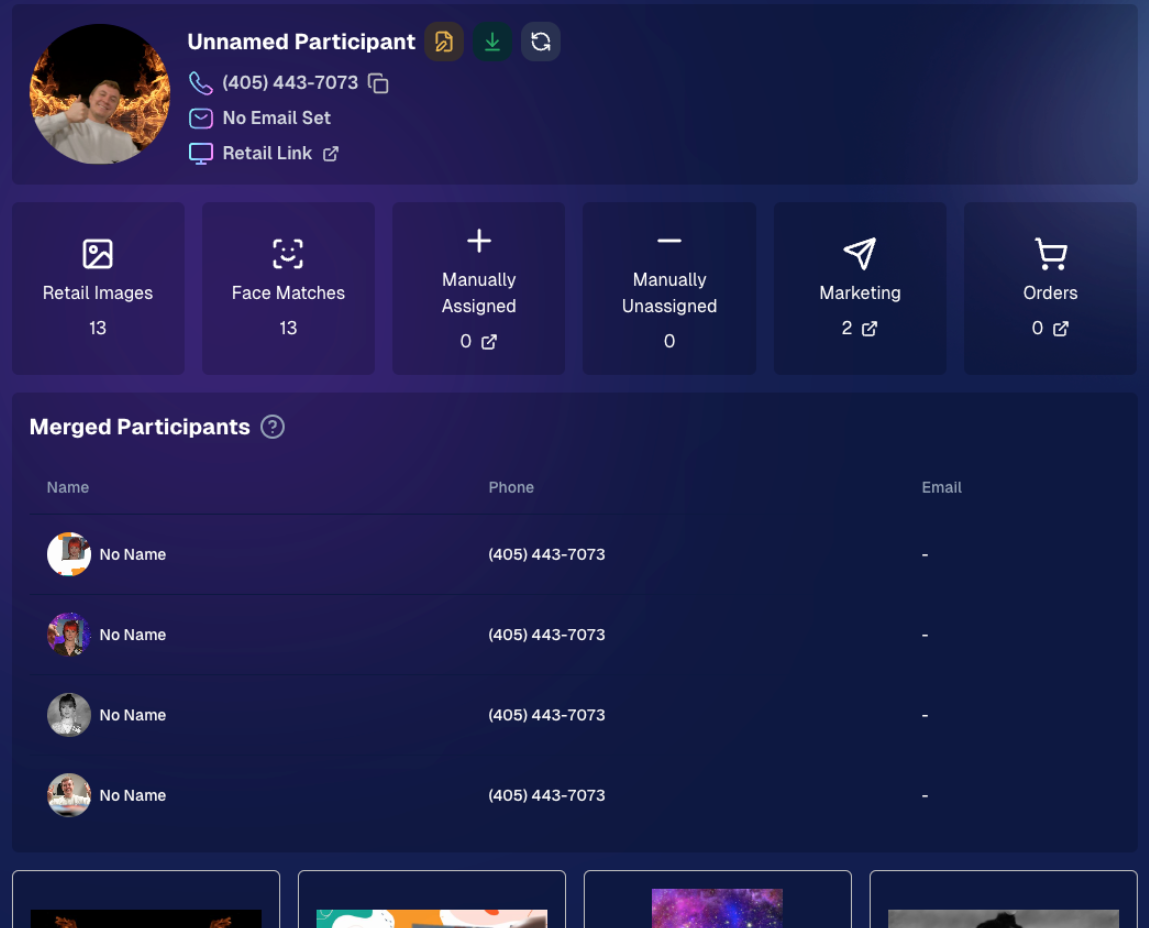
🖨️ Download a PDF sheet of QR code cards

  • The NowCandid QR Code Generator can now create a printable PDF sheet with customizable text.

Great for:

🎓 Placing QR cards on graduation chairs for Selfie Check-In

🏈 Handing out QR cards at sports events linking to an All Images Gallery

📸 Creating polished cards for check-in links, retail links, or any URL you want to share

💬 RCS Messaging Preview

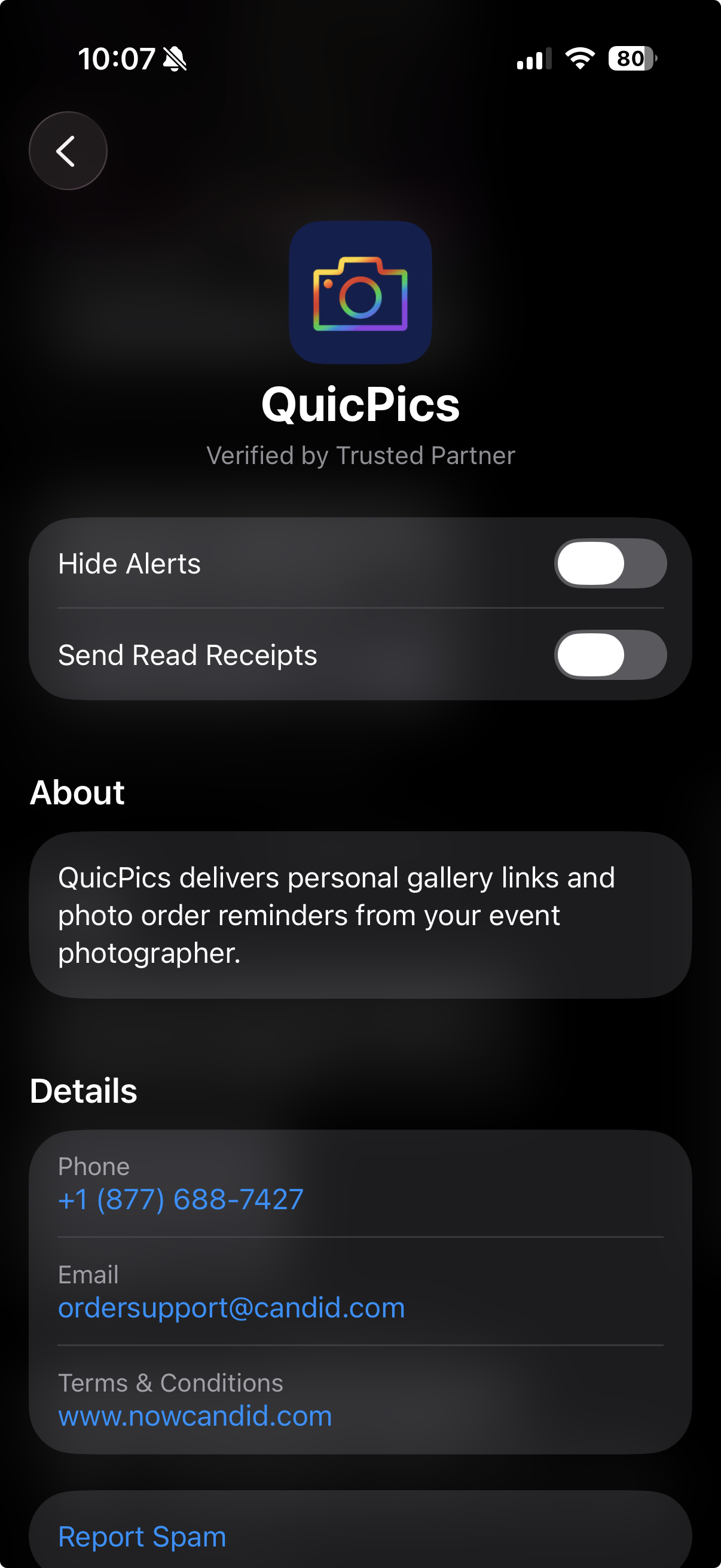
We’re testing RCS messaging for some texts.

📱 Texts can appear as coming from “QuicPics” instead of a phone number

📷 Uses a generic camera-style logo to keep things white-labeled

✅ Helps messages look cleaner and easier to find

🛡️ May help reduce spam filtering in some cases

Currently, RCS is available for:

  • Dashboard 2FA texts
  • Find Me Portal texts

We’ll likely explore rolling this out to marketing texts after grad season.
🛍️ Retail Updates

💸 Slash-through pricing improved

  • Slash-through amounts now use week 3 pricing when applicable, or à la carte pricing if that is higher.
  • So now, we've ensured your customer is always seeing the maximum amount of Discount being provided! Automatically.

📦 Personal Gallery Download slash-through price

  • Even though Personal Gallery Download is technically a package, it can now show a slash-through price based on the individual download product in your Event, when available.

🖼️ Better package performance with BGR images

  • Selecting and editing BGR images inside packages should feel faster.

🧼 Cleaner BGR timing on retail

  • Images going through background removal will no longer appear on the retail site before the BGR process is finished.
  • This helps keep galleries clearer for shoppers! Especially during grad season, when high BGR volume can occasionally slow processing down.

🧩 Favorites Gallery download fix

  • Fixed an edge case where the Personal Image Gallery Download product could appear for Favorites Galleries even when Dynamic Personal Gallery Download was not enabled.

🛠️ Small Fixes & Cleanup

📅 Hidden Events no longer appear on the Event Calendar.

🖼️ Invisible BGR images now display correctly on Participant Details.

⚡ Large Events with thousands of participants or images should feel more stable and responsive.

That’s the update for this week!

From a cleaner Dashboard layout to printable QR cards and better retail pricing displays, these changes are all about making NowCandid easier to use in real-world event workflows.

Keep creating magic,

Candy 🍬

Related articles

📸 Candy’s 12 Days of Christmas: Day 8 – Full Frame Overlays & Custom Backgrounds 🌟🎨
Feature Updates
December 21, 2024

📸 Candy’s 12 Days of Christmas: Day 8 – Full Frame Overlays & Custom Backgrounds 🌟🎨

3
 minutes read
Hello again, my creative photographers! 🎅

Candy here, and welcome to Day 8 of our 12 Days of Christmas countdown. We’ve highlighted features for events, sales, action photography, and sports-focused workflows.

Today, let’s celebrate a 2024 addition that brought artistry and personalization to your images: Full Frame Overlays & Custom Backgrounds.

Key Highlights:

  • Full Frame Overlays & Text Titles:

    Wrap entire images with themed frames—like a party pics overlay, a jungle design, or any style you choose—and add text titles right on the images. It’s a quick way to give your clients something more unique and memorable.
  • Custom Backgrounds & Pre-Rendering:

    Photographers can upload up to four custom backgrounds. These backgrounds will pre-render in the image gallery, so clients can instantly see how their images look against these new scenes. From festive holiday themes to brand-aligned designs, you can set the mood perfectly.
  • Import From Previous Events:

    Have a favorite overlay or background setup from a past event? Simply import it for a new event, maintaining consistency and saving setup time.

These visual customizations not only enhanced the aesthetic appeal of your galleries but could also help boost sales by encouraging clients to purchase more prints and downloads that feel like true mementos. 🎉

Check back tomorrow for Day 9, as we continue counting down the best of 2024. And don’t forget, something special awaits on December 25th!

Candy 🍬

📸 Candy’s 12 Days of Christmas: Day 7 – GroupTags for Sports 🏆✨
Feature Updates
December 20, 2024

📸 Candy’s 12 Days of Christmas: Day 7 – GroupTags for Sports 🏆✨

3
 minutes read
Hello, my team-spirited photographers! 🎅

Candy here, and we’re on Day 7 of our 12 Days of Christmas countdown.

We’ve already highlighted features that made action photography shine, and today’s topic is another sports-focused enhancement: GroupTags for Sports.

Key Highlights:

  • Organized Group Photos:

    Photographers can set up tags (e.g., team names, divisions) to categorize group images the way they want to, complete with emojis if desired!
  • Simple Selection for Customers:

    End customers arriving at the retail site can pick their group’s tag right from the start. No more endless scrolling through dozens of images to find their team!
  • Ideal for Leagues & Tournaments:

    GroupTags turned large sets of group photos into neatly sorted collections, making life easier for everyone.

By letting clients quickly find their specific group’s images, GroupTags improved the overall browsing experience and boosted satisfaction among team members, parents, and fans. 🎉

Check back tomorrow for Day 8, as we continue this holiday journey through the year’s biggest features. And remember, something extra special is coming on December 25th!

Candy 🍬

📸 Candy’s 12 Days of Christmas: Day 6 – Action Photography Features 🏃‍♀️✨
Feature Updates
December 19, 2024

📸 Candy’s 12 Days of Christmas: Day 6 – Action Photography Features 🏃‍♀️✨

3
 minutes read
Hello again, energetic photographers! 🎅

Candy here, and welcome to Day 6 of our 12 Days of Christmas countdown.

Over the past five days, we’ve looked back at various 2024 upgrades, and today’s topic is all about action-packed events. Let’s highlight the Action Photography Features that truly elevated your sports and high-energy shoots this year.

Key Highlights:

  • Dynamic Galleries:

    End customers can add images to their personal gallery on the fly. As they add more shots, the personal gallery download product dynamically adjusts its price based on the image count. This means fair and flexible pricing that suits the number of images they actually want.


  • View Photos in Sequence (SportsPics):

    We introduced a handy "view photos in sequence" button. Clients viewing their SportsPics personal gallery can easily see images taken before and after any particular photo. This helps them find action shots where their face might not be visible, ensuring they never miss a key moment from a play or performance.

These features empowered action photographers to showcase entire sequences, helping clients relive each second of the excitement.

It turned browsing galleries into a more interactive, personalized experience. 🎉

Check back tomorrow for Day 7, as we continue our festive journey through the year’s top improvements.

And remember, something special waits under the tree on December 25th!

Candy 🍬

Let’s get in touch

If you’re a photographer looking to add NowCandid services to your wheelhouse – set up a call by clicking the button below.

How to customize formatting for each rich text

How to customize formatting for each rich text

How to customize formatting for each rich text

How to customize formatting for each rich text

How to customize formatting for each rich text

What’s a Rich Text element?

The rich text element allows you to create and format headings, paragraphs, blockquotes, images, and video all in one place instead of having to add and format them individually. Just double-click and easily create content.

A rich text element can be used with static or dynamic content. For static content, just drop it into any page and begin editing. For dynamic content, add a rich text field to any collection and then connect a rich text element to that field in the settings panel. Voila!

Headings, paragraphs, blockquotes, figures, images, and figure captions can all be styled after a class is added to the rich text element using the "When inside of" nested selector system.

  • List One
  • List Two
  • List Three
  • List Four
  • List Five

This is a link

This is bold text