HomeNavigation arrowBlogNavigation arrow
Current page
Feature Updates

Weekly Recap: Titled Luxe Prints, Zoom Cropping, and Candy Image Studio “From Scratch”

Weekly Recap: Titled Luxe Prints, Zoom Cropping, and Candy Image Studio “From Scratch”
Hey photo friends! 👋

This week’s updates are a fun mix of new products, new visual workflows, and small-but-important fixes that make day-to-day work smoother—especially across Candy Image Studio, retail packages, and PhotoRoster/PhotoTag downloads.

Let’s jump in. ✨

📣 Dashboard: Client Outreach + Workflow Quality-of-Life

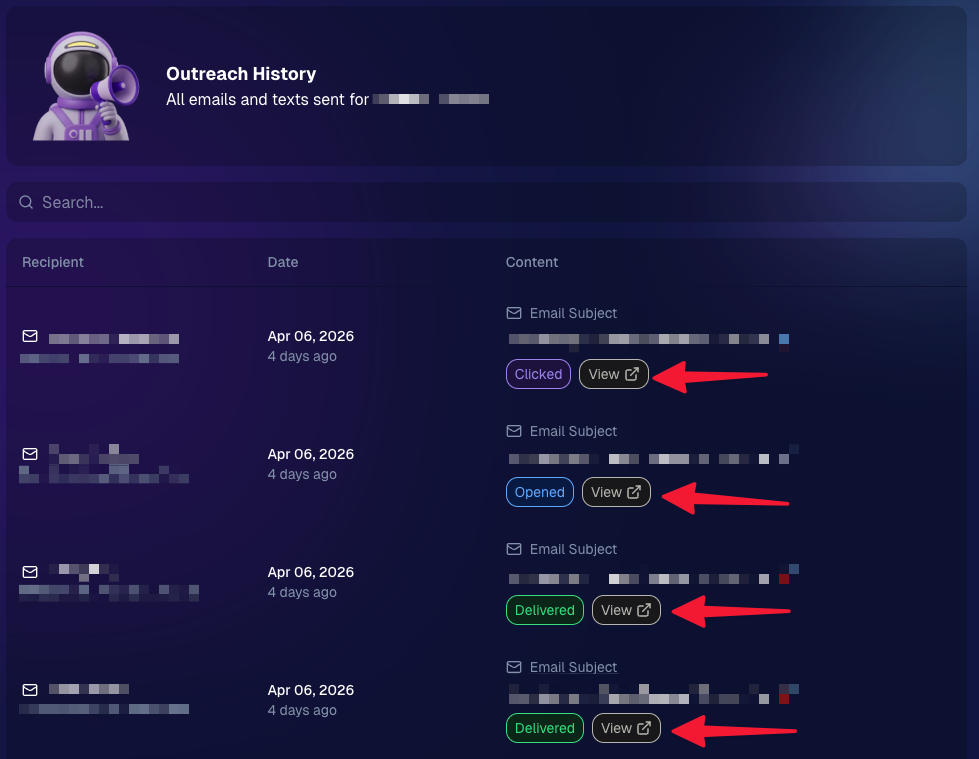
Client Outreach email history is easier to use and more reliable:

  • Added a “View” button in Client Outreach email history so you can open the sent email in a new tab (similar to how order receipts work).
  • Fixed an issue where email status didn’t always show for all emails in the status list.
More clarity when reviewing participant galleries:

  • The Participant Details page now shows invisible images, clearly marked in red with an “Invisible” label—so you can understand what’s hidden without guessing.
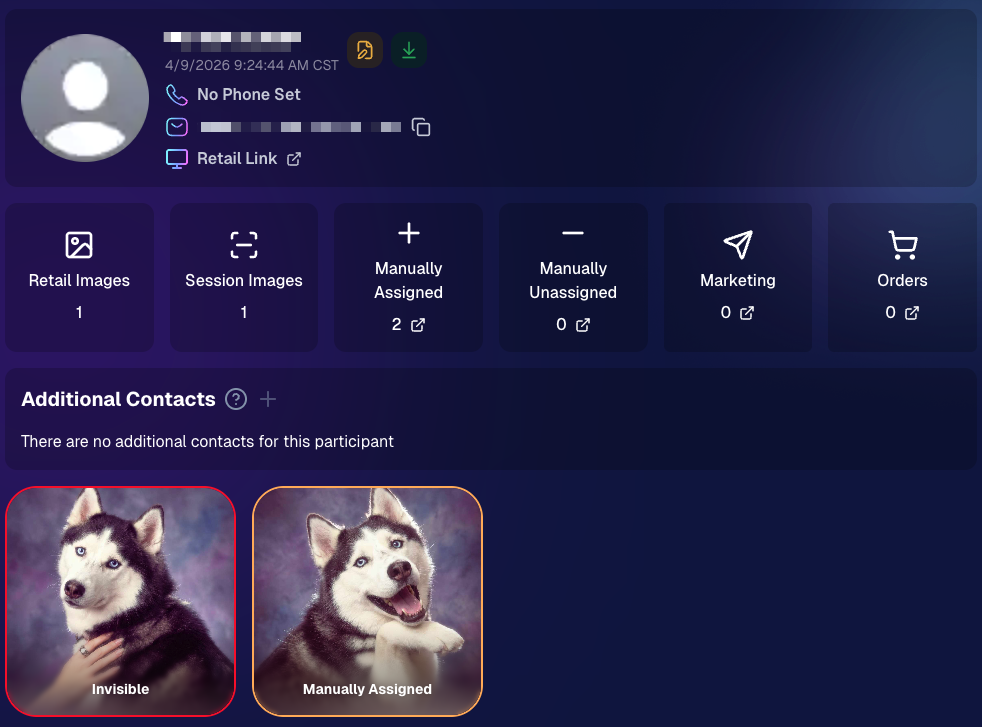
PhotoTag participant gallery downloads got safer:

  • Fixed PhotoTag participant gallery downloads overwriting images when multiple files shared the same frame.
  • Fixed the download count displayed on the download button being off.

🎨 Candy Image Studio: Create Without an Input + A New Node

Candy Image Studio has two notable upgrades this week:

🧠 No input image required (generate from scratch!)
Candy Image Studio no longer requires an input image to get started. You can generate from scratch using the “From Scratch” node (at the very bottom), or by starting from custom text or a custom image—great for things like creating portrait backgrounds or creative assets.

🆕 New “Bobblehead” node
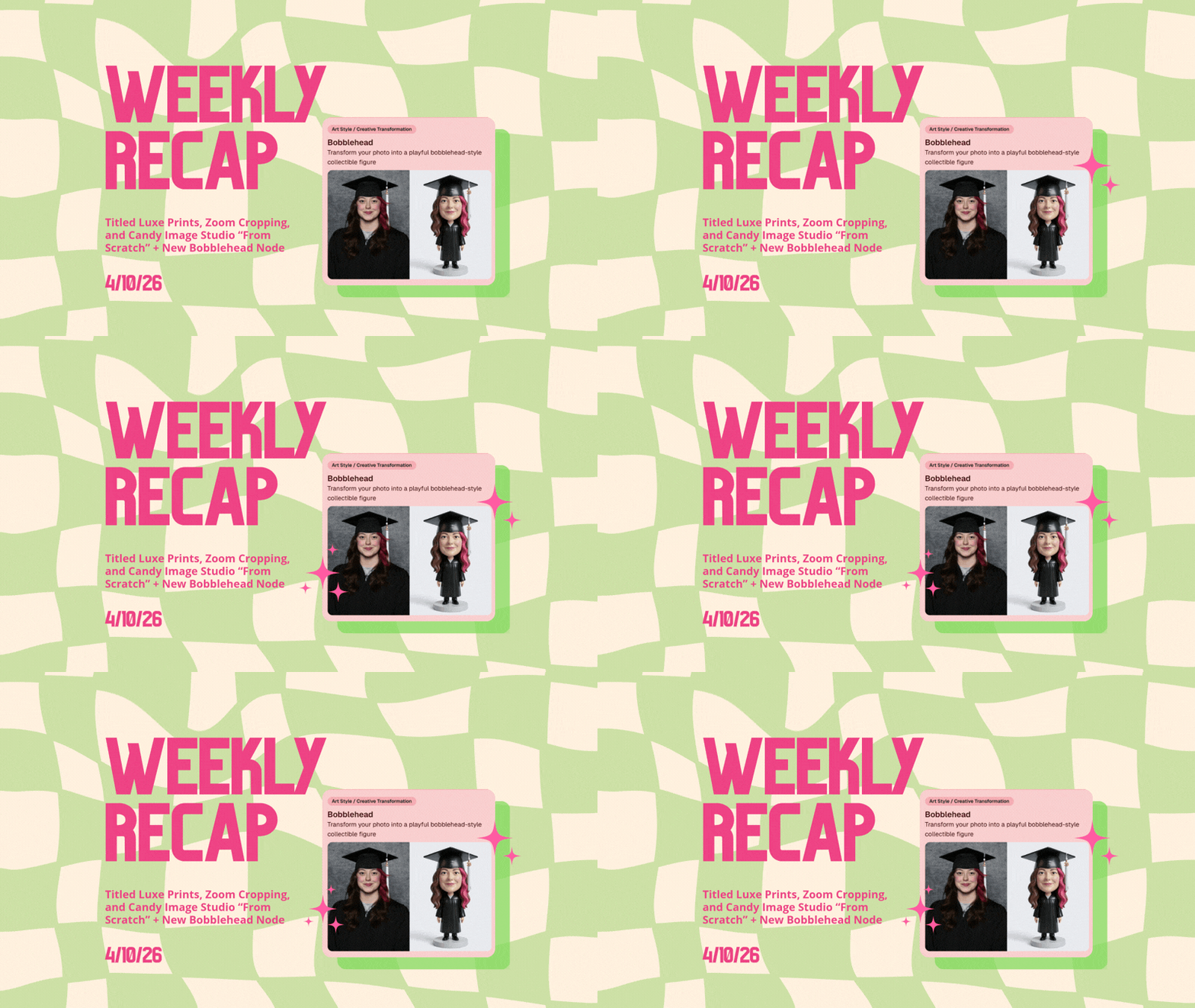
A brand-new Bobblehead node is now available inside Candy Image Studio.

Disclaimer: This is not a new product. This is an image node in the Candy Image Studio.

🏈 Jersey Jotter + Event Settings Cleanup

Jersey Jotter settings were removed from the Create/Edit Event popup.
Since Jersey Jotter now has its own dedicated page, we pulled those settings out of the event popups to keep Create Event as minimal (and fast) as possible—and keep Edit Event aligned with Create.

New: “Auto Enhance” can be turned off in Create/Edit Event.
Important clarity here:

  • Auto Enhance isn’t new — it has always been enabled by default.
  • What’s new is the ability to turn it off from the Create/Edit Event popup.
  • It’s labeled “Auto Enhance” (not “Retail Enhancement”) because it affects more than retail, including things like LiveLoop, Dashboard previews, Shareable Download Gallery, and more.
  • Note: this setting only impacts images uploaded after you change it. (So anything already uploaded keeps whatever enhancement state it had at upload time.)

🛍️ Retail: Package Backgrounds + Fixes

A few retail improvements landed to reduce confusing edge cases:

  • When selecting a PNG (without a faux background render) during the “Next Package Item Image Picker” step, the chosen background will now default to the first background in the background picker list (instead of the purple default).
  • Fixed an issue where the background selector step didn’t always appear for non-faux BGR images.
  • Fixed a crash related to having Wall Clings in packages.
  • Updated the Free Download description to: “Free simple, full-resolution download of your image.” (Previously it implied lower resolution.)

🔍 NEW: Zoom Cropping “Z-Cropping” (Dashboard + Retail)

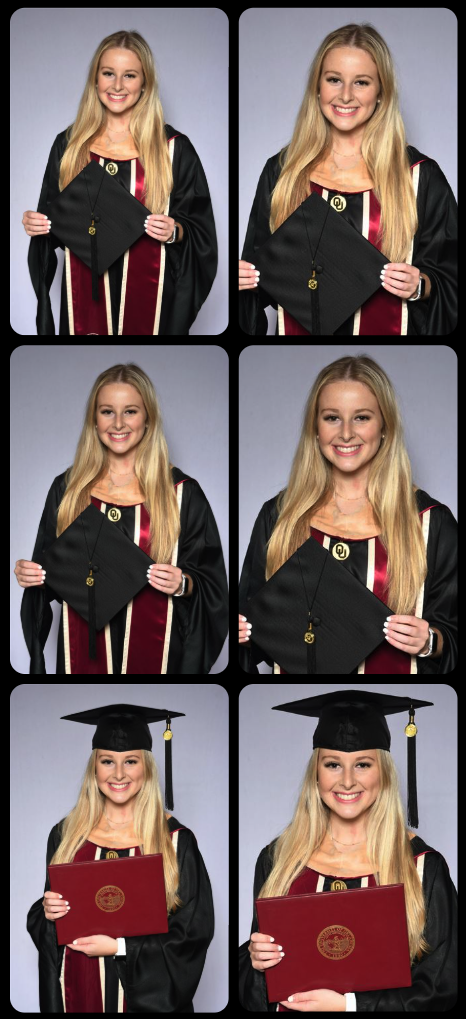
In Advanced Offer Settings, you can now enable Zoom Cropping, which automatically adds an additional image into the customer’s gallery that is zoom-cropped toward their face.

Details & rules:

  • ✅ Works on Face Matching Events
  • ✅ Works only on images with one face
  • ✅ All default graduation offers/price levels now have Zoom Cropping enabled
  • Behind the scenes, it applies a ~30% zoom toward the face, with an additional ~30% pull from the center of the image toward the face (clamped to avoid cropping beyond image bounds)

This is a great “quiet upgrade” for grads and portrait-style moments where customers love a tighter crop—without you needing to manually create it.
🖼️ New Products: Titled Luxe Prints (Dashboard + Retail)

Two new products just landed:

  • 5×7 Titled Luxe Print
  • 8×10 Titled Luxe Print

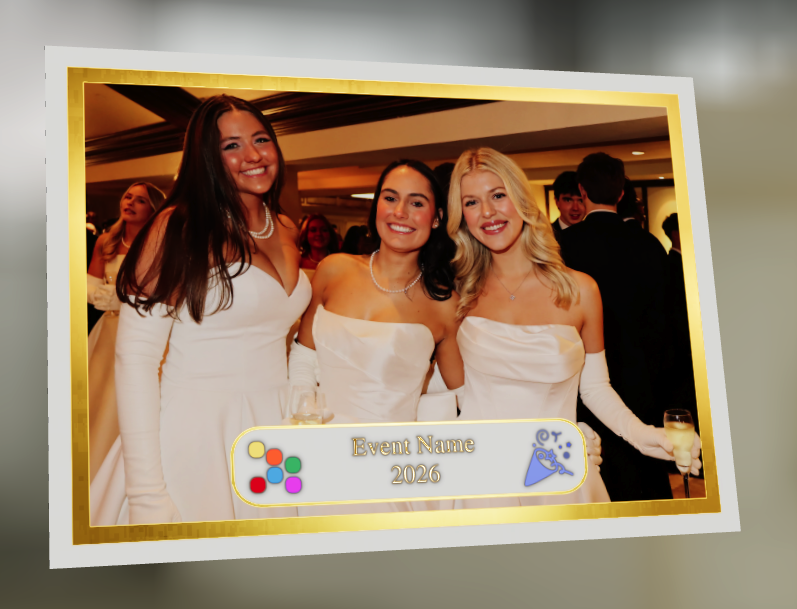
Want to see the 3D preview?
https://app.nowcandid.com/3d/titled-luxe-print

New: “Edit Titled Luxe Print” Page (per event)
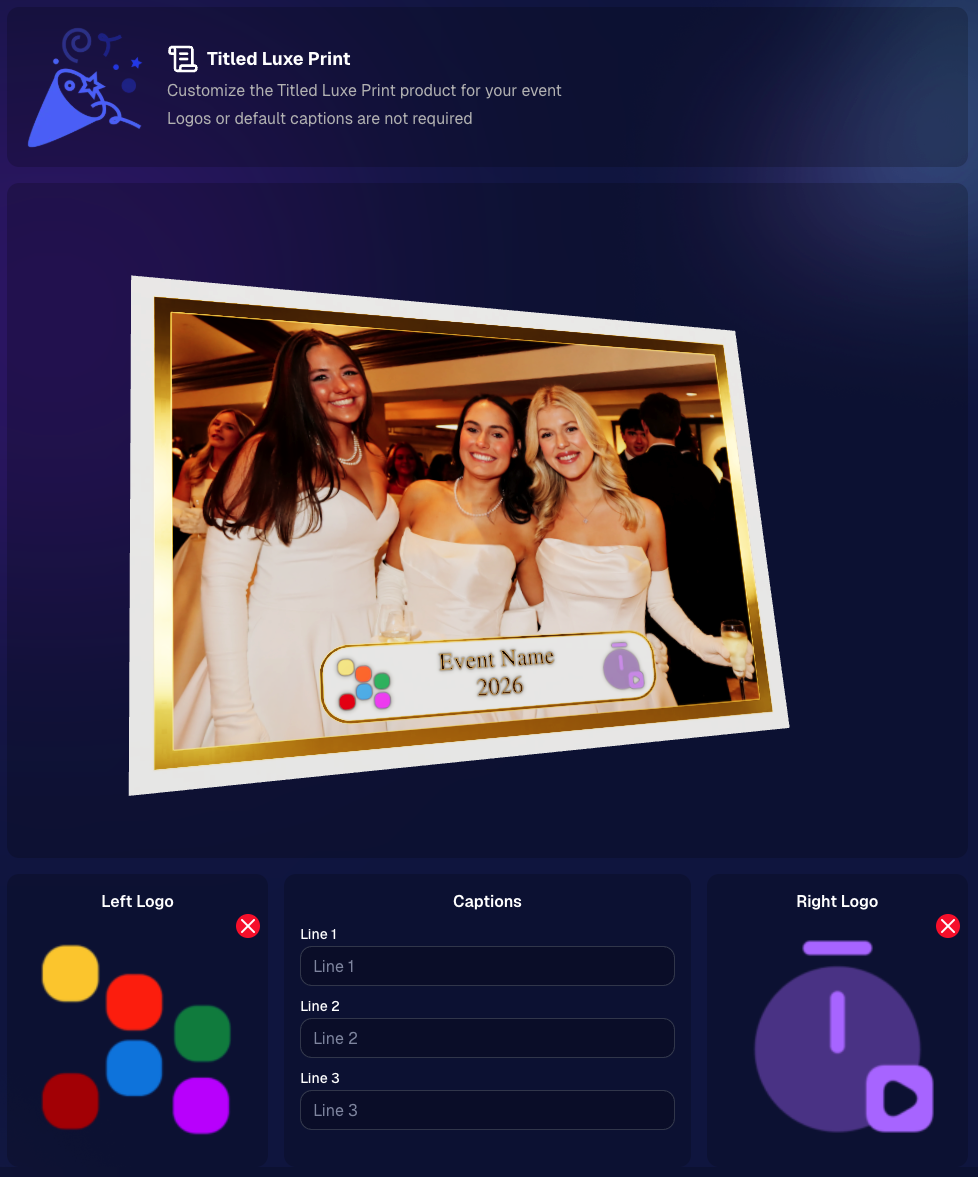
There’s a new event-level page available in the Dashboard sidebar only if one of the new titled products is included in the event’s offer. From there, you can:

  • Set default captions
  • Select left/right logos
  • Preview the 3D render
  • (Easter egg: rotate the render and you can spot your business name on the backprinting.)
Notes:

  • Default captions and logos are optional
  • Retail shoppers can change captions when ordering
  • Logo requirements: upload/import a 650×650 transparent PNG
  • Retail supports both 2D + 3D renders, including your custom logos
  • Order Details pages now display the selected logos, similar to how we show captions and colors

That’s the week! 💫

Between Zoom Cropping, Titled Luxe Prints, and Candy Image Studio’s new From Scratch flow (plus a pile of cleanup across retail + downloads), this update adds a lot of power without adding extra complexity.

Keep creating magic,
— Candy 🍬

Related articles

Proms: An Untapped Gold Mine
PartyPics
April 14, 2023

Proms: An Untapped Gold Mine

4
 minutes read

Plenty of photographers think photographing a prom is not worth their time and energy. They're not wrong to think that either... as that can often be the case! But, NowCandid's "PartyPics Now!" program has cracked the code and found a way to consistently monetize proms and other school dances!

We analyzed all the proms that took place in 2022 that had utilized PartyPics Now, and found that across dozens of proms, photographers averaged well over $2 per image taken and about $5 per guest at the prom. Not bad, considering the average number of students at any given prom was about 400 students!

The top performing proms well exceeded $2 per image and $5 per guest by doing some combination of the following things:

          • First, they used NowCandid's Selfie Check-In workflow, which gathered the guest's parent's contact data! Marketing the prom images to them as well.

          • Second, they utilized photo stations (sometimes with backdrops and/or props!) with photographer attendants in addition to roaming photographers.

          • And third, they sent 4 or more photographers to ensure they photographed every guest multiple times, making the guest's online galleries (and the larger photo packages) more appealing!

At proms where all three of those conditions were successfully met, the average sales per image was $3 and the average sales per event guest was almost $9!

So, while proms might not be quite as profitable as they were once upon a time, they can still be a great way to make some extra profit in your off season, expand your business, keep your photographers paid and busy, and more!

And... stay tuned! Because a new feature we're calling Group-by-Face rolls out in the very near future! Helping to take your online galleries for social events to the next level! 🎉

Have any questions? Feel free to contact us! We love to chat. 😃

Stay profitable, photographers! 📸

Cap and Gown Chronicles: Master the Art of Graduation Photography with These Expert Tips
GradPics
April 11, 2023

Cap and Gown Chronicles: Master the Art of Graduation Photography with These Expert Tips

4
 minutes read

Graduation day is a momentous occasion, marking the culmination of years of hard work, dedication, and the occasional all-nighter (we're looking at you, college students). As a photographer, you have the unique opportunity to capture these once-in-a-lifetime moments, and we're here to help you make the most of it. From technical know-how to creative flair, we've got you covered with expert tips for optimal graduation photography. And with NowCandid's Grad Pics Now program at your side, you'll be snapping insta-worthy shots in no time. So, ready your camera and let's get started!

  1. Scout the Location:
    Before the big day, visit the graduation venue to familiarize yourself with the layout and lighting conditions. Identify the best spots for group shots, candid moments, and the all-important diploma handoff. This prep work will ensure that you're in the right place at the right time to capture those precious memories.
  2. Use the Right Gear:
    Bring a telephoto lens for close-ups of the stage, a wide-angle lens for group shots, and a fast prime lens for low-light conditions. A monopod or tripod can also help steady your shots and reduce camera shake during those crucial moments and pre- or post-stage cross portraits.
  3. Find the Perfect Angle:
    Get creative with your angles to add depth and interest to your shots. But importantly, always find the right shot in order to get the graduate’s face in the photo! When using NowCandid’s face matching workflows, that’s a very important piece of the puzzle! When you can’t get a good angle, consider asking the school ahead of time to make sure the “handshaker” will always turn towards the camera and smile, prompting the graduates to do the same!
  4. Tell the Story:
    Graduation day is a rollercoaster of emotions, from anticipation to elation. Document the day's events, capturing candid moments and reactions that tell a compelling story. With NowCandid's Grad Pics Now program, you can easily organize and share these images in a personalized gallery, allowing graduates and their families to relive the day for years to come.
  5. Get Creative with Portraits:
    Graduation portraits don't have to be stiff and formal. Encourage the graduates to express themselves, whether it's a celebratory jump or a quirky pose with their diploma. These fun shots will stand out and make lasting memories.

With these expert tips and NowCandid's Grad Pics Now program in your toolkit, you'll be well-equipped to master the art of graduation photography. So, channel your inner photographer and capture the magic of the big day – because, as Ferris Bueller once said, "Life moves pretty fast. If you don't stop and look around once in a while, you could miss it." And no one wants to miss a moment as special as graduation day. Happy snapping!

Prom Night Profits: How to Rock Prom Photography in the Age of Smartphones
PartyPics
April 10, 2023

Prom Night Profits: How to Rock Prom Photography in the Age of Smartphones

6
 minutes read

Prom night is a rite of passage, filled with teenage dreams, extravagant dresses, and Insta-worthy moments. But as a photographer, you might be wondering if prom photography is still a profitable gig in the era of smartphones and selfies. Fear not, fellow camera enthusiasts! With a few clever strategies and the help of NowCandid's Party Pics Now program, you can turn prom night into a money-making opportunity. So, grab your camera and let's dive into the world of prom photography!

  1. Adapt and Thrive:
    The rise of smartphones has indeed changed the game, but savvy photographers can adapt by focusing on what they do best: capturing high-quality, professional images. Offer your clients a mix of posed pictures and candid shots, using the Selfie Check-In and Tap-A-Face workflows from NowCandid's Party Pics Now program to streamline the process and ensure a smooth experience for everyone involved.
  2. More Photographers, More Profit:
    Increase your revenue potential by sending multiple photographers to cover the event. Assign one to a dedicated photo station for portraits, while others roam the venue capturing quick posed photos of friends and group pictures. This approach ensures that you capture a wide variety of sellable frames, making the most of your time on-site.
  3. Create a Unique Photo Station:
    Make your photo station stand out by offering themed backdrops, fun props, and creative lighting. This will not only draw the prom-goers to your station but also encourage them to share their professional photos on social media, giving you free advertising and potentially attracting new clients.
  4. Network with Schools and Event Planners:
    Build relationships with schools, event planners, and other key stakeholders to secure more prom photography gigs. Offer special deals, referral incentives, or donate a portion of your profits to the school as a way to give back and establish a positive reputation in the community.
  5. Promote Your Services:
    Use social media, your website, and local advertising to promote your prom photography services. Share examples of your work, highlight special offers, and showcase testimonials from satisfied clients to build credibility and attract new business.
  6. Capture the Essence of Prom Night:
    Prom is a night of glitz, glamor, and teenage dreams come true. To create images that truly resonate, focus on capturing the energy, emotion, and excitement of the event. Channel your inner photographer and make every shot a visual feast that transports the viewer to a world of prom night magic.

Prom photography can still be a profitable venture for professional photographers willing to adapt and innovate. By combining the power of NowCandid's Party Pics Now program with smart strategies and a touch of creativity, you can turn prom night into a lucrative opportunity that'll have you dancing all the way to the bank. And hey, who knows? You might even get a chance to bust a move on the dance floor while you're at it – just remember to keep your camera handy, because you never know when that perfect shot will present itself. Happy shooting!

Let’s get in touch

If you’re a photographer looking to add NowCandid services to your wheelhouse – set up a call by clicking the button below.

How to customize formatting for each rich text

How to customize formatting for each rich text

How to customize formatting for each rich text

How to customize formatting for each rich text

How to customize formatting for each rich text

What’s a Rich Text element?

The rich text element allows you to create and format headings, paragraphs, blockquotes, images, and video all in one place instead of having to add and format them individually. Just double-click and easily create content.

A rich text element can be used with static or dynamic content. For static content, just drop it into any page and begin editing. For dynamic content, add a rich text field to any collection and then connect a rich text element to that field in the settings panel. Voila!

Headings, paragraphs, blockquotes, figures, images, and figure captions can all be styled after a class is added to the rich text element using the "When inside of" nested selector system.

  • List One
  • List Two
  • List Three
  • List Four
  • List Five

This is a link

This is bold text