HomeNavigation arrowBlogNavigation arrow
Current page
Feature Updates

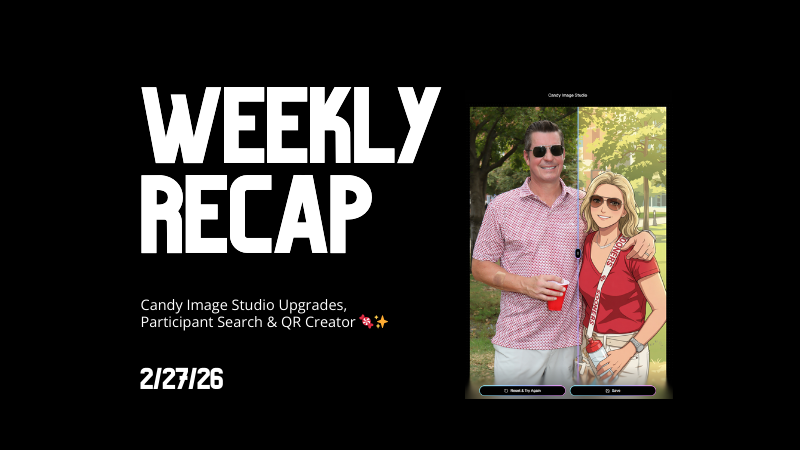
Weekly Recap: Candy Image Studio Upgrades, Participant Search & QR Creator 🍬✨

Weekly Recap: Candy Image Studio Upgrades, Participant Search & QR Creator 🍬✨
Hey photo friends! 👋

This week is packed with tools you’ll probably use right away: big upgrades to Candy Image Studio, a brand-new Participant Search across all events, and a fun but practical QR Creator.

Let’s dive in.

🎨 Candy Image Studio: More Control, More Power

We’ve made some meaningful upgrades to Candy Image Studio:

👁️ Choose whether to mark the original image invisible

  • Previously, edits always hid the original. Now it’s your call.

🗂️ Multiple edits can coexist

  • Uploading multiple AI edits of the same image no longer overwrites previous ones.

🧠 New safety agent

  • Automatically checks for edits involving race/ethnicity/skin tone changes or nudity to keep things appropriate.

🖼️ Generate 2K or 4K outputs

  • 4K is recommended for images with text.

Image Lightbox Integration

  • Click “Candy Image Studio” directly from an image lightbox to preload it into the Studio.
  • You can optionally mark the original invisible, and it keeps all participant associations intact for the new image (just like cutouts).
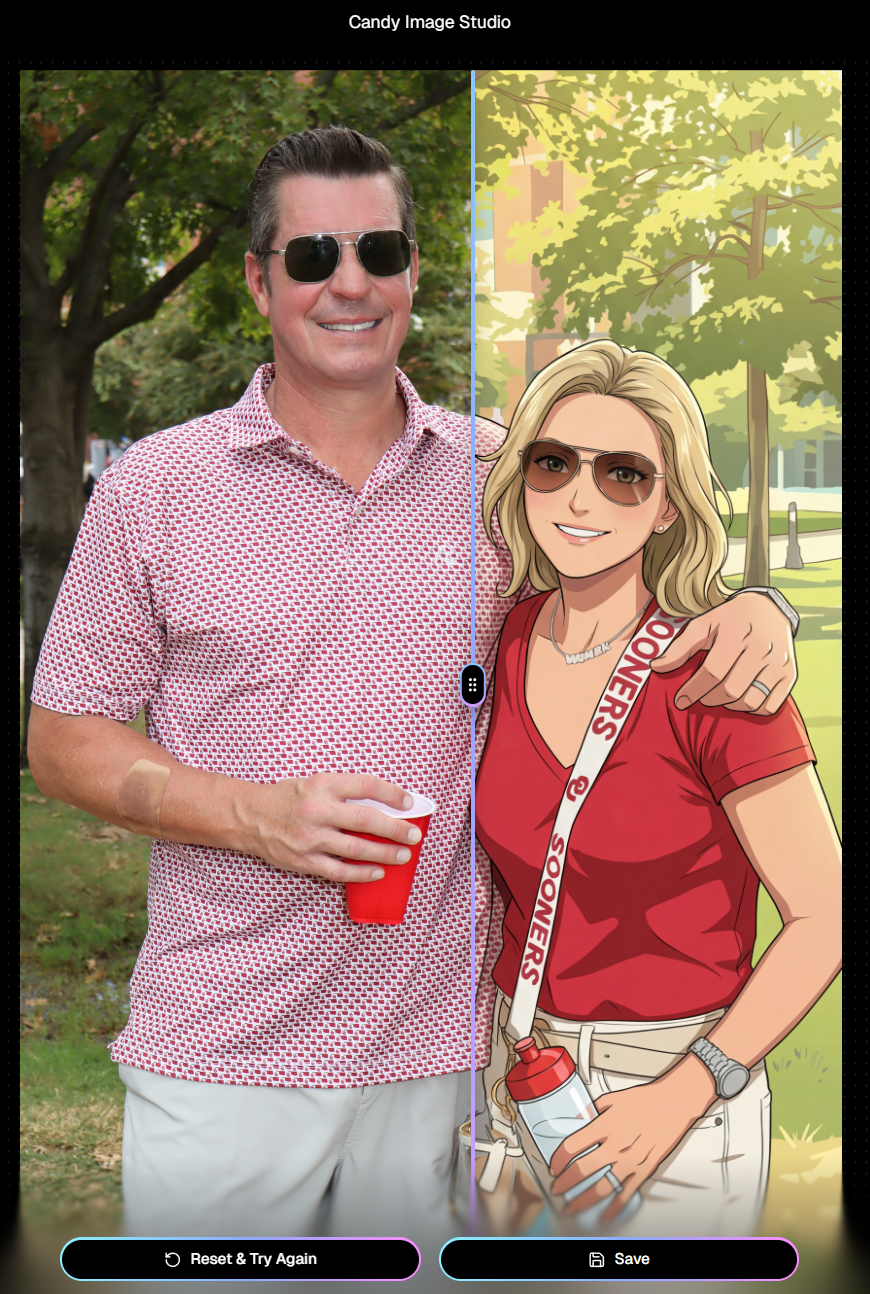
If you haven't checked out the AI editor, give it a try!

🔎 New: Participant Search Across All Events

You can now search participants across your entire account:

  • Search by name or contact info
  • Access via Tools & More, Sidebar Search bar, or "/participants" directly in the URL
  • Supports Candy navigation

Huge time-saver when you can’t remember or don't know which event someone was in.
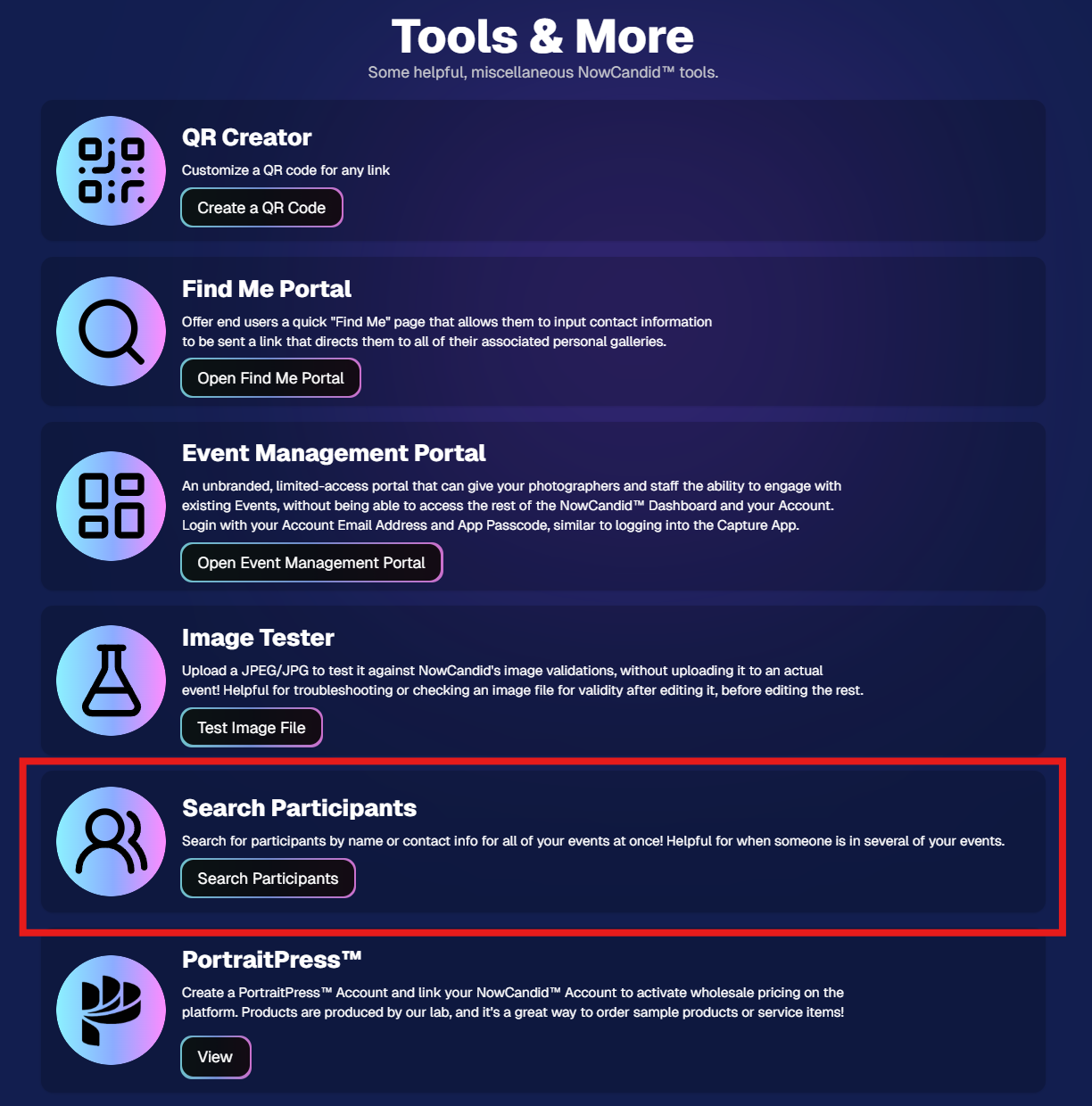
Click here to jump to the Tools & More page

🔳 New Tool: QR Creator

Found under Tools & More, the new QR Creator lets you:

  • Paste in any link (event, check-in, retail, etc.)
  • Customize shape and colors
  • Generate something nicer than a plain black-and-white square
  • Download the new, cuter QR code!

Simple, but useful for signage, flyers, and booths.
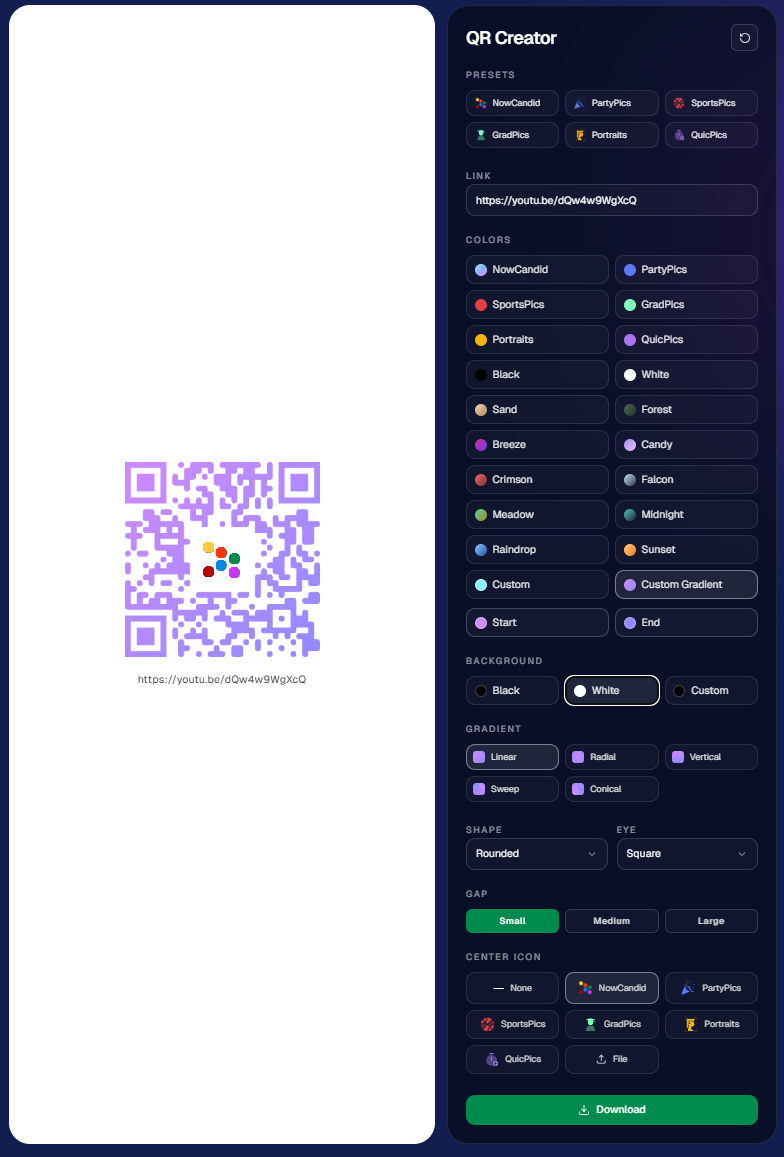
https://app.nowcandid.com/tools/qr

📱 Mobile Dashboard Improvements

🔄 Swipe down to refresh any page (no app update needed, just refresh)

↔️ Swipe left/right in image lightboxes to move between images (desktop users already have arrow keys)

🍬 Overall improved Candy experience on mobile

🖥️ Dashboard Improvements

📂 PhotoRoster upload limit increased to 10,000 members

🏷️ PhotoTag assignment via Edit Folder fixed (won’t remove all tags unless you choose “None”)

👤 Create Participant button re-enabled (shows warning if event is older than 60 days; roster import still disabled for older events)

⚡ Faster event list search for accounts with many events

🖼️ Event cover photo now visually anchors the Event Details & Tags pages

🧾 Fixed overlay import not working properly

🔔 Fixed toast notifications appearing behind popups

🌾 Candy Culler Duplicate detection improvement

  • When using “Duplicates Only” in Candy Culler, duplicates now appear side-by-side for easier reviewing.

🛍️ Retail Improvements

📄 Fixed pagination buttons requiring page jump to function

🏈 Improved Jersey Jotter search speed/performance

🌀 LiveLoop Fixes

🛠️ Fixed certain events stopping after running for awhile

📢 Fixed not being able to upload advertisements

💸 Shipping Update

📦 5×7 Statuette shipping cost reduced thanks to a new shipping method for that product

  • From $7.25 → $3.25 (about 55% lower)

That’s the week!

Bigger AI editing control, faster participant lookup, custom QR codes, and a lighter shipping cost on 5×7 Statuettes.

Keep creating magic,

Candy 🍬

Related articles

📸 Candy’s 12 Days of Christmas: Day 5 – International Customer Support 🌍✨
Feature Updates
December 18, 2024

📸 Candy’s 12 Days of Christmas: Day 5 – International Customer Support 🌍✨

3
 minutes read
Hello again,  globally-minded photographers! 🎅

Candy here, and welcome to Day 5 of our 12 Days of Christmas countdown.

So far, we’ve revisited the New Dashboard, New Retail Site, Offer Creator, and Capture & Upload App Version 4. Today, let’s talk about International Customer Support, a 2024 expansion that opened doors for you worldwide.

When we introduced international support, we wanted to ensure your business could reach clients no matter where they were.

Here’s what made it possible:

  • Global Marketing Texts & Links:

    Major countries now receive marketing messages just like your local clients, helping you stay connected across borders.
  • International Orders & Shipping:

    Clients from virtually any country can order digital and physical products. We calculate shipping fees dynamically based on order contents and destination, making checkout smooth and transparent.

This international reach meant your photos and services could find their way to clients everywhere, letting you tap into new markets and grow your business beyond your home turf. 🎉

Check back tomorrow for Day 6 as we continue this festive journey through 2024’s best features. And remember, something special is coming on December 25th!

Candy 🍬

📸 Candy’s 12 Days of Christmas: Day 4 – Capture & Upload App Version 4 🎄✨
Feature Updates
December 17, 2024

📸 Candy’s 12 Days of Christmas: Day 4 – Capture & Upload App Version 4 🎄✨

3
 minutes read
Hello, my holly-jolly photographers! 🎅

Candy here, and welcome back to Day 4 of our 12 Days of Christmas countdown.

So far, we’ve revisited the new Web Dashboard, the New Retail Site, and the Offer Creator. Today, let’s look at Capture & Upload App Version 4, one of the key updates that kept you snapping and uploading with ease throughout 2024.

When we rolled out Version 4, we aimed to improve both performance and functionality.

Here’s what made it stand out:

  • Face Boxes on iOS:

    Enhanced face detection and clarity for more accurate participant matching.
  • Performance Improvements:

    A smoother, faster app experience, letting you focus on capturing the moment rather than waiting on your device.
  • Dark Mode for OLED Screens:

    Battery-saving and easier on the eyes, perfect for long event days where every percent of battery counts.
  • Foundation for Future Tools:

    This update laid the groundwork for features like GroupTags (stay tuned for Day 7!), ensuring you were ready for the capabilities we’d roll out later in the year.

The Capture & Upload App Version 4 played a crucial role in optimizing your Workflow, and helping you handle busy events with confidence. 🎉

Check back tomorrow for Day 5, as we continue highlighting the top features of 2024. And remember, something extra special awaits on December 25th!

Candy 🍬

📸 Candy’s 12 Days of Christmas: Day 3 – The Offer Creator 🎄🎁
Feature Updates
December 16, 2024

📸 Candy’s 12 Days of Christmas: Day 3 – The Offer Creator 🎄🎁

3
 minutes read
Hello again, my festive photographers! 🎅

Candy here, and welcome to Day 3 of our 12 Days of Christmas countdown. Over the past two days, we revisited the new Web Dashboard and Retail Site—both big hits in 2024. Today, let’s highlight the Offer Creator, a powerful tool that put you firmly in the driver’s seat of your photography business.

When we introduced the Offer Creator, our goal was to give you total flexibility and control, while maintaining simplicity and ease of use!

Note: We did keep the original NowCandid Default Price Levels around! So those are still an option to use, however you now have the option to create your own as well! Woo!

Here’s what made it shine:

  • Custom Product Lineups & Pricing:

    Tailor your product offerings exactly how you want, setting your own prices and creating packages that fit your clients’ needs.
  • Upsells & Shipping Fees:

    Configure upsell products and shipping costs to match the value of your work and the nature of the event—no more one-size-fits-all.
  • Themed Retail Experiences:

    Change your retail theme to align with your brand, the event’s vibe, or even the holiday spirit. Think of the Candy Cane theme for this festive season!
  • Easy Event Selection:

    Once you’ve created an Offer, simply select it whenever you’re setting up a new Event. Quick, organized, and ready to roll.

The Offer Creator allowed you to fine-tune your selling strategy, ensuring that every event’s storefront matched your vision and delighted your customers. 🎉

Check back tomorrow for Day 4, where we’ll continue highlighting the best of 2024. And remember, something extra special awaits on December 25th!

Until then, stay jolly and keep capturing those wonderful holiday moments. 🎄

Candy 🍬

Let’s get in touch

If you’re a photographer looking to add NowCandid services to your wheelhouse – set up a call by clicking the button below.

How to customize formatting for each rich text

How to customize formatting for each rich text

How to customize formatting for each rich text

How to customize formatting for each rich text

How to customize formatting for each rich text

What’s a Rich Text element?

The rich text element allows you to create and format headings, paragraphs, blockquotes, images, and video all in one place instead of having to add and format them individually. Just double-click and easily create content.

A rich text element can be used with static or dynamic content. For static content, just drop it into any page and begin editing. For dynamic content, add a rich text field to any collection and then connect a rich text element to that field in the settings panel. Voila!

Headings, paragraphs, blockquotes, figures, images, and figure captions can all be styled after a class is added to the rich text element using the "When inside of" nested selector system.

  • List One
  • List Two
  • List Three
  • List Four
  • List Five

This is a link

This is bold text